Printer Setup
Document ID: OMM-00165 Rev. C Pro 32r Operations Guide 98
5.5.1.4 Changing a Password
1.
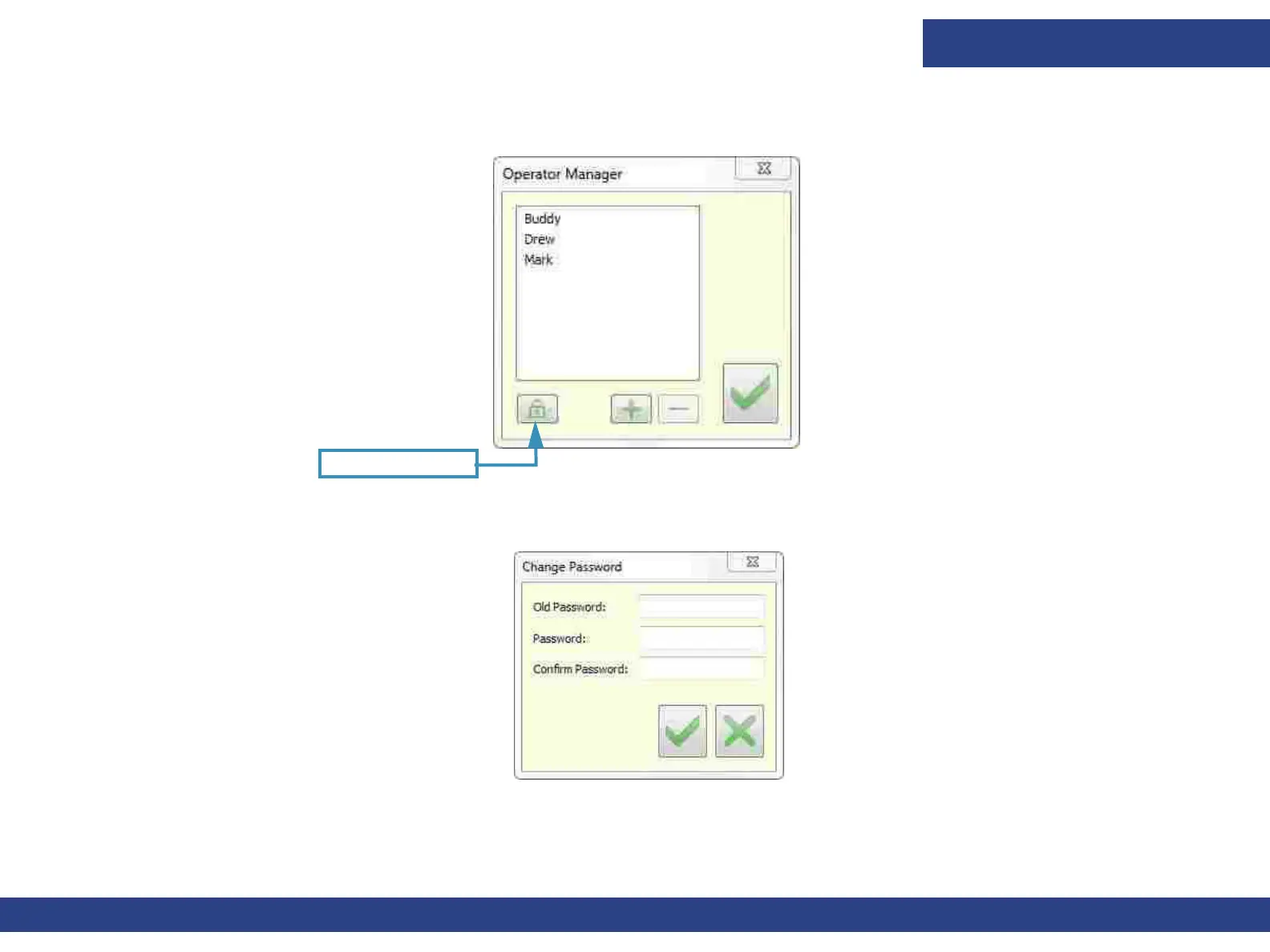
Figure 5-27 : Operator Manager
Change Password
Choose Tools > Operator > Operator Manager.
2. The initial Password is ‘1234’. To change this password, choose Change Password.
Figure 5-28 : Change Password Dialog Box
3. Enter the current Password, enter the new Password and confirm it. Choose OK.
4. Reset password is enabled only in Engineer mode. The reset password button appears in
the dialog and choosing it resets the
password back to ‘1234’.



 To Next Page