Software Overview
Document ID: OMM-00165 Rev. C Pro 32r Operations Guide 66
4.6.1.3 Media Position Calibration
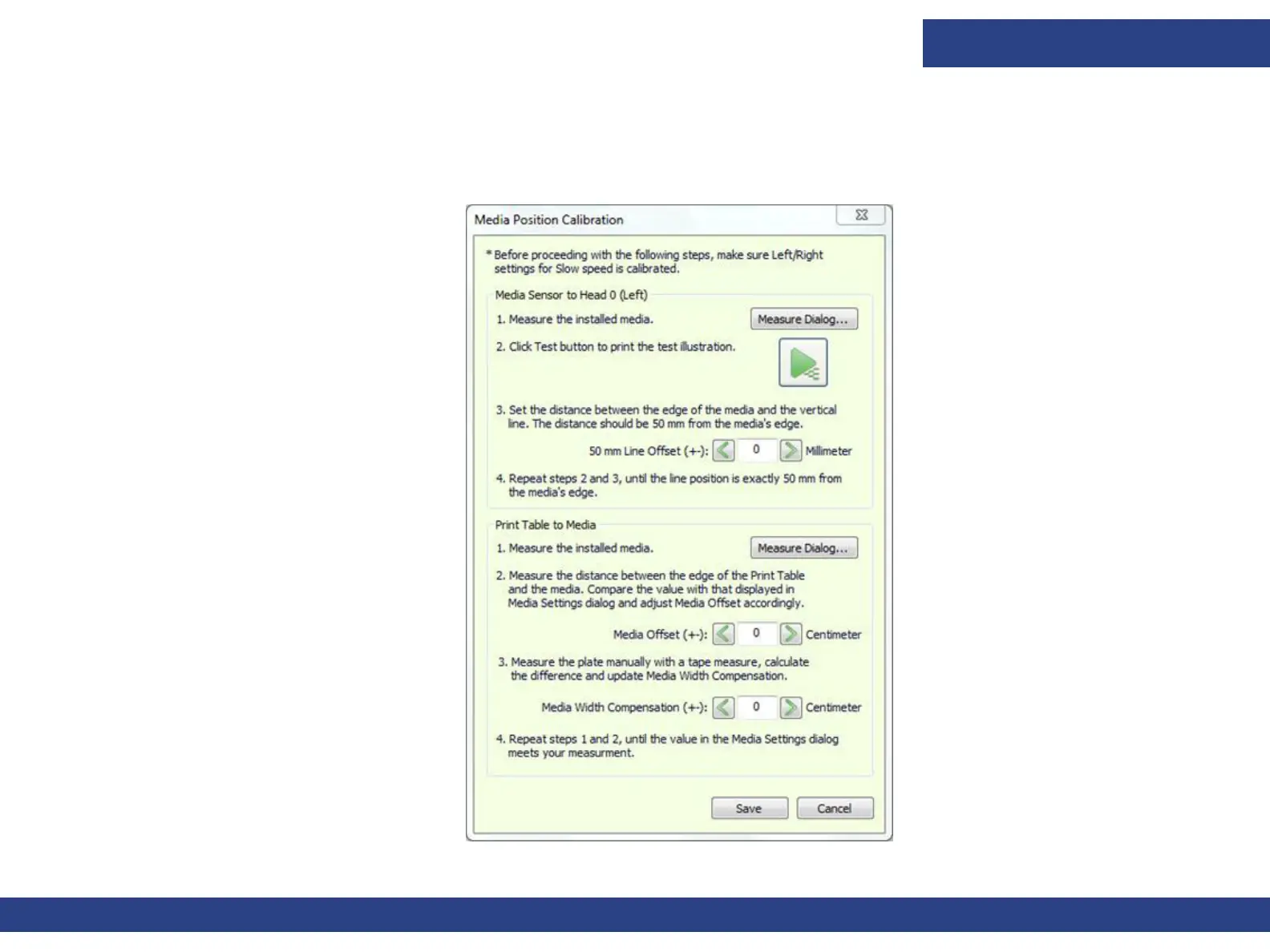
Before carrying out media position calibration, ensure that the Left / Right settings for slow speed have been calibrated.
To carry out this calibration, follow the instructions in the Media Position Calibration dialog box.
Figure 4-21 Media Position Calibration Dialog Box



 To Next Page