5.7. EWK1/EWK2 Wireless Keyfob
EWK1/
EWK2
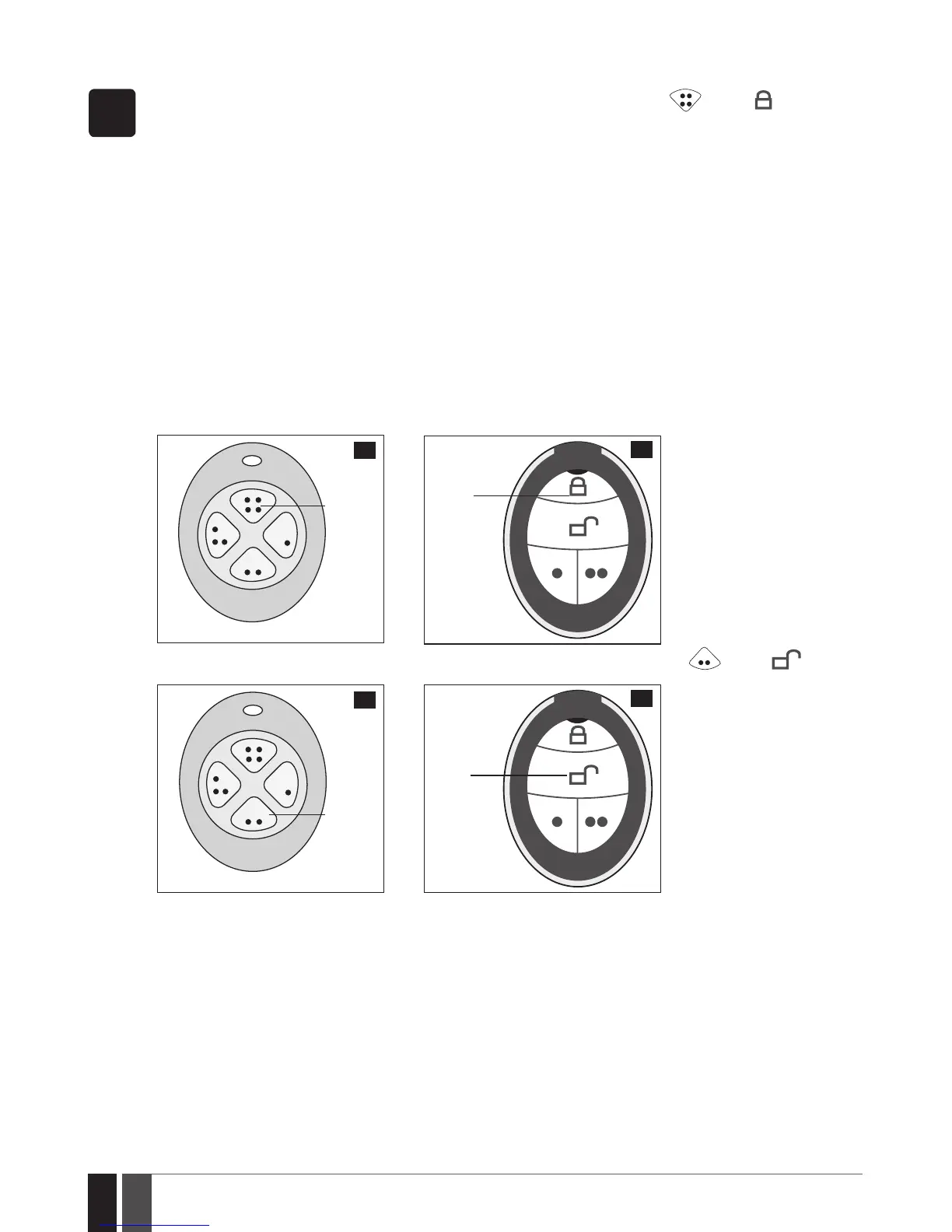
To arm the system, press 1 of 4 keyfob buttons set to arm the system (by default, EWK1 – ;EWK 2 - ). When EWK1/
EWK2 button is pressed for arming, the system will proceed as follows:
Non-partitioned system/partitioned system - arming a single partition:
• If ready (no violated zone/tamper), the system will arm followed by SMS text message delivery to the user.
• If unready, the system will not arm. In such case the user must restore all violated zones and tampers before arming the
system. Alternatively, the violated zones can be bypassed (see 8. BYPASSING AND ACTIVATING ZONES), disabled
(please contact your alarm system installer to set up this parameter) or a Force attribute enabled (please contact your
alarm system installer to set up this parameter).
Partitioned system - arming multiple partitions simultaneously:
• If all partitions are disarmed ready (no violated zone/tamper), the system will arm them followed by SMS text message
delivery to the user.
• If one or more partitions are disarmed unready (violated zone/tamper is present), the system will arm the ready partition
(-s) and skip the unready one (-s). In order to arm the unready partition, the user must restore all violated zones and tam-
pers assigned to the unready partition before arming the system. Alternatively, the violated zones can be bypassed (see 8.
BYPASSING AND ACTIVATING ZONES), disabled (please contact your alarm system installer to set up this parameter) or
a Force attribute enabled (please contact your alarm system installer to set up this parameter).
• If a combination of armed and disarmed ready partitions is present, the system will arm the disarmed ready partitions and
skip the armed ones followed by SMS text message delivery to the user.
Arm the
system
9
8
Arm the
system
To disarm the system, press 1 of 4 keyfob buttons set to disarm the system (by default, EWK1 - ; EWK2 - ).
Disarm
the
system
11
10
Disarm
the
system
To verify if the system has been successfully armed, do not release the Arm the system keyfob button and wait for the 3 short
keyfob buzzer’s beeps/indicator’s ashes indicating the successfully carried out command. The long beep/ash indicates the
unsuccessful command.
When EWK1/EWK2 keyfob is assigned to multiple partitions, the user will be able arm/disarm the corresponding system parti-
tions by pressing the corresponding button. For example, if EWK2 is assigned to Partition 1 and 4, the user will be able to arm/
disarm Partition 1 and 4 by pressing the corresponding button. For more details on how to set EWK1/EWK2 keyfob partition,
please contact your alarm system installer.



 To Next Page