15. POWER CONSUMPTION MONITORING
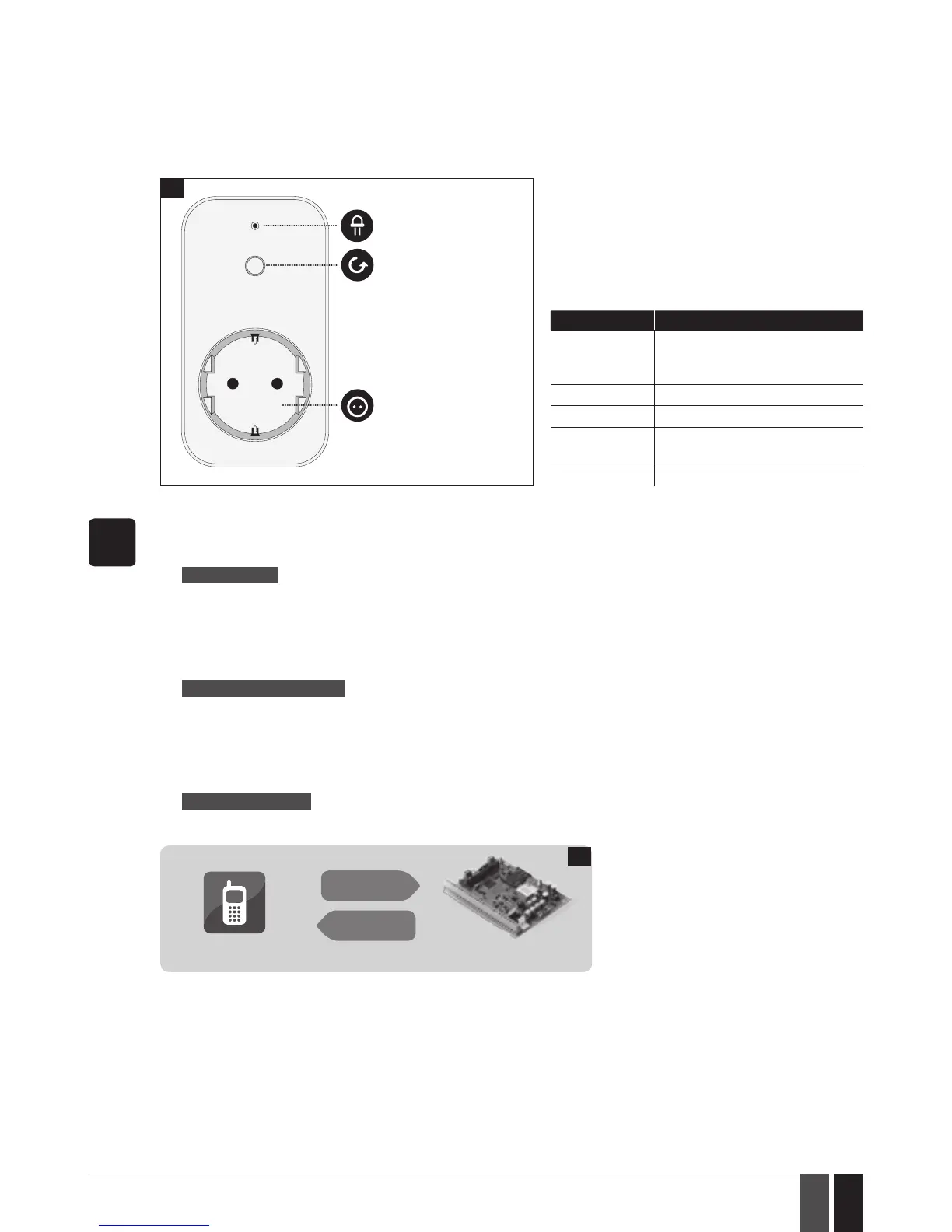
EWM1 is a wireless device intended to provide a wireless connection access to any electrical appliance, such as lights, air-conditioner, wa-
tering equipment etc. By pairing EWM1 wireless power socket to the system and plugging the appliance into the electrical outlet of EWM1,
the user will be able to control the appliance via wireless keyfob, keypad, SMS text message or according to the scheduled time as well as
to monitor real-time power consumption value and view today’s or monthly power consumption reports. In case of EWM1 failure, you can
view the existing device faults using EKB2 LCD keypad.
LED indication
Type E, F
or G outlet
Button for
restoring default
parameters or
turning ON/OFF
EWM1 when
paired with ELDES
alarm system
22
LED indication Description
Flashing (green) EWM1 is unpaired or wireless con-
nection with ELDES alarm system
is lost
Steady ON (red) Fault is present
OFF Relay is turned OFF
Steady ON
(green)
Relay is turned ON
Flashing (red) EWM1 is resetting to default
SMS
1. In order to request today’s and monthly power consumption reports, please send the following SMS text message to the
system‘s phone number from any out of 10 listed user phone numbers:
SMS text message content:
ssss_EWM1INFO
Value: ssss - 4-digit SMS password.
Example: 1111_EWM1INFO
2. In order to reset the power consumption counter of a certain EWM1 device paired with the system, please send the follow-
ing SMS text message to the system‘s phone number from any out of 10 listed user phone numbers:
SMS text message content:
ssss_EWM1RESET:out-name
Value: ssss - 4-digit SMS password; out-name - PGM output name associated with a certain EWM1 device.
Example: 1111_EWM1RESET:Controll13
3. In order to reset the power consumption counter of all EWM1 devices paired with the system, please send the following
SMS text message to the system‘s phone number from any out of 10 listed user phone numbers:
SMS text message content:
ssss_EWM1RESET:ALL
Value: ssss - 4-digit SMS password.
Example: 1111_EWM1RESET:ALL
User
ESIM364
SMS
SMS
23



 To Next Page