Technical Support - MDM 34/97 599 76 11-68 Rev. 01
7.4 Deleting the last alarm
It is good practice to cancel the alarms stored:
After reading the alarm codes, to check whether the alarm re-occurs during the diagnostic cycle.
After repairing the appliance, to check whether it re-occurs during testing.
N.B. With this operation all the alarms stored are deleted.
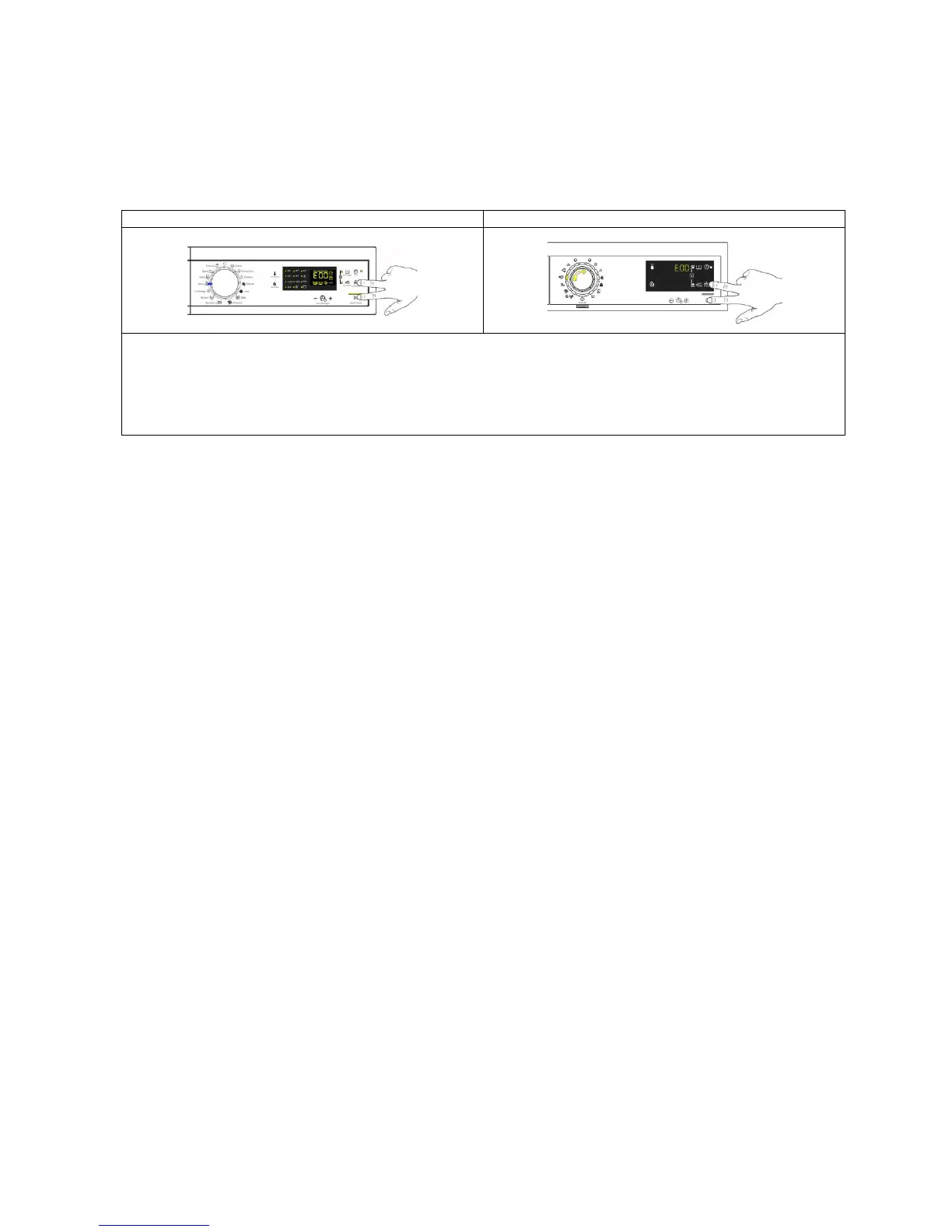
1. Enter the diagnostic mode (para. 6.1 or para. 6.2).
2. Turn the selector clockwise until the eleventh LED lights up.
3. Simultaneously press the START/PAUSE sensor and the nearest option sensor (as shown in
the diagram).
4. Keep your fingers over the sensors until the LCD display shows “E00” (at least 5 seconds).



 To Next Page