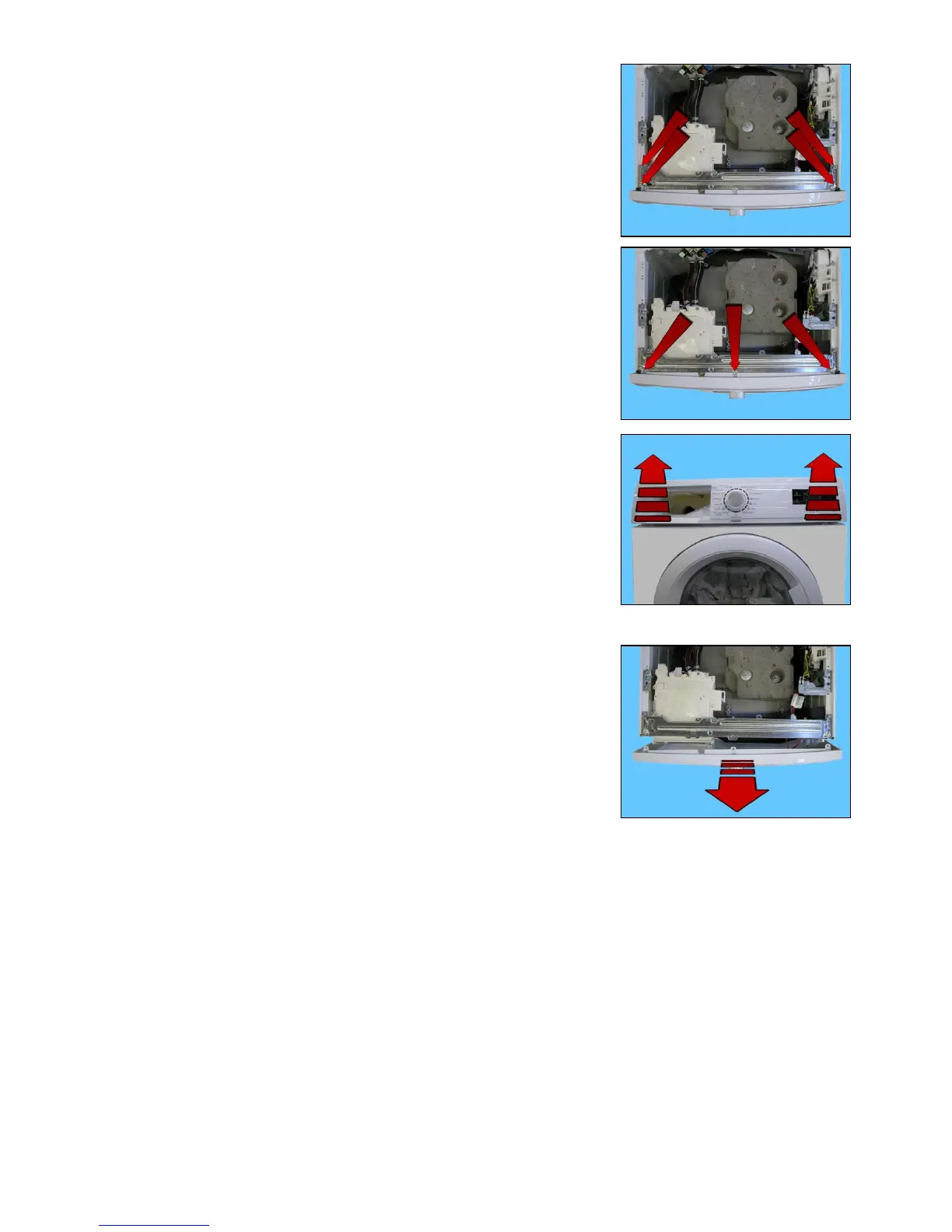
Technical Support - MDM 77/97 599 76 11-68 Rev. 01
Remove almost completely the four screws which secure the crosspiece
to the cabinet (indicated by the arrows).
Loosen the screws which secure the control panel to the crosspiece.
Raise both sides of the control panel so as to pull out the hooks which
secure it to the front panel.
Remove the control panel, position it as shown in the figure, taking care not
to scratch or damage the cabling that links the display board assembly.



 To Next Page