Technical Support - MDM 79/97 599 76 11-68 Rev. 01
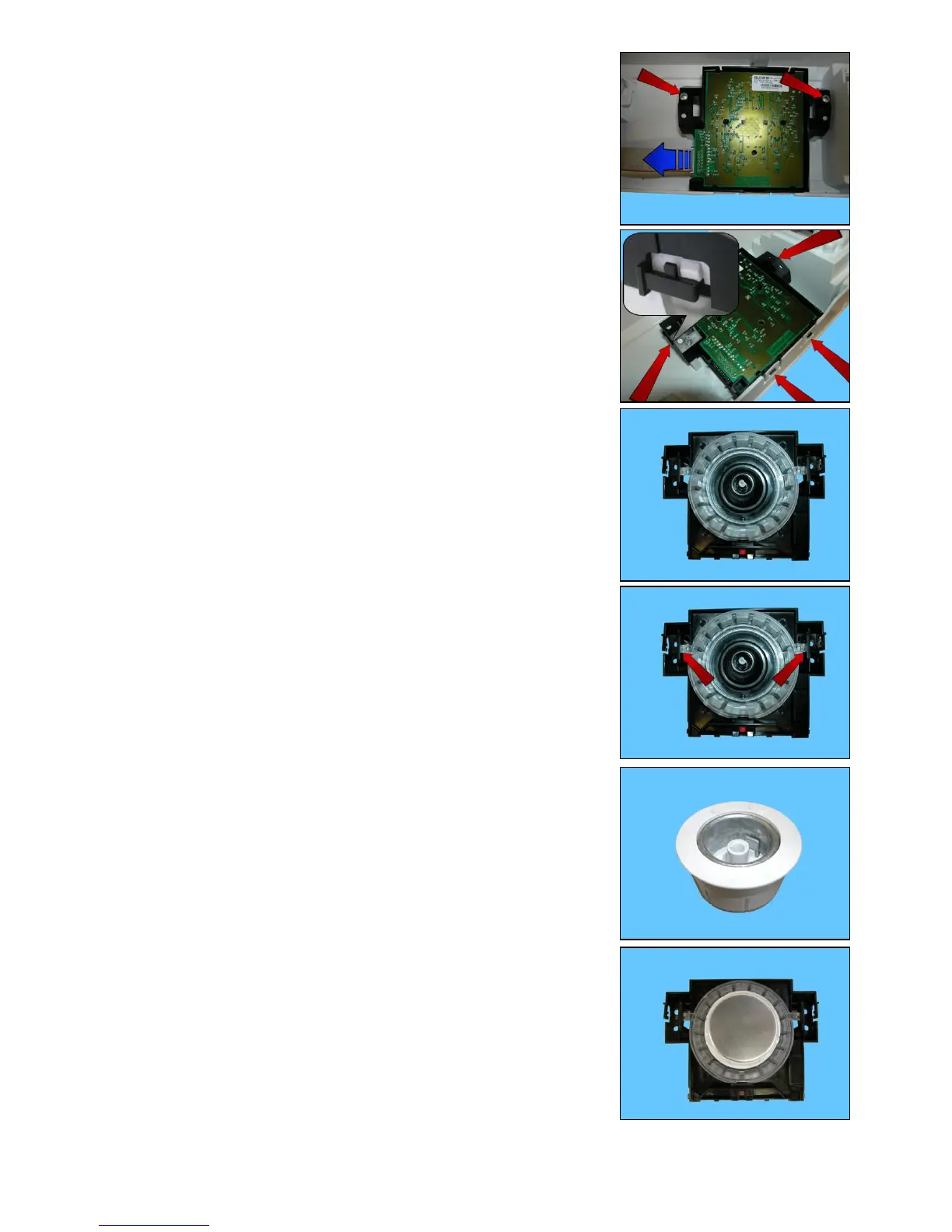
Selector control
Remove the worktop (see relevant paragraph).
Remove the control panel (see relevant paragraph).
Pull out the connector indicated by the blue dotted arrow (see figure).
Slacken the two screws.
Unhook the four tabs that fix it to the control panel.
Remove it from its position.
LED light diffuser
Unhook the two tabs that block it to the plastic support.
When re-assembling the selector onto the control panel, remove the knob
from the control panel.
Insert it in the selector pin.
Take care because the knob can come out when assembling the control panel.



 To Next Page