Use and maintenance manual
Page 29
Engineering Department PHONE: +39 0532 829 965 - FAX: +39 0532 829 177
E-Mail: support@elenos.com
3. USER INSTRUCTIONS
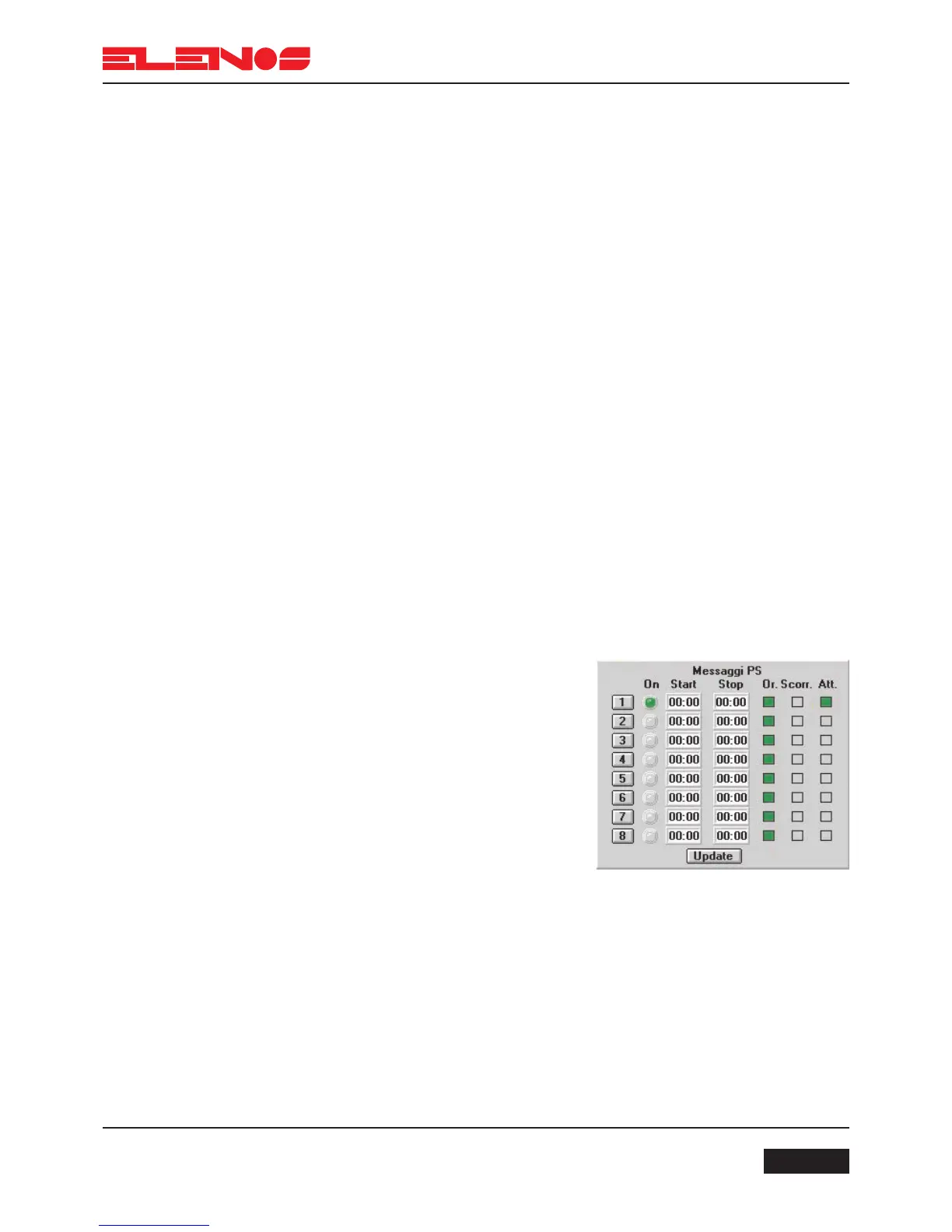
PS Messages:
The “PS Messages” section shows 8 zones, each of which comprises the following
fields:
1-8 keys to select the window for modifying the contents of the corresponding PS mes-
sage.
START text box corresponding to the time of start of transmission of the PS message.
This field can only be modified if the OR key is lit.
STOP text box corresponding to the time of the end of transmission of the PS message.
This field can only be modified if the OR key is lit.
ATT (active) key enabling the PS message to be transmitted on-air; if green, the mes-
sage is on-air.
OR (time) key enabling the on-air message to be timed; if OR and ATT are both green,
the PS message will go on-air between the times specified by the START and STOP
fields.
SC (scroll) key enabling the transmission of the PS message in scrolling mode (one
letter to the right every second).
ON indicator (green) confirming that the corresponding message is on-air.
3.4.10.
RDS Encoder
Programming
Active messages (ATT lit green) which are not timed (OR grey) will be transmitted
consecutively during intervals when timed messages are inactive. To ensure that the video
programming is in step with the encoder, press the “Update” key.
Procedure for programming message 1
Press OR (time) so that it is lit green (time
setting enabled)
Click the mouse on the START window
Delete the previous time (CANC key)
Enter the start time (using the same
format:”XX:XX”)
Click the mouse on the STOP window
Delete the previous time (CANC key)
Write the end time of the message
Press key 1 (the message programming
window will appear)



 To Next Page