Caution
Preparations
Inserting and Charging the Battery Pack
Before use, insert the battery pack and check whether it is charged.
➊
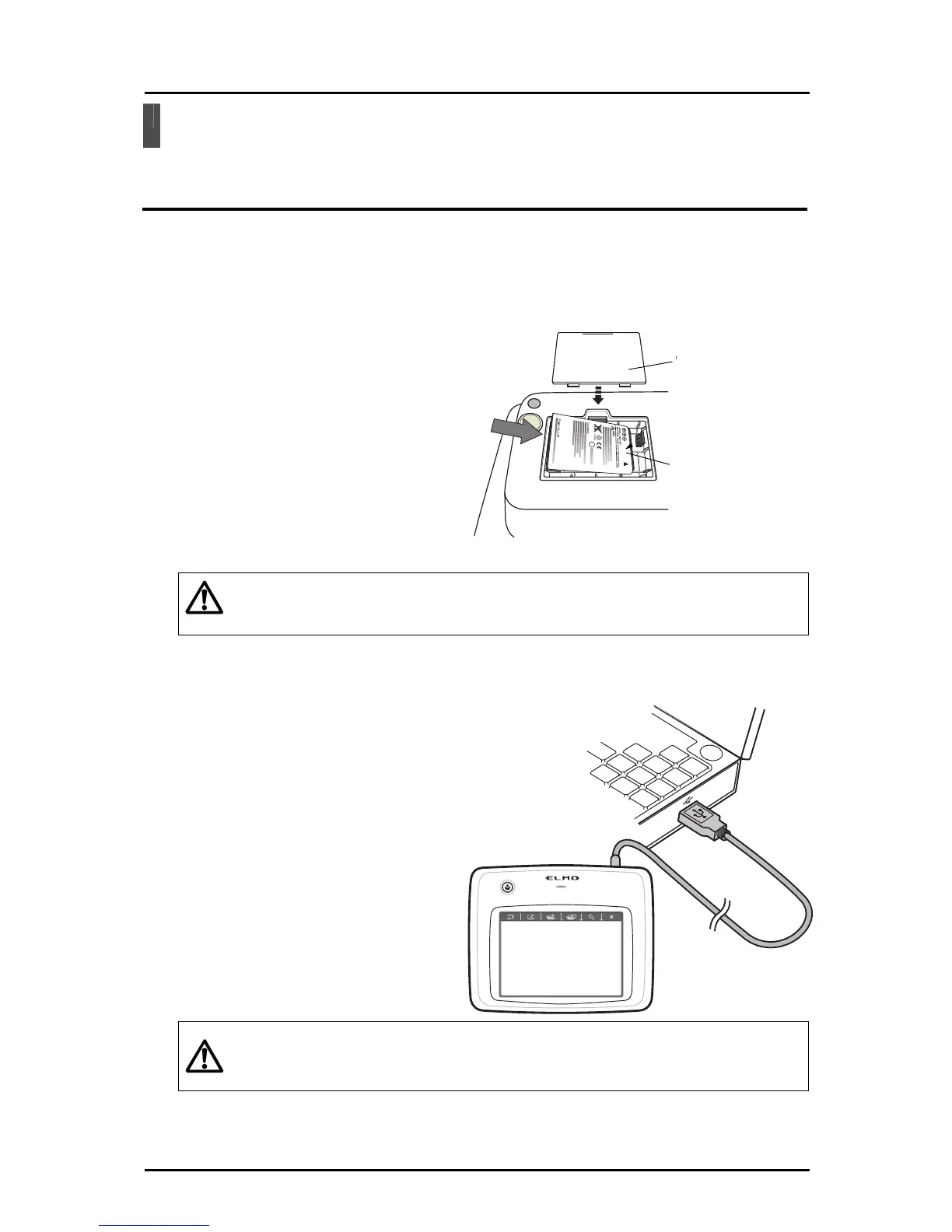
Insert the battery pack in the tablet.
Battery box lid
Battery pack
Tablet underside
Insert the supplied battery pack in
the battery box on the underside o
f
the tablet.
・Insert the battery pack in the correct direction.
・Only open the battery box when necessary.
➋
Connect the computer and the tablet with the USB cable for charging.
When charging starts, the "Status
LED" in the center of the tablet is lit.
Caution
When char
ging is complete, the
"Status LED" turns off.
Charging time: Approx.
4 hours
・Disconnect the USB cable from the tablet when charging is complete.
・When using the Tablet, make sure that the USB cable is removed.
12



 To Next Page