Adding a Stamp
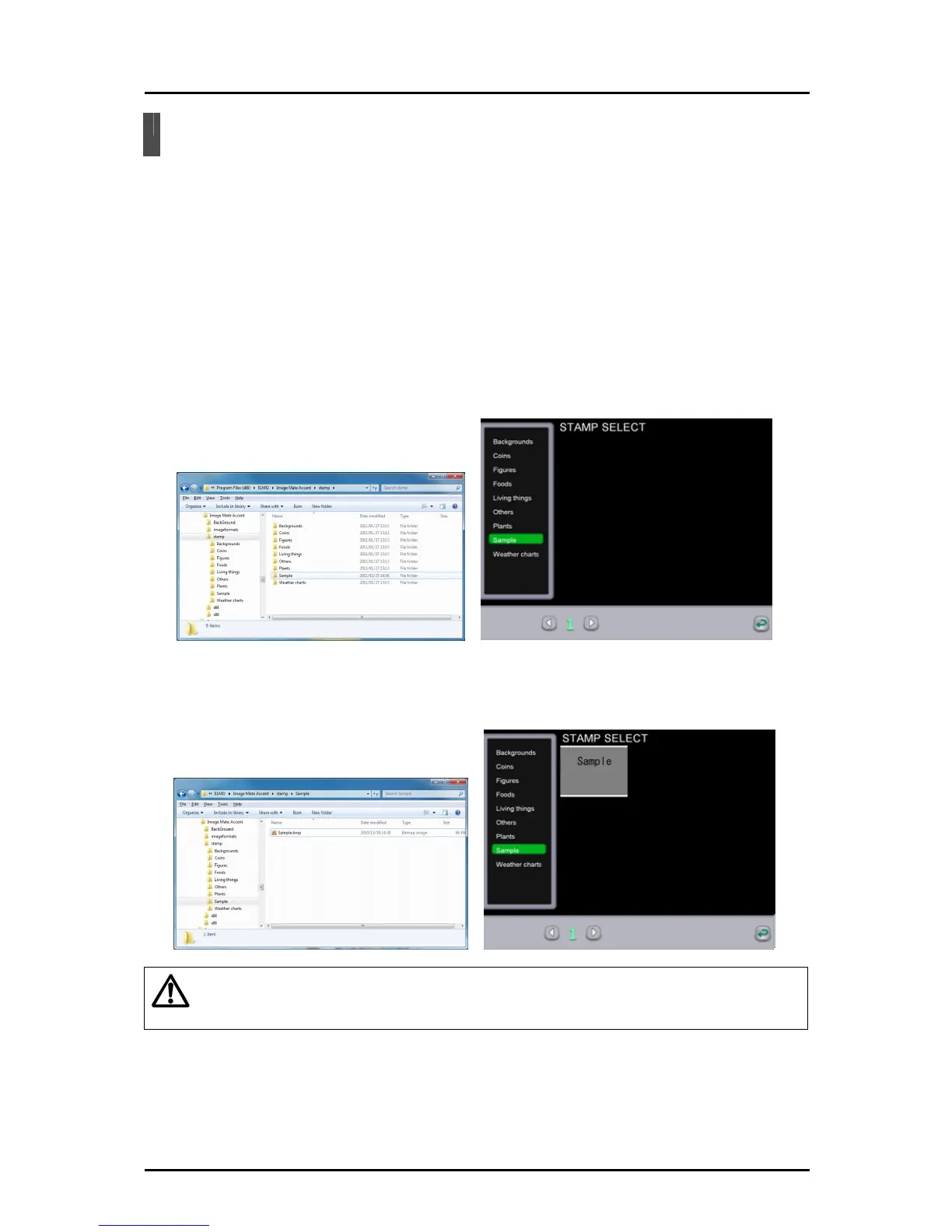
You can use Explorer to add a stamp that can be used in teaching material creation mode.
For details on using the stamps, see " Using the stamp function ".
➊
Open folders in the following order:
Windows Start menu → My Computer → Tablet software (Image Mate
Accent) installation drive (C:) → Program Files or Program Files (x86) →
ELMO → Image Mate Accent → stamp folder..
➋
When adding a new group, create a new folder and add a name.
The addition of the new group is applied the next time that the Tablet
software (Image Mate Accent) is started.
➌
Add the stamp image data (jpg, bmp, png) by inserting it into the group
that you want to add.
Caution
The stamp data formats that can be a
dded are jpg, bmp and png.
(Note that it may not be possible to display some files in these formats.)
78



 To Next Page