Other Functions
This section describes various functions related to the Tablet.
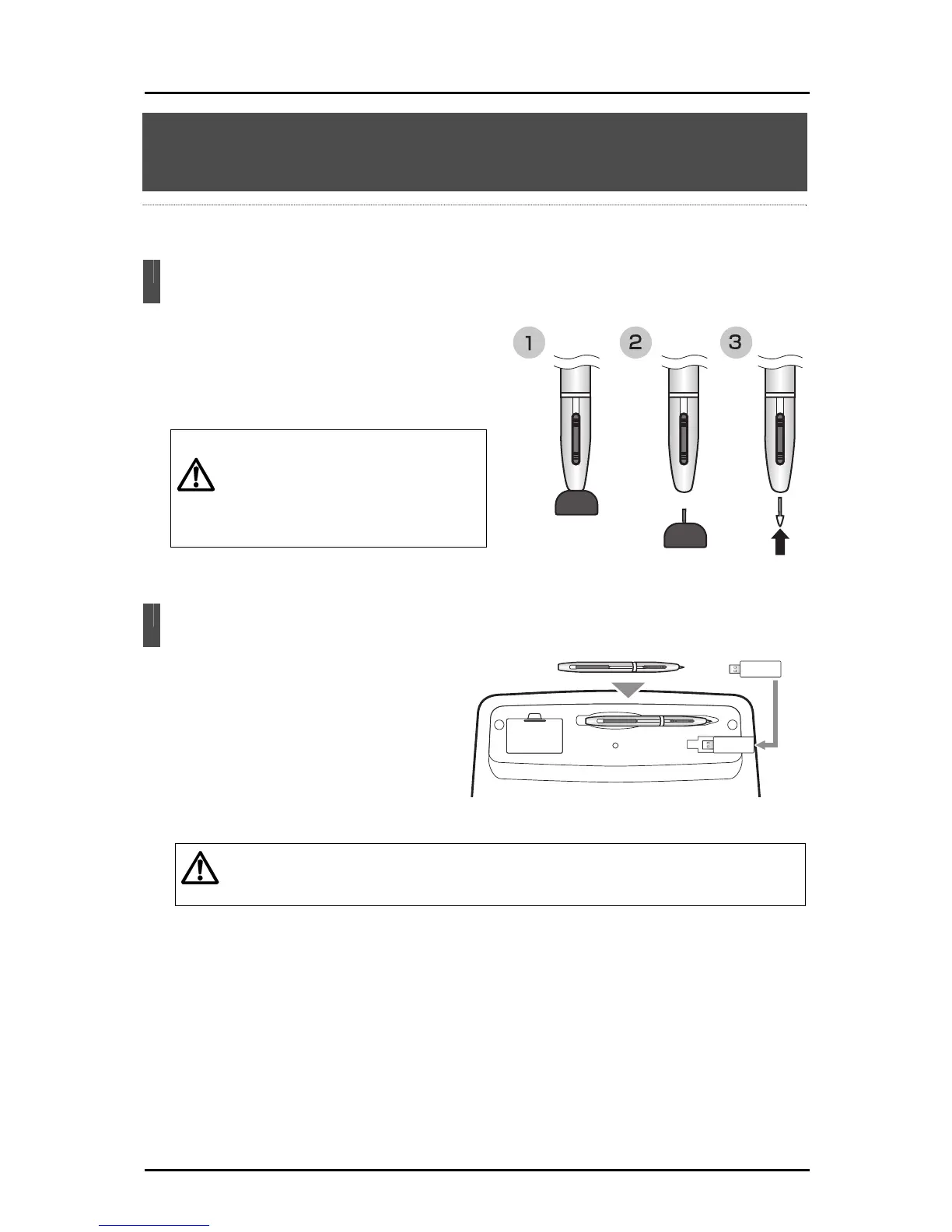
Replacing the Pen Tip
When the pen tip becomes round, replace it
with the supplied extra core.
Use the supplied extra core replacement
tweezers when replacing
the pen tip.
Caution
When replacing the pen tip, be sure
to replace it with an extra core that
was supplied with the product.
Make sure that children do not put
small parts into their mouths.
Storing the Wireless Adapter and Pen
You can store the pen and wireless
adapter in the tablet.
Store the wireless adapter with the
wireless settings button on the tablet
side.
Caution
The falling p
revention lock is applied.
When storing the wireless adapter, make sure it is securely stored in the tablet,
and be careful not to drop it while carrying it around.
Tablet underside
74



 To Next Page