The tablet's operating area corresponds to the entire screen.
Basic Screen Configuration
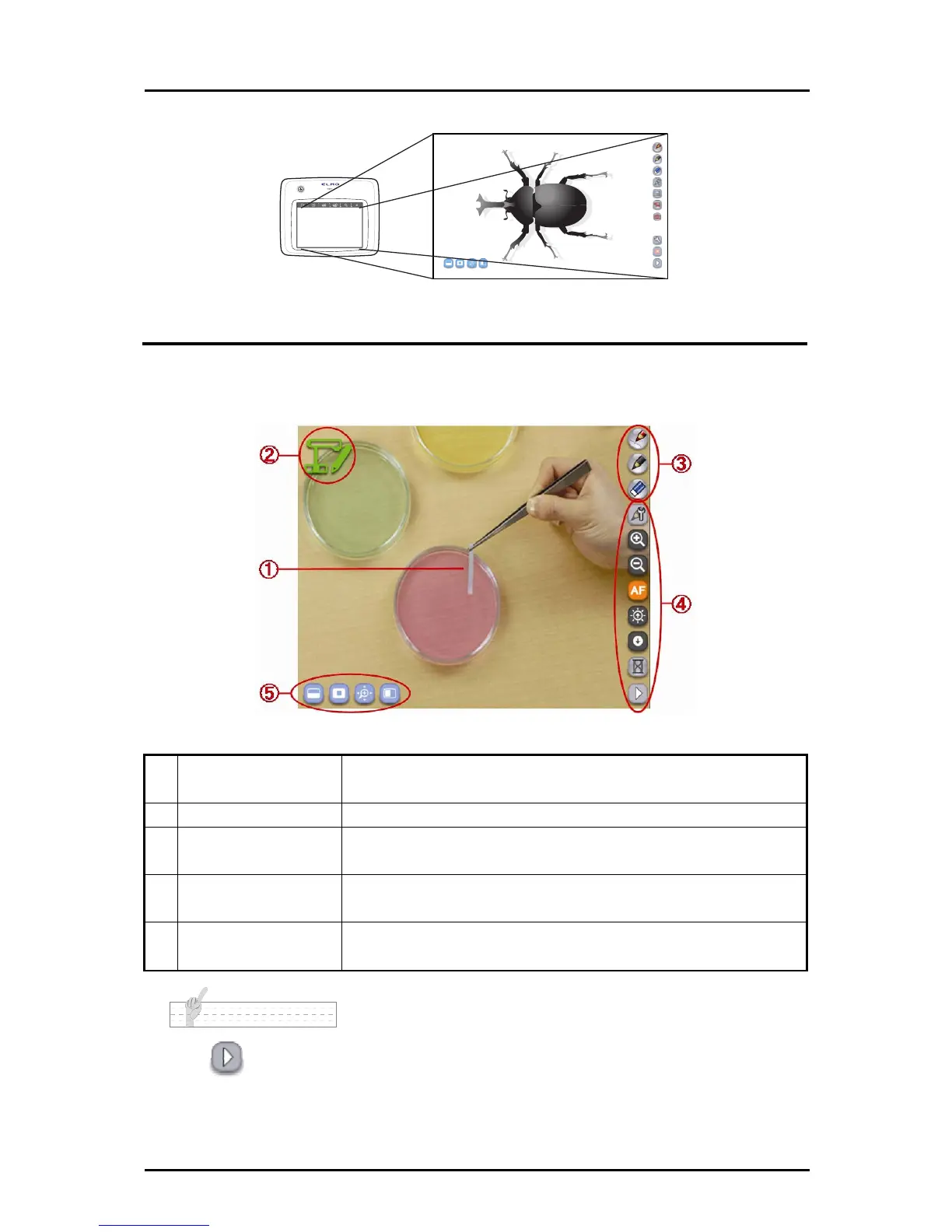
This section describes the basic configuration of the screen that is displayed when using the
ablet. T
Startup screen of the Tablet software (Image Mate Accent)
① Drawing area
This area is for displaying the Document Camera image and
drawing. The entire monitor is the drawing area.
② Status display area The current operation is indicated with an icon.
③ Drawing menu area
You can select the pen to use for drawing, or delete all
drawings.
④ Menu area
These buttons are for configuration or operation of the
Document Camera.
⑤ Sub menu area
These buttons are for using various expanded functions.
These buttons vary according to the mode that is used.
N o t e
Touch in the menu area to go to the next menu.
17



 To Next Page