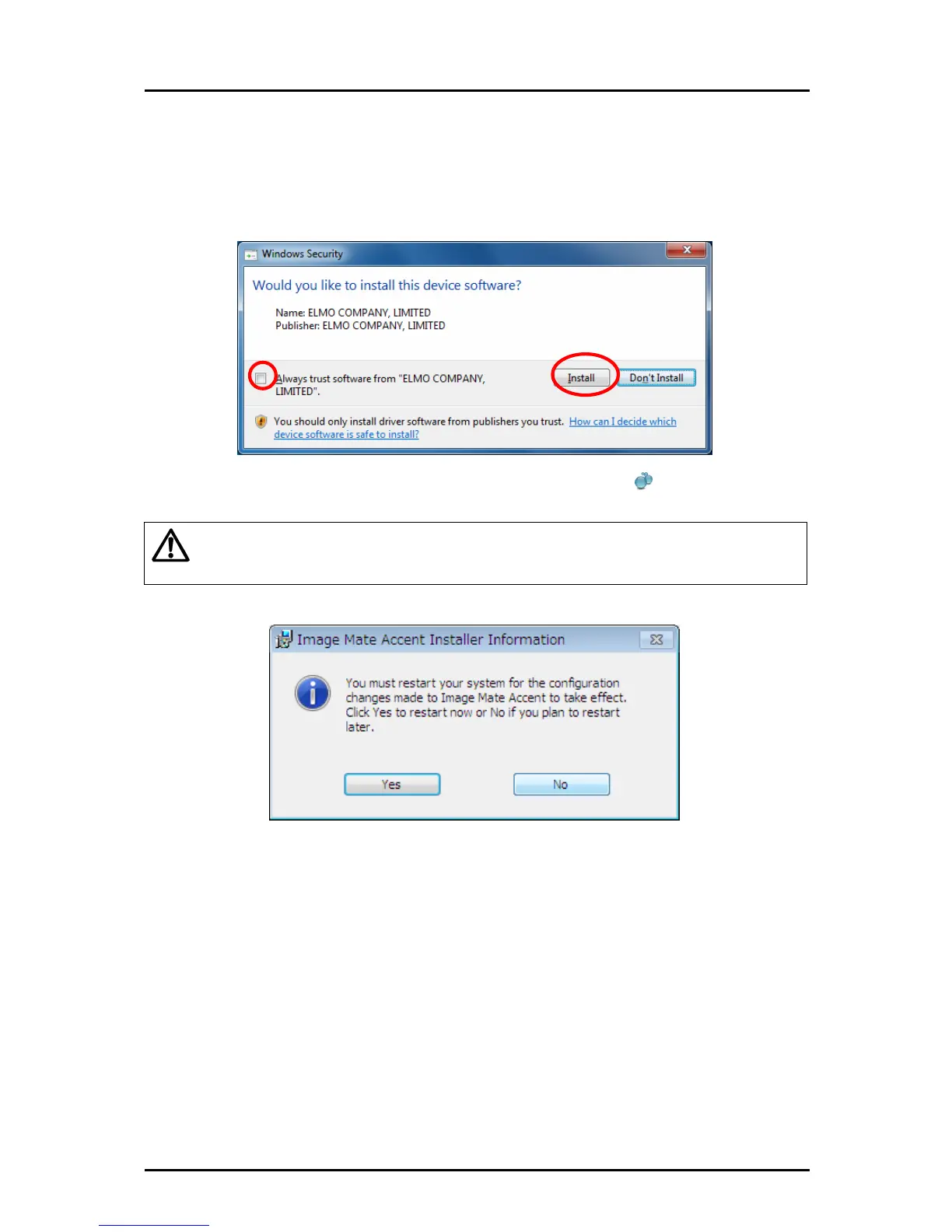
Depending on your computer environment, a warning message may appear about
compatibility with the hardware or digital signatures may appear.
In that case select "Always trust software from ELMO COMPANY, LIMITED", and press the
"Install" button.
④ When installation is complete, the "Image Mate Accent" icon
is displayed on the
desktop.
Caution
Depending on your computer, restart computer message may appear.
If the restart computer message is displayed, press the "Yes" button to restart the computer.
When the computer restarts, the "Image Mate Accent" icon is displayed on the desktop.
■ Uninstallation
To remove the Tablet software (Image Mate Accent) from your computer, use your operating
system's uninstallation function.
15



 To Next Page