➍
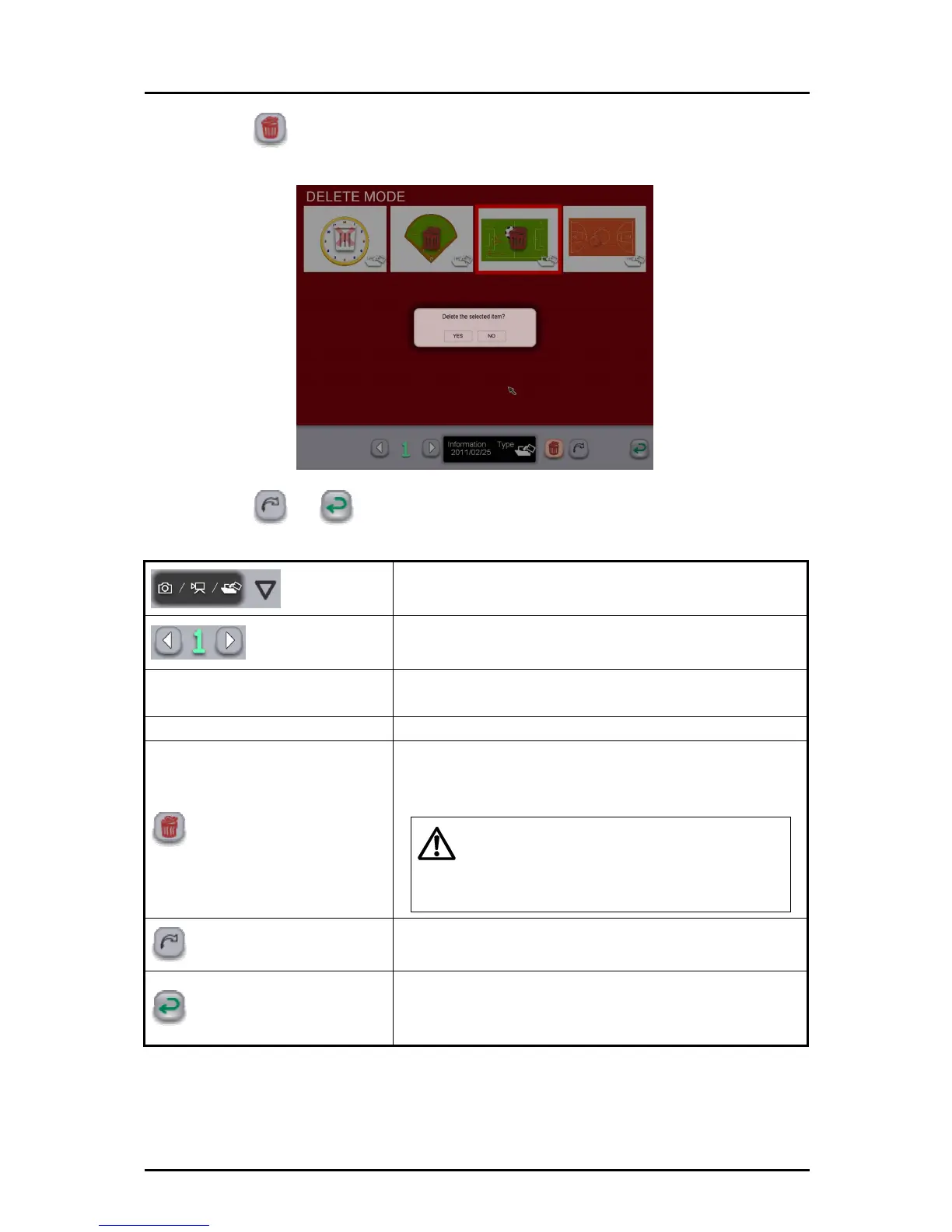
Touch . A confirmation message is displayed. If you want to delete the
teaching material, select "Yes".
➎
Touch or to exit the deletion screen.
Caution
Filter
To filter the teaching materials to be displayed.
Page
If all teaching materials cannot be displayed on a single
screen, they will be displayed in the next page(s).
Information
Display the updated date for the selected teaching
material.
Type Display the type of the selected teaching material.
Delete
To delete the selected teaching material.
Be very careful when deleting because the deleted
teaching material cannot be restored.
If a video or picture that is being used as
the background of a teaching material is
deleted, the teaching material will not be
displayed correctly.
Return to selection screen
To return to the teaching material selection screen.
The deletion selection is canceled.
Cancel
To cancel the teaching material selection and return to
the previous mode.
The deletion selection is canceled.
42



 To Next Page