57
ADVANCED
OPERATIONS
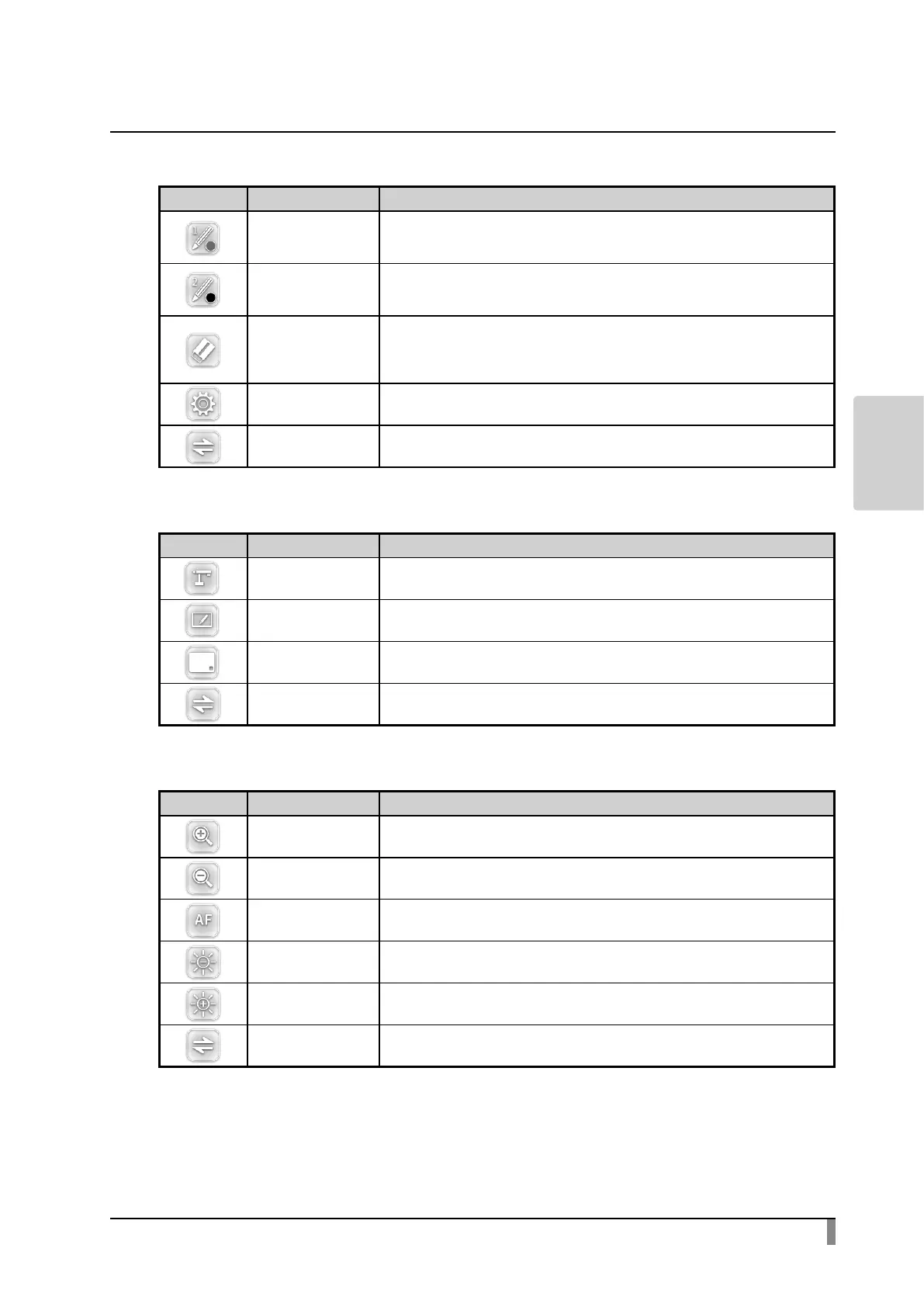
・Main menu1
Icon Name Function
Pen1
ToselectPen1.
TheinitialcolorsettingisRed.
YoucanchangethesettingsforthepenfromtheSettingmenu.
Pen2
ToselectPen2.
TheinitialcolorsettingisBlack.
YoucanchangethesettingsforthepenfromtheSettingmenu.
ClearScreen
Toeraseanythingdrawnonthescreen.
Ifyouneedtoeraseapartofadrawing,movethecursortothesectiontobe
erased,andtouchthesectionwiththepenwhilepressingtheErasebuttonof
thepen.
Setting TocongurethesettingsforPenandEraser.
Next TogotoMainmenu2.
・Main menu2
Icon Name Function
Cameramode
Todisplaythedocumentcameraimageasabackground,
anddrawonitwiththepentabletortheportableIWB.
WhiteboardMode
Todisplayawhiteimageasabackground,anddrawonitwiththepentabletor
theportableIWB.
Hide Tohidethemenu.
Next TogotoMainmenu3.
・Main menu3 (available only in Camera mode)
Icon Name Function
Zoomin Toenlargethecameraimage.
ZoomOut Toshrinkthecameraimage.
AF Toperformautofocus.
Brighten Tobrightenthecameraimage.
Darken Todarkenthecameraimage.
Next TogotoMainmenu1.


 To Next Page