50
English
ADVANCED
OPERATIONS
Menu
descriptions
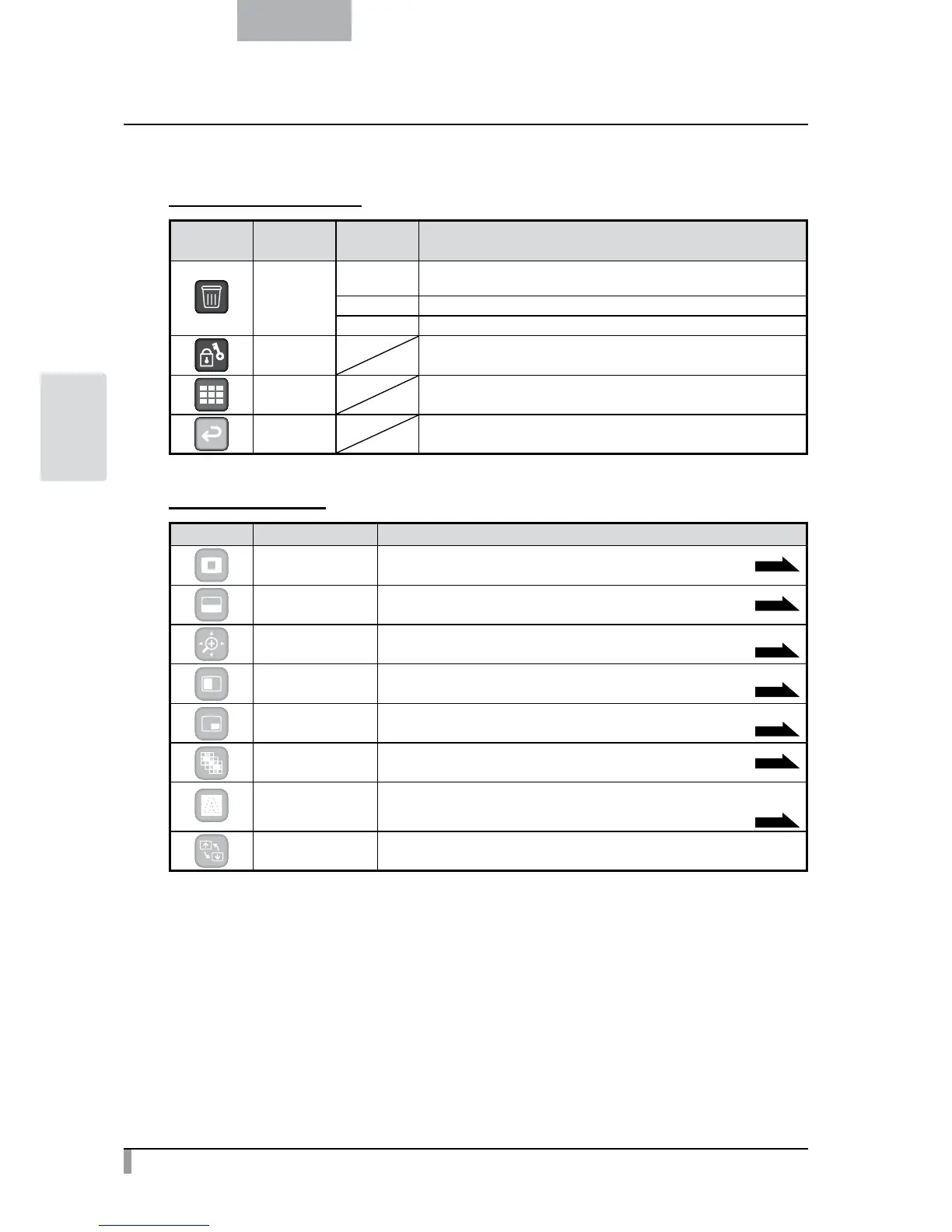
Picture Display Menu
Icon Name
Selection
Item
Function
Delete
Yes
To delete the image displayed on the screen (You can not delete the
image if it is protected).
No To cancel deletion.
Exit Exit the current menu.
Memory Lock
To lock (set as protected) or unlock (set as unprotected) the selected
image.
Thumbnail
Display
To display thumbnails (a list of pictures or movies).
Exit To return to the previous level of menu.
Support Function
Icon Name Function
Highlight To highlight part of the image you want to emphasize.
P.28
Mask To mask part of the image.
P.30
Scroll
To enlarge the image to the size you specify, allowing you to move
within the enlarged area.
P.31
Compare Picture
To display the still image captured when this icon is selected on the left,
and display the camera image on the right.
P.32
PIP
(Picture in Picture)
To display a camera image while displaying a still image saved in the memory card.
The camera image is displayed at the bottom right of the screen.
P.33
Mosaic To apply the mosaic effect to the image.
P.35
Marker Mask
To apply a filter to a colored area to cover it with the black marker.
This function allows you to temporarily
hide selected color characters and question the students.
P.36
Image Rotation To rotate a still image saved in the memory card by 90°.



 To Next Page