51
English
ADVANCED
OPERATIONS
Highlight
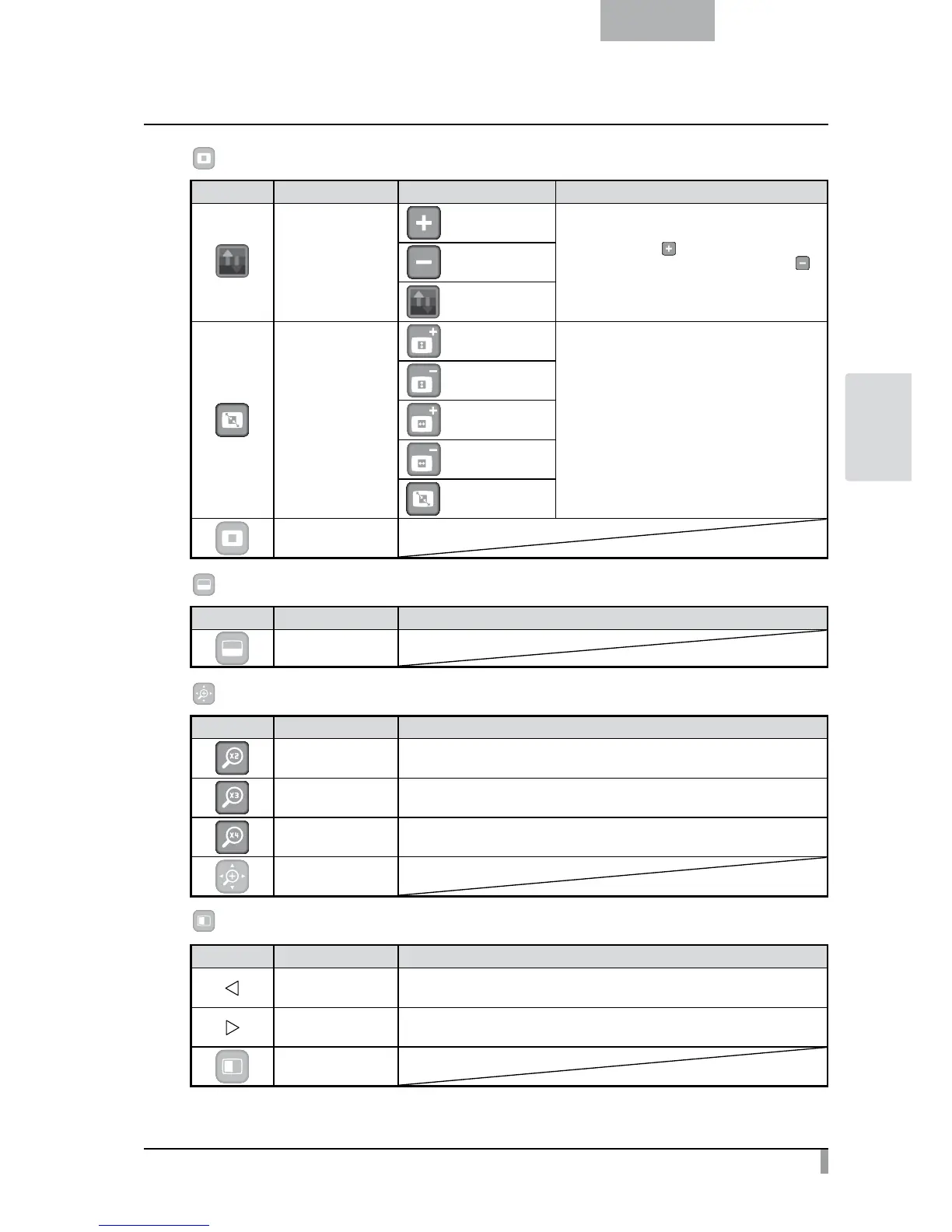
Icon Name Selection Item Function
Darkness
Darken
To set the darkness of the darkened (not
highlighted) area. [
] makes the dark area less
transparent and harder to see through, and [ ]
makes the area more transparent and easier to
see through.
Lighten
Exit
Size
Lengthen Height
(stretch)
To change the size of the highlighted area.
Shorten Height
Lengthen Width
(stretch)
Shorten Width
Exit
Exit
Mask
Icon Name Function
Exit
Scroll
Icon Name Function
×2 To set the digital zoom magnification to x2 when the Scroll icon is selected.
×3 To set the digital zoom magnification to x3 when the Scroll icon is selected.
×4 To set the digital zoom magnification to x4 when the Scroll icon is selected.
Exit
Compare Picture
Icon Name Function
Prev Picture To show the previous picture.
Next Picture To show the next picture.
Exit



 To Next Page