73
English
ADVANCED
OPERATIONS
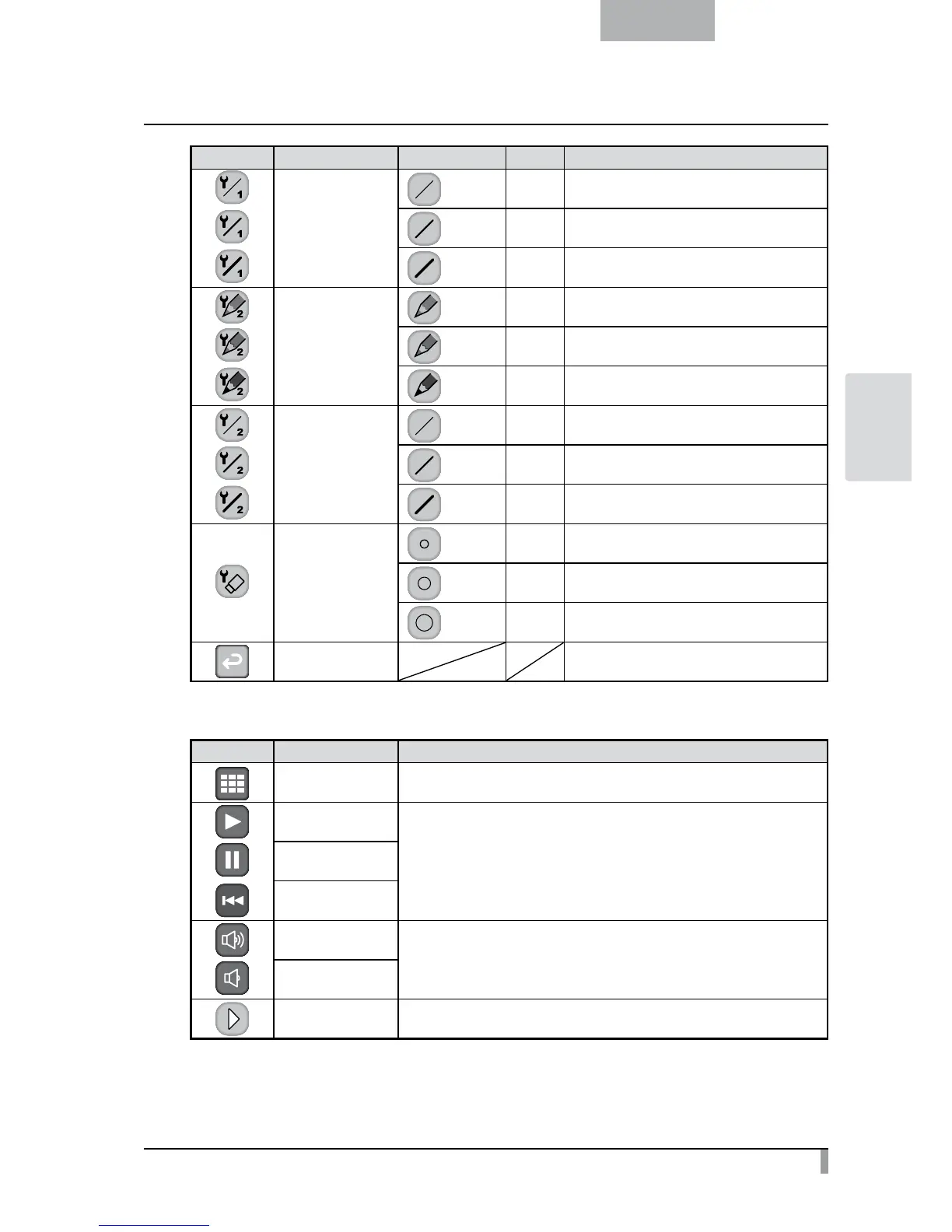
Icon Name Selection Item Default Function
Pen 1 Thickness
Thin To decrease the pen thickness.
Medium
✔
To set the pen thickness to medium width.
Thick To increase the pen thickness.
Pen 2 Color
Red To set the pen color to red.
Blue To set the pen color to blue.
Black
✔
To set the pen color to black.
Pen 2 Thickness
Thin To decrease the pen thickness.
Medium
✔
To set the pen thickness to medium width.
Thick To increase the pen thickness.
Erase Area
Narrow To decrease the area of partial erasure.
Medium
✔
To set the area of partial erasure to the medium
range.
Wide To increase the area of partial erasure.
Exit To return to the previous level of menu.
• Movie Play Menu
Icon Name Function
Thumbnail Display
To display thumbnails (a list of pictures or movies).
Play/Stop
To play/stop/Cueing the movie.
Pause
Cueing
Up
To set the output audio volume.
Down
Next



 To Next Page