14
Switching power supply unit
To remove:
1. Remove the belt cover, top cover, front cover and the rear
cover (see pages 1, 2, 5 and 6).
2. Remove the auxilliary power supply case unit (see page
13).
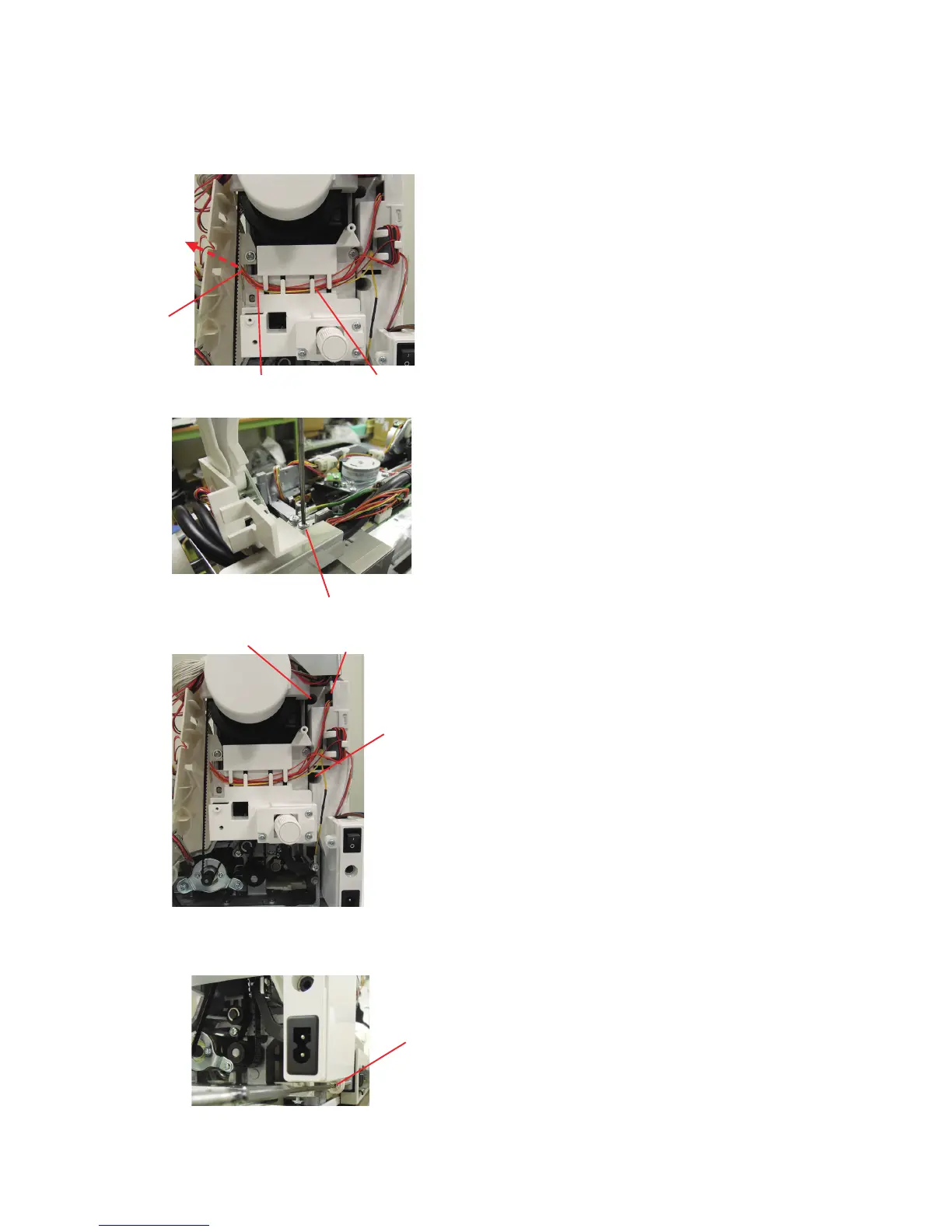
3. Disconnect the switching power supply connector from the
printed circuit board A. Draw out the connector from the
opening and remove the connector cords from the cord
guide.
4. Remove the setscrews B (top of the machine).
5. Disconnect the connector C from the switching power
supply unit.
6. Remove the setscrews D and E.
6. Remove the setscrew F and remove the switching power
supply unit.
To attach:
Follow the above procedure in reverse.
Setscrew B
Replacing Electronic Components
Connector C
Cord guide
Connector cords
To board A
Setscrew D
Setscrew E
Setscrew F
Opening















 To Next Page