6
Replacing External Parts (6)
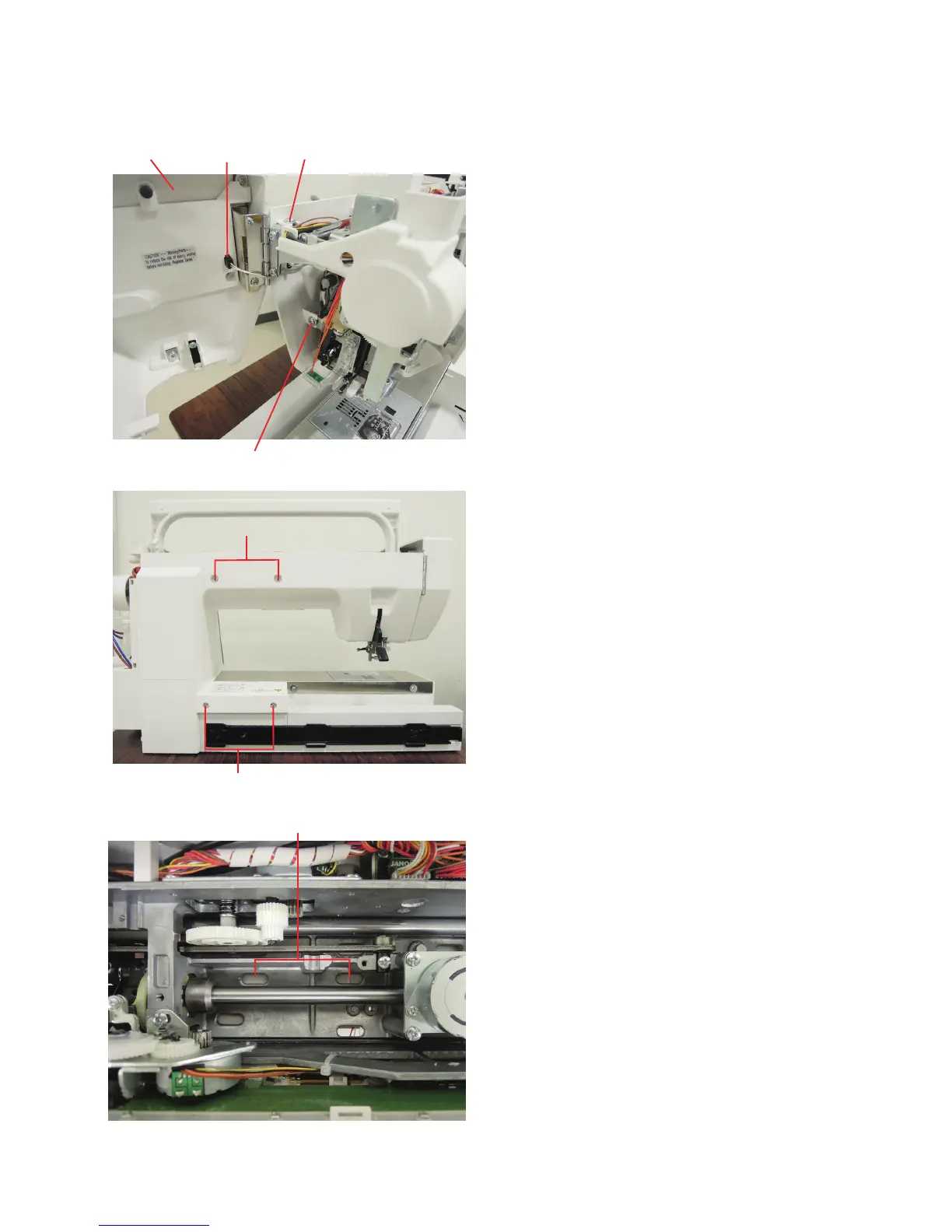
Connector
Setscrew A
Face cover
Setscrew B
Rear cover
To remove:
1. Remove the belt cover, top cover and base cover (see
page 1, 2 and 3).
2. Open the face plate and disconnect the connector.
3. Loosen the setscrews A and B.
4. Remove the setscrews C (2 pcs.) and D (2 pcs).
Setscrews C
Setscrew D
Holes E
5. Push down the rear cover through the holes E to unhook it
from the front cover.
6. Remove the rear cover.
To attach:
Follow the above procedure in reverse.















 To Next Page