59
Mechanical Adjustment
ReplacingX-sensor
•
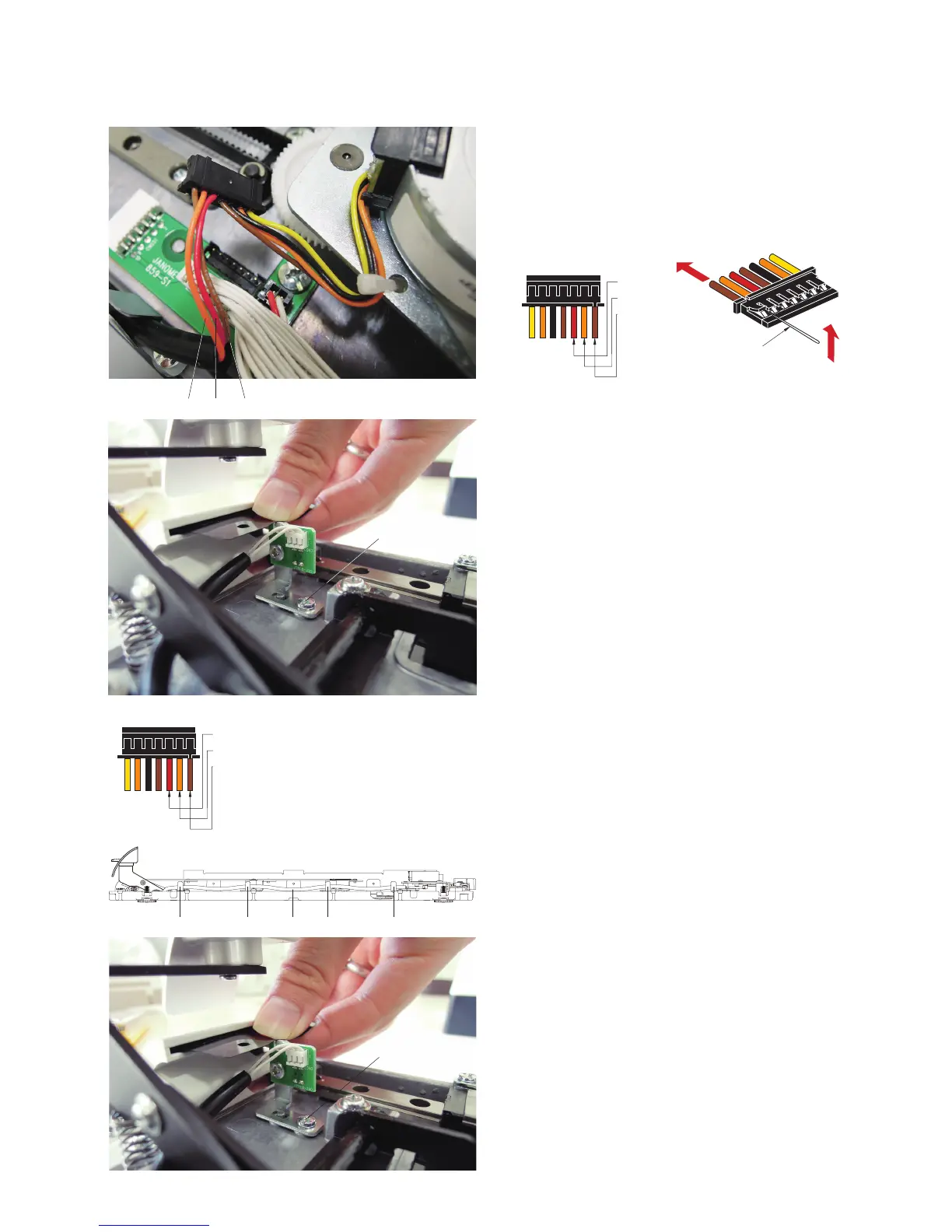
RemovingX-sensor
z Disconnect the connector from printed circuit board S1.
Pry up the lock tab of the connector with a precision driver
and pull out the brown
e, orange q and red w cords.
r
x
Remove the setscrew r.
Remove the X-sensor.
w
q
e
Precision screwdriver
q w e
•AttachingX-sensor
c Insert the brown e, orange q and red w cords to the
connector. Be sure that the cords are firmly locked to the
connector.
w
q
e















 To Next Page