17
Replacing Electronic Components
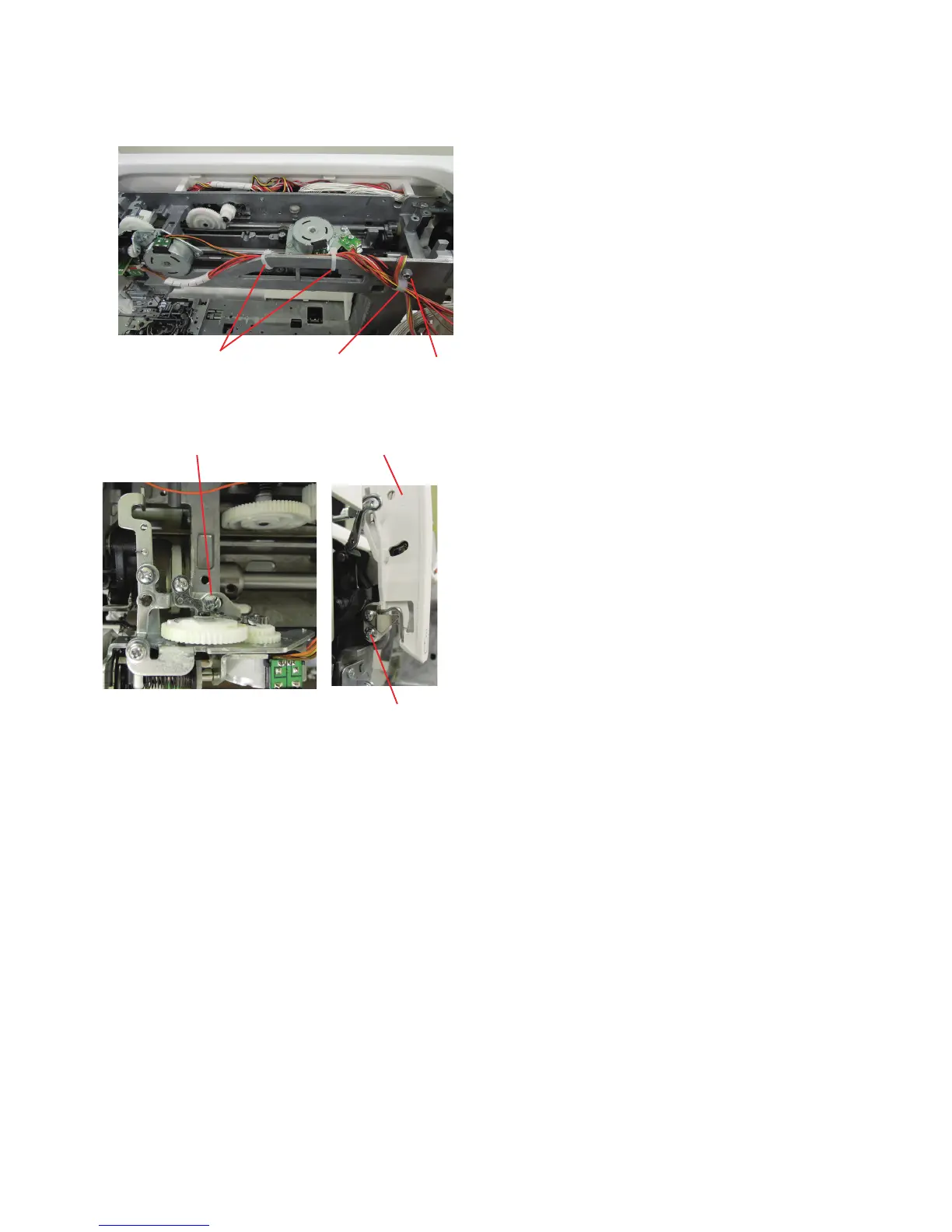
Setscrew C
Thread tension unit
To remove:
1. Remove the belt cover and the top cover (see page 1 and 2).
2. Remove the front cover (see page 5).
3. Remove the setscrew A and cord guide. Remove the
setscrew B and shield guide plate. Cut the 3 tie bands.
4. Disconnect the thread cut detection connector and thread
tension motor connector from the printed circuit board U1
(see page 9).
5. Remove the setscrews C and D. Remove the thread
tension (unit).
To attach:
1. Follow the above procedure in reverse.
2. Adjust the tension release mechanism (see page 28).
Check the upper thread tension (see page 27).
Setscrew D
Thread tension unit
Setscrew ACord guide
Cord guide















 To Next Page