7
Replacing Mechanical Parts
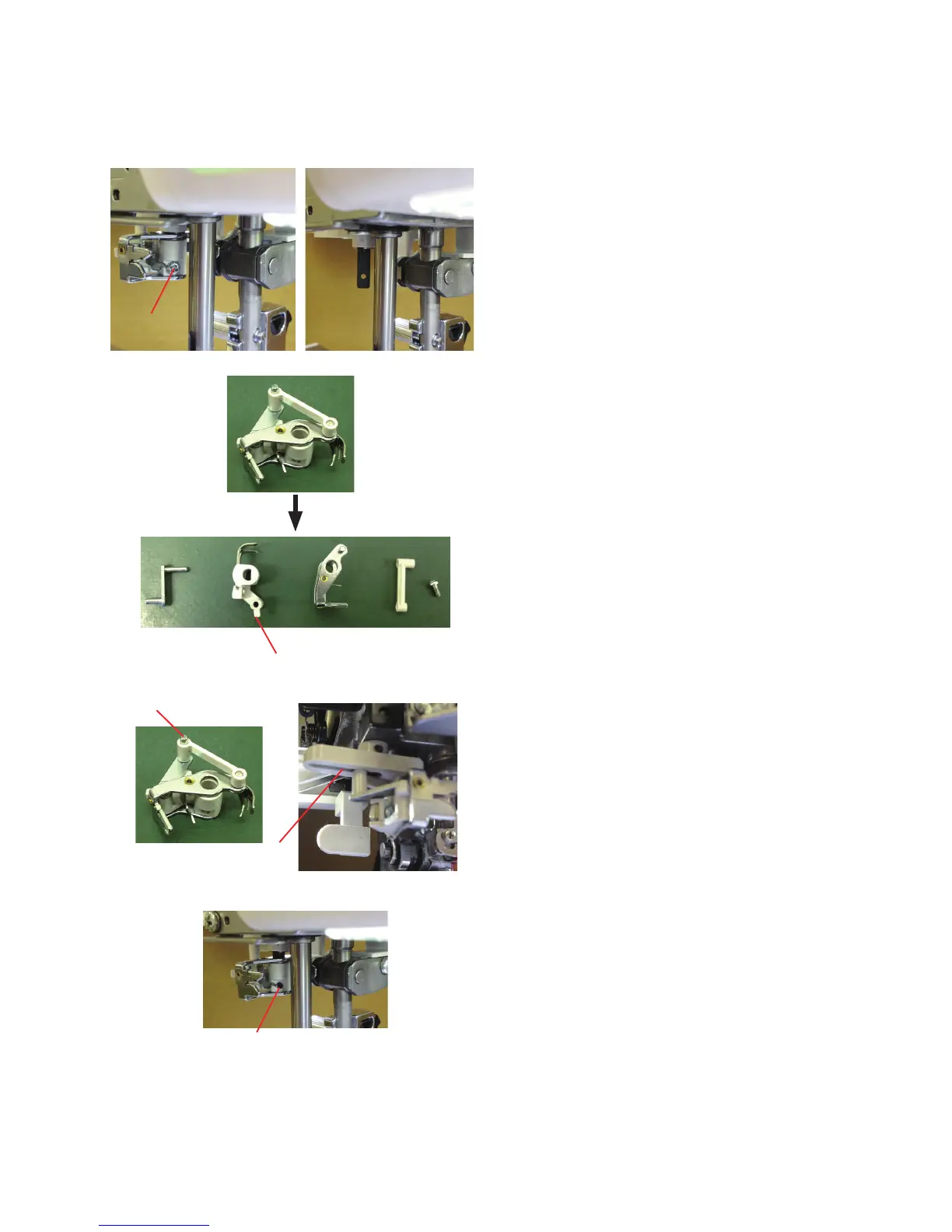
Needle threader holder (threader hook)
To remove:
1. Loosen the setscrew to remove the needle threader
holder.
2. Disassemble the threader unit and replace the threader
hook. Refer the following part number when ordering service
parts.
862627005: Hook holder (unit)
To attach:
1. Assemble the threader unit as illustrated and attach them to
the threader shaft by inserting the shaft into the holes.
Make sure the pin is engaged in the slot.
2. Secure the threader unit to the threader shaft by tightening
setscrew.
Adjust the needle threader hook position (see page xx).
Setscrew
Hook holder (unit) (862627005)
Setscrew
Slot
Pin















 To Next Page