15
Ferrite core
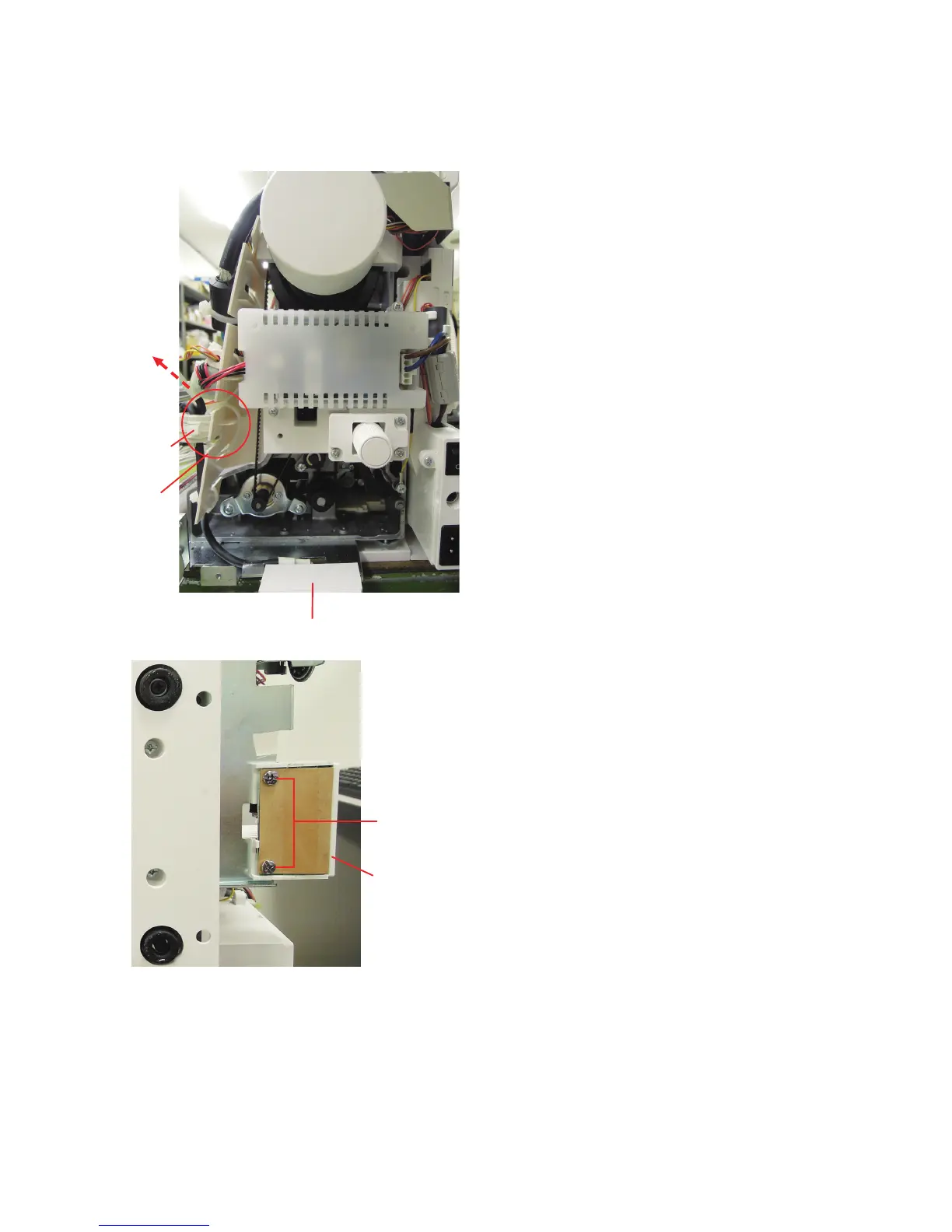
USB unit
To remove:
1. Remove the belt cover, top cover and the front cover (see
pages 1, 2 and 5).
2. Disconnect the the USB unit connector from the printed
circuit board A (see page 8).
Cut the tie band of the ferrite core.
3. Lay the machine on its back. Remove the setscrews (2
pcs.).
4. Remove the USB unit from the machine.
To attach:
Follow the above procedure in reverse.
Replacing Electronic Components
Setscrews
Tie band
USB unit
To board A
USB unit















 To Next Page