18
Replacing Electronic Components
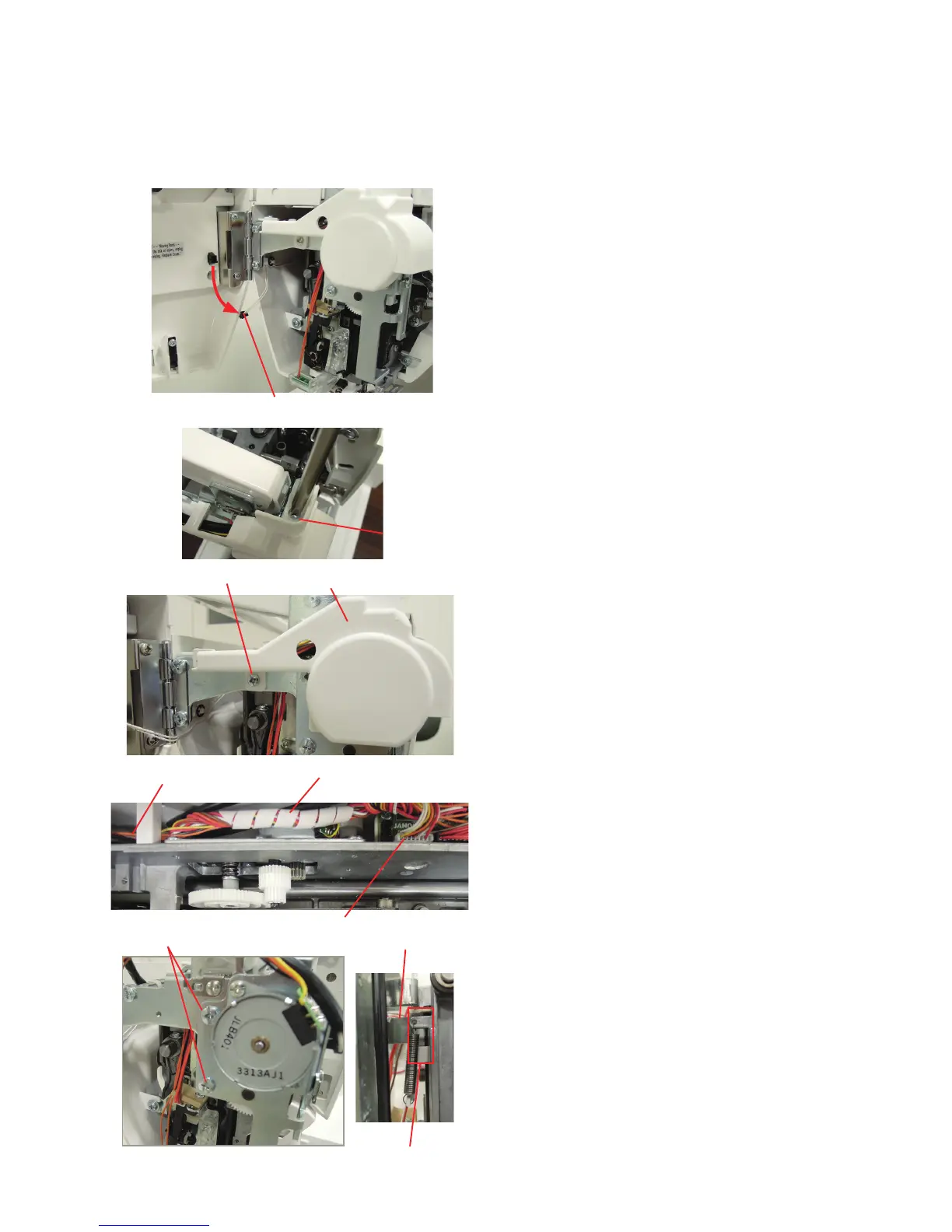
Motor cover
Setscrew A
Setscrew B
Needle threader motor
To remove:
1. Remove the top cover (see page 2).
Disconnect the connector form the face cover.
2. Loosen the setsrew A.
Connector
6. Disconnect the connector of the needle threader motor
from the printed circuit board U1 (see to page 9).
Remove the spiral cord binder and separate the needle
threader motor cords from other cords.
Remove the setscrews D.
Remove the motor and the needle threader unit.
To attach:
1. Place the needle threader motor unit inserting the actuator
tab in the recess of the threader arm.
Follow the above procedure in reverse.
2. Adjust the needle threader hook position (see page 29).
Threader arm
Actuator tab
3. Remove the setscrew B and remove the motor cover.
Setscrews D
Needle threader motor cords
Spiral cord binder
Connector















 To Next Page