1
Replacing External Parts (1)
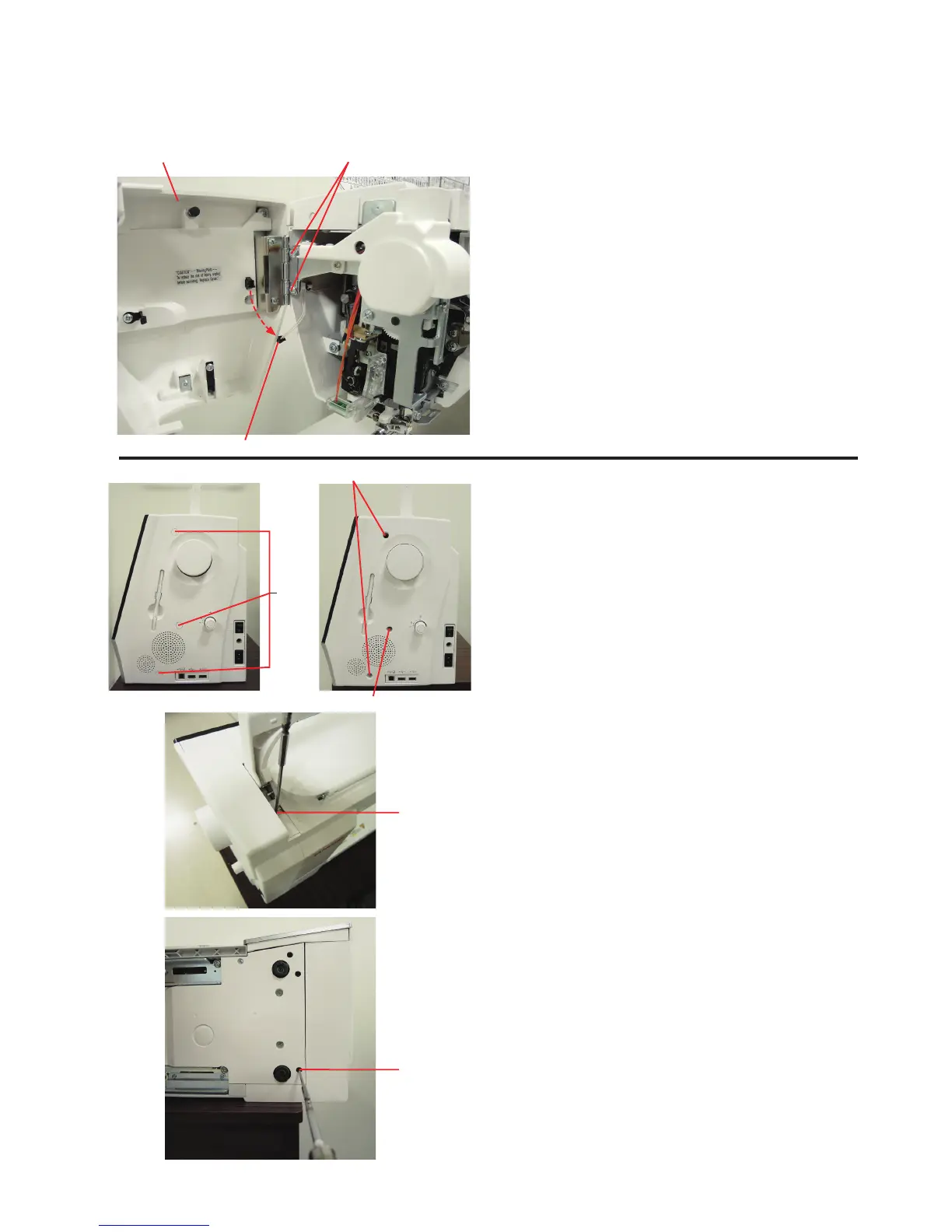
Face cover
To remove:
1. Open the face cover.
Disconnect the connector.
2. Remove the setscrews A (2 pcs.).
Remove the face plate.
To attach:
1. Follow the above procedure in reverse.
Belt cover
To remove:
1. Remove the caps.
2. Remove the setscrews B and C.
Connector
Face cover
Caps
Setscrews B
Setscrew D
Setscrew C
Setscrew E
3. Loosen the setscrew D.
4. Loosen the setscrew E.
Remove the belt cover.
To attach:
Follow the above procedure in reverse.
NOTE:
The setscrew C is tapping screw.
Setscrews A















 To Next Page