44
⇒
Mechanical Adjustment
Knee lifter
To adjust:
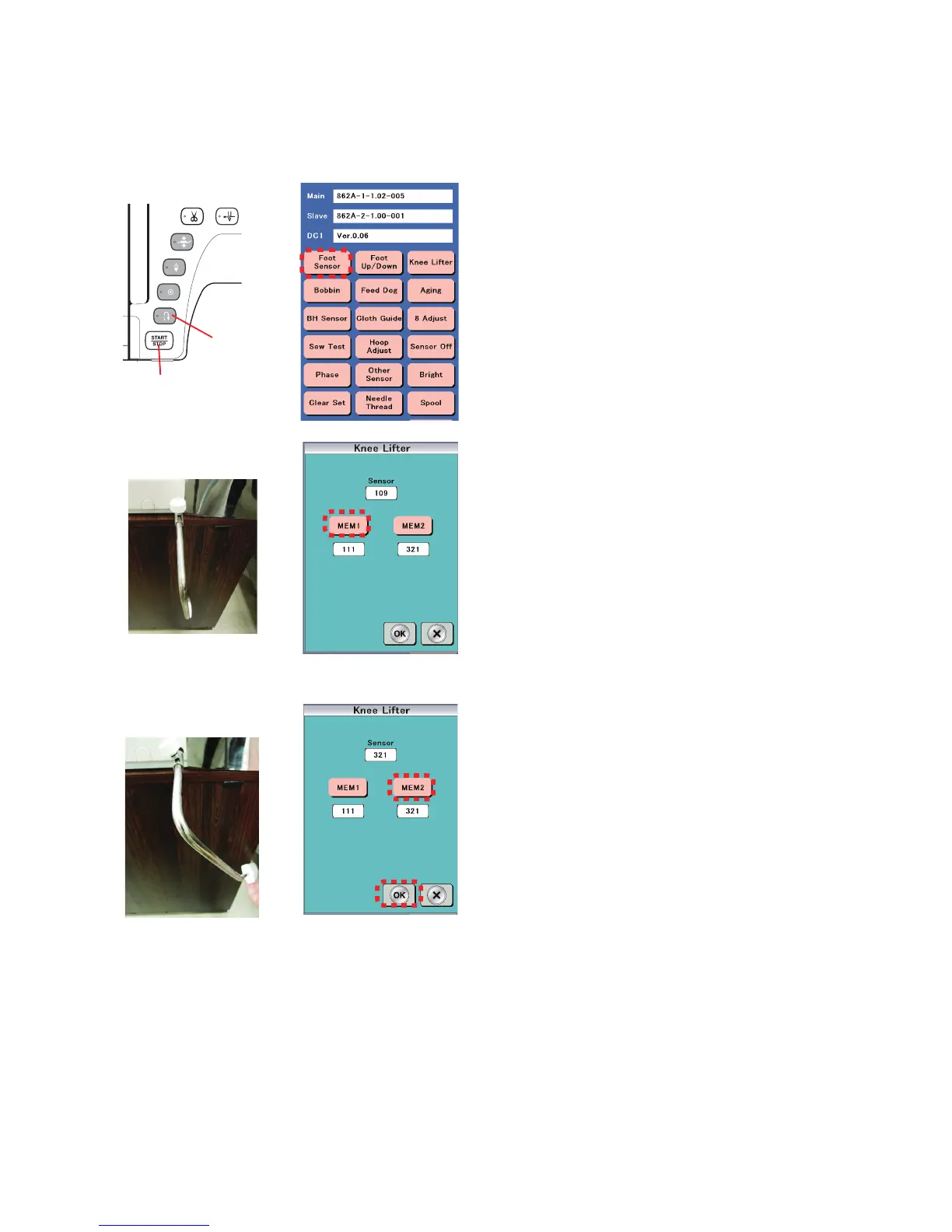
1. Attach the knee lifter.
2. Turn the power switch ON while pressing the Start/Stop
button and the Reverse stitch button to enter the factory
setting mode.
Press "Knee lifter" key.
3. Attach the knee lifter.
Press "MEM1" when the knee lifter is free.
4. Push and hold the knee lifter to the right and press "MEM2"
key.
5. Press "OK" key.
Knee lifter attached
to the machine
Knee lifter is
moved to the right
⇒
Start/Stop button
Reverse
stitch button















 To Next Page