EasyManua.ls Logo

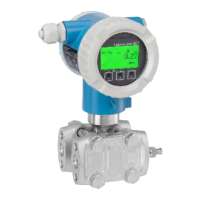
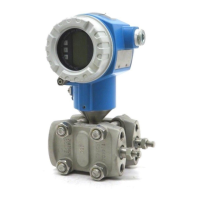
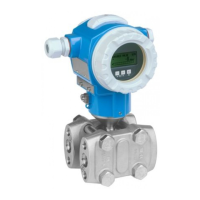
Endress+Hauser Deltabar FMD72 - User Manual

Endress+Hauser Deltabar FMD72
134 pages
Print Icon
To Next Page IconTo Next Page
Loading...
Products Solutions Services
Operating Instructions
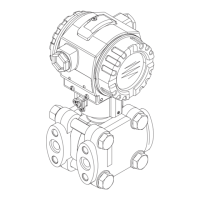
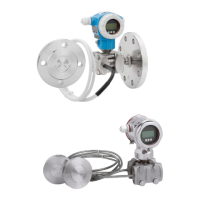
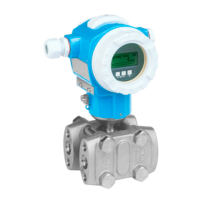
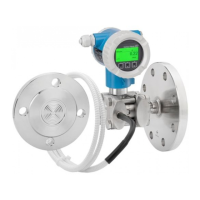
Deltabar FMD71, FMD72
Level measurement with electronic differential pressure
Electronic differential pressure transmitter with ceramic
and metal sensors
BA01044P/00/EN/06.17
71376028
Valid as of version
01.00.00

Table of Contents

Other manuals for Endress+Hauser Deltabar FMD72

Questions and Answers

  • J
    Jessica ButlerSep 8, 2025
    What does error code C824 mean on Endress+Hauser Deltabar FMD72 Measuring Instruments and how to troubleshoot it?
    • M
      Mark HaynesSep 8, 2025
      The error code C824 on your Endress+Hauser Measuring Instruments can be caused by electromagnetic effects outside the permitted range or overpressure or low pressure. To troubleshoot this, check the pressure value, restart the device, or perform a reset.
  • K
    kimberlychandlerAug 25, 2025
    What to do if my Endress+Hauser Deltabar FMD72 Measuring Instruments device is not responding?
    • M
      Manuel Lane DVMAug 25, 2025
      If the Endress+Hauser Measuring Instruments device is not responding, consider the following: * The supply voltage may not match the specifications on the nameplate. Apply the correct voltage. * The supply voltage polarity may be incorrect. Reverse the polarity of the supply voltage. * The connecting cables may not be making proper contact with the terminals. Check the cable connections and correct them if necessary.
  • M
    melissa26Aug 25, 2025
    How to fix no display on Endress+Hauser Deltabar FMD72 Measuring Instruments?
    • S
      Sabrina RamosAug 26, 2025
      If there is no display on your Endress+Hauser Measuring Instruments, here are a few things to check: * The onsite display might be set too bright or too dark. Set the local display brighter by simultaneously pressing O and F, or darker by pressing S and F. * The connector for the local display may not be properly connected. Ensure the connector is properly connected. * The onsite display itself may be defective. If so, replace the onsite display.
  • M
    mary69Sep 18, 2025
    Why is my Endress+Hauser Measuring Instrument not responding?
    • G
      gomezdeniseSep 18, 2025
      Your Endress+Hauser Measuring Instrument might not be responding due to several reasons: the supply voltage may not match the value indicated on the nameplate (apply correct voltage); the polarity of the supply voltage could be wrong (correct the polarity); or the connecting cables might not be in contact with the terminals (check the connection of the cables and correct if necessary).
  • B
    Betty HortonSep 8, 2025
    What does error code S140 mean on Endress+Hauser Deltabar FMD72 and how to resolve it?
    • K
      Karen BergerSep 8, 2025
      The error code S140 on your Endress+Hauser Measuring Instruments can be caused by overpressure or low pressure, electromagnetic effects outside the permitted range, or a defective sensor module. To resolve this, check the process pressure and the pressure value.
  • O
    ophillipsSep 12, 2025
    What does error code C482 mean on Endress+Hauser Deltabar FMD72 Measuring Instruments?
    • H
      Henry SchneiderSep 12, 2025
      The error code C482 on your Endress+Hauser Measuring Instruments indicates that the simulation of the current output is switched on, meaning the device is not currently measuring. To resolve this, end the simulation.
  • E
    Erik AlvaradoSep 3, 2025
    What does error code F283 mean on Endress+Hauser Measuring Instruments and how can it be fixed?
    • A
      Ann HuberSep 3, 2025
      The error code F283 on your Endress+Hauser Measuring Instruments may be caused by defective main electronics, electromagnetic effects exceeding specifications, the supply voltage being disconnected during writing, or an error occurring during writing. You can try performing a reset or replacing the electronics.
  • H
    Heather LangSep 3, 2025
    What does error code F411 mean on Endress+Hauser Deltabar FMD72 Measuring Instruments and how can I resolve it?
    • L
      lgonzalezSep 3, 2025
      The error code F411 on your Endress+Hauser Measuring Instruments indicates that the file is defective or that data are not being correctly transmitted during the download due to issues like open cable connections, spikes on the supply voltage, or electromagnetic effects. Try repeating the download, using another file, or performing a reset.
  • A
    Adam SmithSep 23, 2025
    What does error F083 mean on Endress+Hauser Measuring Instruments?
    • M
      Molly GibsonSep 23, 2025
      Error F083 on your Endress+Hauser Measuring Instruments indicates that electromagnetic effects are outside the permitted range. In this case, contact Endress+Hauser Service or restart the device.
  • R
    Randall GilbertAug 29, 2025
    What does error code F062 mean on Endress+Hauser Deltabar FMD72 and how can I resolve it?
    • M
      Michael AndersonAug 29, 2025
      The error code F062 on your Endress+Hauser Measuring Instruments can be caused by several factors, including electromagnetic effects exceeding specifications, a defective sensor module, or a disconnected cable between the sensor module and main electronics. You can try replacing the electronics or checking the sensor module cable.

Summary

Basic Safety Instructions

Staff Requirements

Details qualifications and authorization required for personnel.

Designated Use

Defines the intended application and compatible media for the device.

Workplace Safety

Outlines safety measures for working with the device.

Operational Safety

Covers safe operation, modifications, and repairs.

Product Safety

Confirms compliance with safety standards and EC directives.

Installation

Installing Sensor Modules

Details general instructions for installing sensor modules.

Installing the Transmitter

Describes how to install the transmitter using the supplied mounting bracket.

Post-Installation Check

Lists checks to perform after installation for device and connection integrity.

Electrical Connection

Connecting LP to HP Sensor Module

Details how to connect the LP sensor module to the HP sensor module.

Connecting HP Sensor Module to Transmitter

Explains how to connect the HP sensor module to the transmitter.

Connecting the Measuring Unit

Provides terminal assignment and connection steps for the measuring unit.

Post-Connection Check

Checklist for verifying electrical connections after installation.

Operation Options

Operation With Operating Menu

Explains the operation concept based on user roles and menu structure.

Onsite Display Operation

Explains how to use the onsite LCD for display and operation.

Locking;Unlocking Operation

Explains methods to lock and unlock device operation.

Resetting to Factory Settings

Details how to reset parameters to factory settings using reset codes.

Integrating Transmitter via HART Protocol

HART Process Variables and Measured Values

Lists HART process variables and their assigned numbers.

Device Variables and Measured Values

Assigns measured values to individual device variables.

Commissioning

Post-Installation and Function Check

Ensures pre-commissioning checks are completed.

Unlocking;Locking Configuration

Describes how to unlock the device before configuration.

Commissioning Without Operating Menu

Details commissioning steps using physical keys.

Commissioning With Operating Menu

Outlines steps for commissioning using the operating menu.

Measuring Mode Selection

Describes how to select the measuring mode (Pressure or Level).

Position Zero Adjust

Corrects pressure resulting from device orientation.

Diagnostics and Troubleshooting

Troubleshooting

Provides solutions for general device errors and communication issues.

Diagnostic Events

Explains how diagnostic messages are displayed and their status signals.

Repairs

Overview of the Operating Menu

Description of Device Parameters

Diagnostics

Covers diagnostic parameters.

Technical Data

Endress+Hauser Deltabar FMD72 Specifications

General IconGeneral
Device TypeDifferential pressure transmitter
ApplicationLevel measurement, flow measurement
Measuring RangeUp to 400 bar
Process Temperature-40 to 125 °C
Output Signal4-20 mA HART, PROFIBUS PA, FOUNDATION Fieldbus
HousingAluminum or stainless steel
CommunicationHART, PROFIBUS PA, FOUNDATION Fieldbus
Power Supply10.5 to 45 V DC
Protection ClassIP66
MaterialStainless steel
Approvals/CertificationsATEX, IECEx
Process ConnectionFlanged, threaded

Related product manuals