
EasyManua.ls Logo

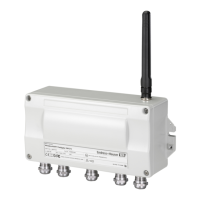
Endress+Hauser WirelessHART Fieldgate SWG70 - User Manual

Endress+Hauser WirelessHART Fieldgate SWG70
138 pages
Print Icon
To Next Page IconTo Next Page
Loading...
Products Solutions Services
BA00064S/04/en/15.15
71296931
Valid from version
SWG70-xx-1: 02.03.xx (firmware)
SWG70-xx-2: 02.03.xx (firmware)
SWG70-xx-3: 01.01.xx (firmware)
Operating Instructions
WirelessHART Fieldgate SWG70
Intelligent WirelessHART gateway
with Ethernet and RS-485 interface

Table of Contents

Other manuals for Endress+Hauser WirelessHART Fieldgate SWG70

Questions and Answers

  • A
    Alicia RussoAug 19, 2025
    What to do if my computer cannot establish an Ethernet connection to the Endress+Hauser WirelessHART Fieldgate SWG70 Gateway?
    • A
      Ana GarciaAug 19, 2025
      If your computer can't establish an Ethernet connection to the Fieldgate, despite being connected, consider these potential causes and solutions: * **Incorrect cable:** Ensure you're using the correct type of Ethernet cable (standard or crossover) as specified. * **Incorrect Ethernet parameters:** Verify the Fieldgate's Ethernet parameters are correctly configured. * **PC configuration:** Configure the Local Area Connection Properties on your PC according to the provided instructions. * **Proxy settings:** If using the web interface, deactivate any proxies in your browser. * **Firewall interference:** Configure your firewall to allow communication through ports 80, 443, 502, and 5094.
  • H
    hammondvalerieAug 21, 2025
    Why is the wireless connection to my Endress+Hauser WirelessHART Fieldgate SWG70 WirelessHART device poor?
    • B
      Brittany BradleyAug 21, 2025
      A poor or intermittent wireless connection to a WirelessHART device could be due to several reasons: * **Insufficient neighbors:** Check the number of neighboring WirelessHART devices. There should be at least 2 neighbors. * **Weak signal:** Improve signal strength by repositioning the antenna or adding adapters as repeaters. * **Obstructions:** Reposition the Fieldgate or use an external antenna to avoid walls or other objects blocking the radio signals. Ensure the antenna is aligned vertically.
  • C
    Courtney CookAug 25, 2025
    What to do if Fieldgate SWG70 Endress+Hauser WirelessHART Fieldgate SWG70 cannot find a WirelessHART device?
    • R
      Robert BatesAug 25, 2025
      If the Fieldgate SWG70 cannot find a WirelessHART device, here are a couple of things to check: * **Join status:** Verify the device has joined the network by checking the join status in the Fieldgate's Instrument List. * **Communication parameters:** Check the wireless communication parameters of the device via a HART modem. Ensure the device and the Fieldgate have the same network ID and join key.
  • A
    Allison HoAug 26, 2025
    How to fix a poor serial connection to the Endress+Hauser Gateway?
    • J
      jacquelinemcdanielAug 27, 2025
      If you're experiencing a poor or non-existent serial connection to the Fieldgate, consider the following: * **Terminating resistor:** If the RS-485 cable ends at the Fieldgate (Fieldgate is last device), activate the terminating resistor via the DIP switch inside the Fieldgate housing or via the DTM. * **Cabling:** Check cabling.
  • J
    Janice PowellAug 28, 2025
    What to do if a device appears with a red icon in the Endress+Hauser Gateway instrument list?
    • U
      uhansenAug 28, 2025
      If a device appears with a red icon in the instrument list, it may indicate: * The device is faulty. * The network was switched off for sometime, but the device has continued transmitting - either wait until the device reappears (waiting time depends on how long the network was not present) or press the adapter’s push button for 5 seconds to force joining.
  • G
    Glenn BlackwellAug 30, 2025
    Why can't I download the Network ID and Join Key to my Endress+Hauser WirelessHART Fieldgate SWG70 Fieldgate SWG70?
    • L
      Laura TaylorAug 30, 2025
      If you're unable to download the Network ID and Join Key to the Fieldgate SWG70, ensure that security DIP switch 8 is set to ON. If the Fieldgate is installed in hazardous areas Zone 2, switch off the voltage supply before doing this.
  • C
    Christopher DennisSep 1, 2025
    What causes the WirelessHART OPC Server to fail connecting to the Endress+Hauser Gateway due to wrong Ethernet IP address or port settings?
    • I
      igravesSep 1, 2025
      If the WirelessHART OPC Server cannot connect to the configured Fieldgate, it may be due to invalid Ethernet configuration data. Check the network configuration parameters.
  • S
    Samantha MooreSep 3, 2025
    Why can't the WirelessHART OPC Server connect to the configured Endress+Hauser WirelessHART Fieldgate SWG70 with the configured long tag?
    • M
      megan88Sep 4, 2025
      If the WirelessHART OPC Server cannot connect to the configured Fieldgate with the configured long tag, the 'Long Tag' of the Fieldgate might not match the 'Device Name' in the 'WirelessHART Fieldgate OPC Configurator'. Either change the 'Long Tag' of the Fieldgate or the 'Device Name' in the 'WirelessHART Fieldgate OPC Configurator'.
  • D
    Diana JohnsonSep 6, 2025
    What to do if WirelessHART OPC Server cannot connect to Endress+Hauser WirelessHART Fieldgate SWG70 Gateway due to a general communication problem?
    • A
      Anthony IbarraSep 6, 2025
      If the WirelessHART OPC Server cannot establish communication with the Fieldgate, check the stability of the network function. If necessary, consult your IT department.
  • D
    Dominique DavisSep 7, 2025
    Why does the WirelessHART OPC Server fail to connect to the Endress+Hauser WirelessHART Fieldgate SWG70 due to the wrong HART bus address?
    • G
      gibbskatherineSep 8, 2025
      If the WirelessHART OPC Server cannot connect to the configured Fieldgate because of the wrong HART bus address, the HART bus address of the field device may not match the address configured in the OPC server. Either change the address of the Fieldgate or the address in the 'WirelessHART Fieldgate OPC Configurator'.

Endress+Hauser WirelessHART Fieldgate SWG70 Specifications

General IconGeneral
Communication ProtocolWirelessHART
Power Supply24 V DC
TechnologyWirelessHART
Data TransmissionWireless
Number of WirelessHART DevicesUp to 100
Housing MaterialAluminum
Operating Temperature-40 to 60 °C (-40 to 140 °F)
Degree of protectionIP66