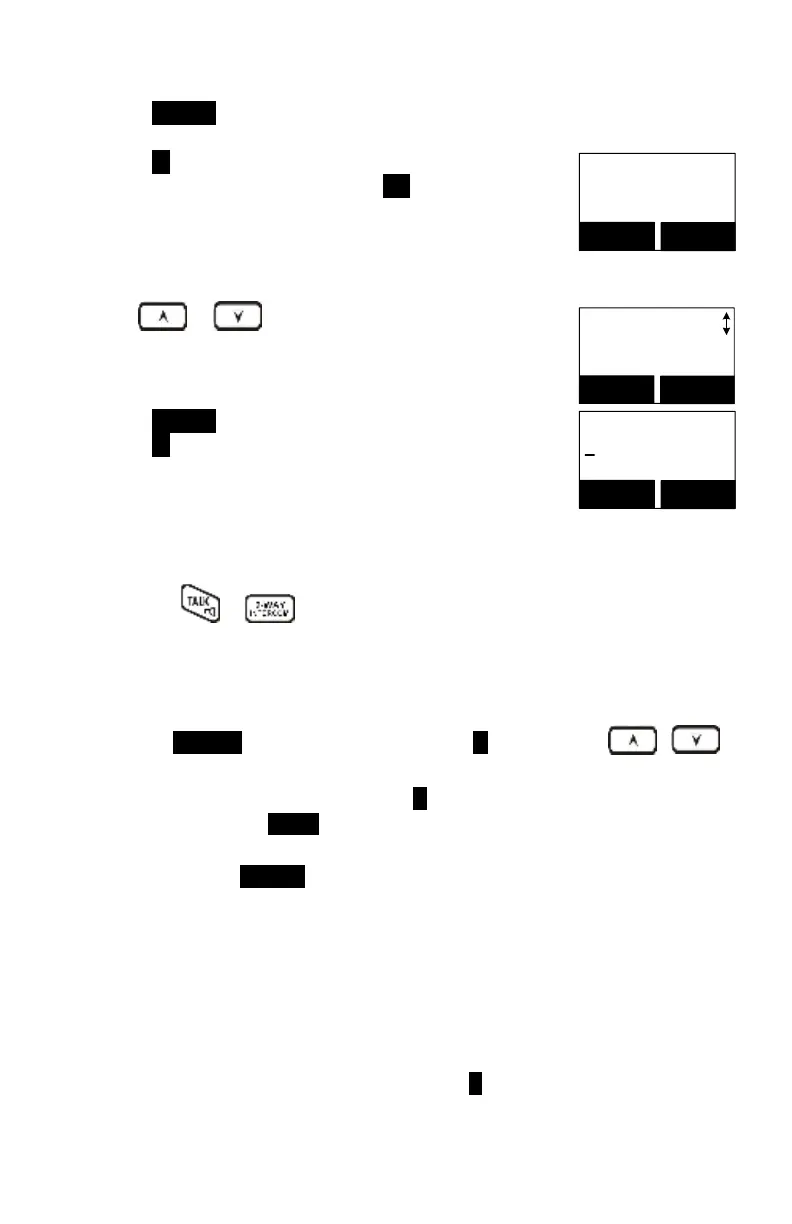
Press OPTION (Right) soft key to enter the option menu.
Press 1 to erase the desinated phone entry.
Delete entry?
Tom
12345678
YES
NO
LCD shown “Delete entry?” Press YES (Left) soft key to
confirm your change.
Use or scrolling key or the alphabetical
search method to locate the record to be erased or
edited.
Press OPTION (Right) soft key to enter the option menu.
Name?
_
Caps = *
SAVE
DELETE
Press 2 to edit the designated phone entry.
Press or
to dial the phone number or Handset ID displayed.
To transfer the phone book:
To transfer the phone book, both parties have to enter the phone book transfer
mode first by following below:
Press OPTION (Right) soft key followed by 5 or by scrolling
key to transfer when the handset is in phone book mode.
For the phone sending party, press 1 to enter the sending mode.
i. Either press TX ALL (Left) soft key to transfer all phone book entries to
another handset(s).
ii. Or press TX ONE (Right) soft key to transfer one entry to another
handset(s).
iii. Press the 2-digit handset ID or group ID, then select all phone book
entries or one entry to be transferred.
Re: “00” means all handsets.
iv. During phone book transfer, the LCD shows “Sending” and 2-digit
countdown on the LCD to indicate the phone book numbers which are
pending.
For the phone book receiving party, press 2 to enter the receive mode.
i. When entering the receiving mode, the LCD shows “Ready.”



 To Next Page