11b/g Wireless Long Range Multi-function 7+1 AP Version 1.1
21
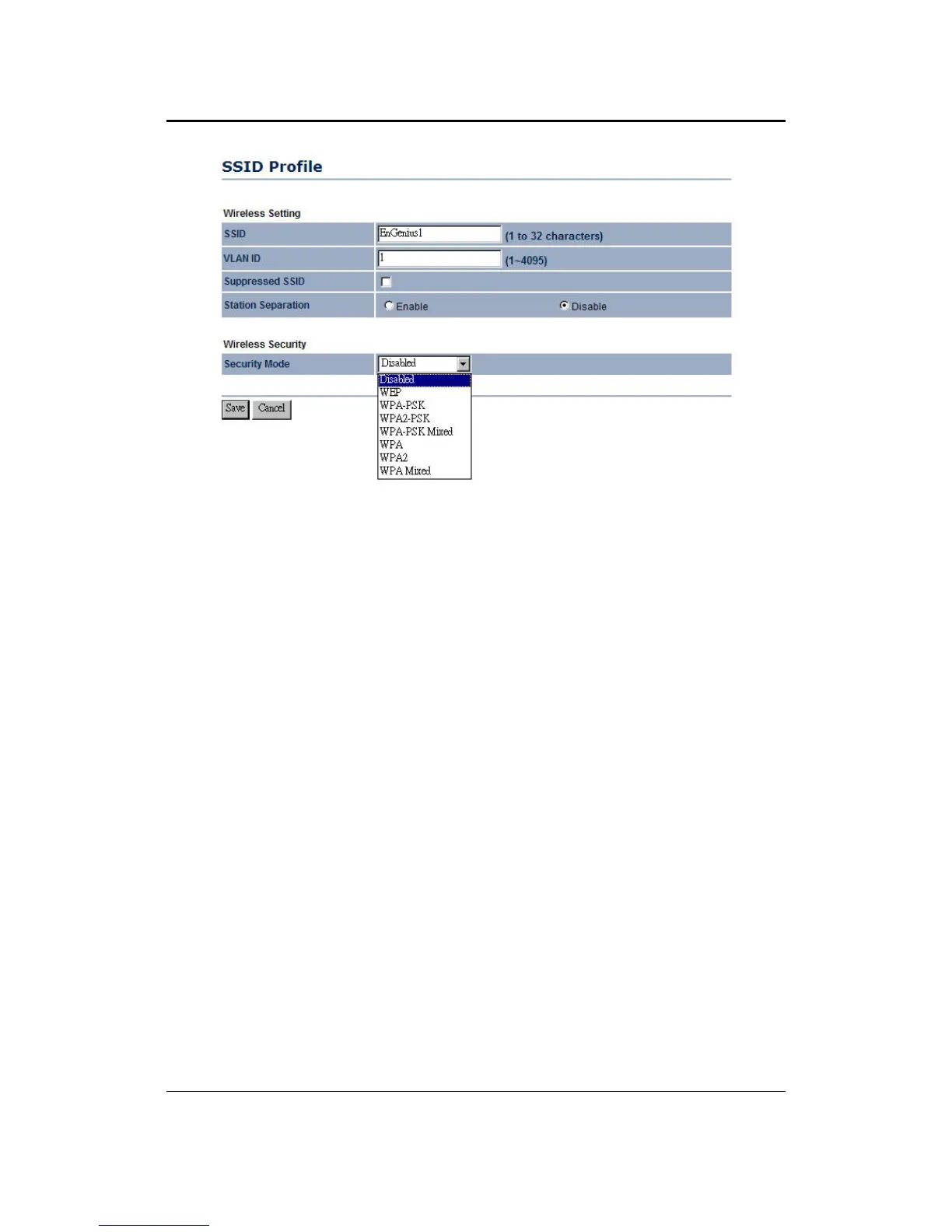
SSID: The SSID is a unique named shared amongst all the points of the wireless
network. The SSID must be identical on all points of the wireless network and cannot
exceed 32 characters.
VLAN ID: If you have enabled VLAN tagging on your network, specify the VLAN tag
ID.
Suppressed SSID: Place a check in this box if you would like to hide the SSID. By
enabling this feature, wireless clients will not be able to scan this access point in a
site survey.
Station Separation: This is also known as layer 2 isolation. Clients connected to this
Access Point will not be able to directly communicate with each other.
Security Mode: By default, the security is disabled. Refer to the next section to
configure the security features such as WEP, WPA, WPA-PSK, WPA2, WPA2-PSK
and WPA-Mixed
Click on the Apply button to save the changes.
4.4.1.1 Wireless Security - WEP
Security Mode: Select WEP from the drop-down list if your wireless network uses
WEP encryption. WEP is an acronym for Wired Equivalent Privacy, and is a security
protocol that provides the same level of security for wireless networks as for a wired
network.



 To Next Page