11b/g Wireless Long Range Multi-function 7+1 AP Version 1.1
44
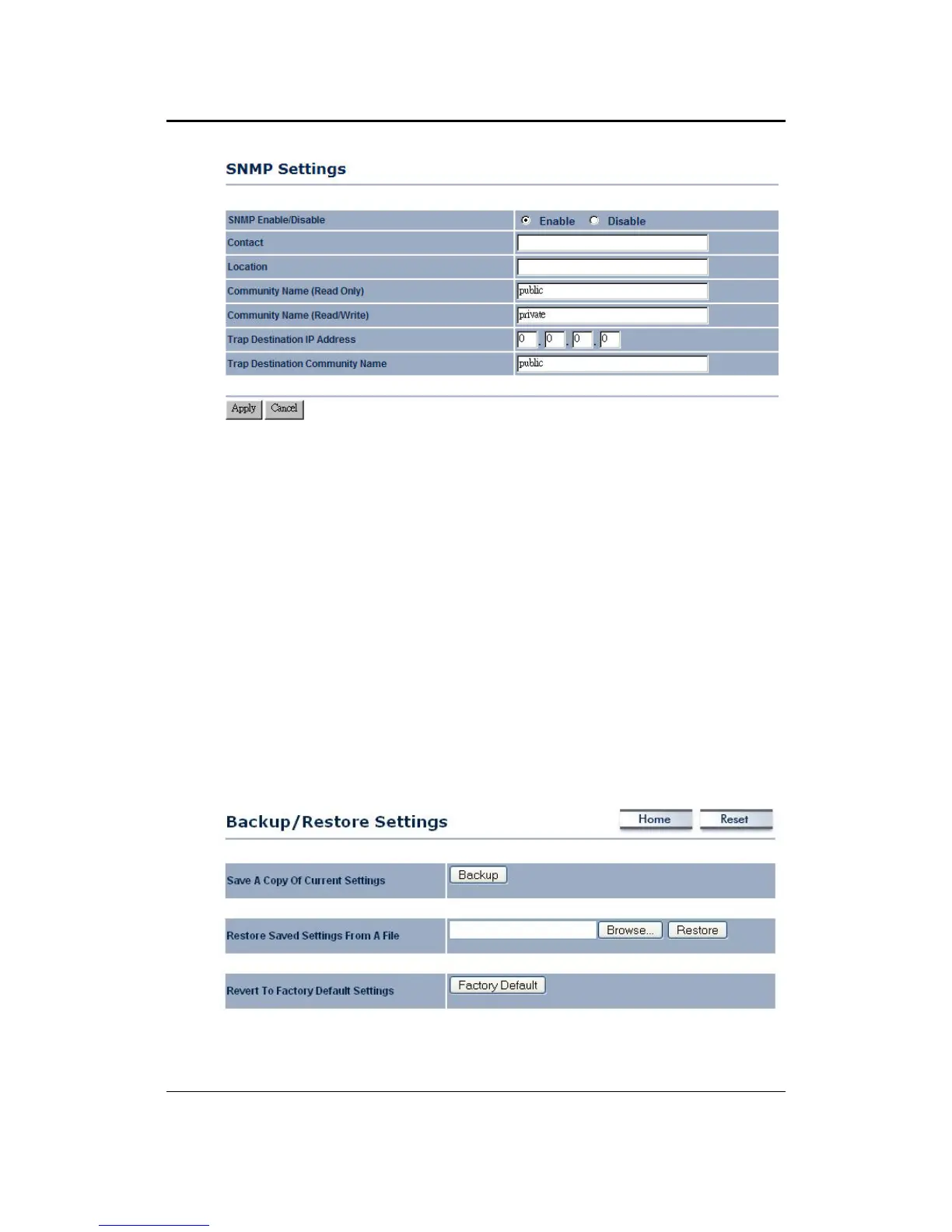
SNMP Enable/Disable: Choose to enable or disable the SNMP feature.
Contact: Specify the contact details of the device.
Location: Specify the location of the device.
Read-Only Community Name: Specify the password for access the SNMP
community for read only access.
Read-Write Community Name: Specify the password for access to the SNMP
community with read/write access.
Send SNMP Trap: Specify the IP address of the computer that will receive the
SNMP traps.
Trap Community Name: Specify the password for the SNMP trap community.
Click on the Apply button to save the changes.
5.5.3 Backup/Restore settings, Reset to factory default settings
Click on the Backup/Restore Setting link under the Management menu. This option
is used to save the current settings of the device in a file on your local disk or load
settings on to the device from a local disk. This feature is very handy for
administrators who have several devices that need to be configured with the same
settings.
Save a copy of the current settings: Click on the Backup button to save the current
configuration.



 To Next Page