11b/g Wireless Long Range Multi-function 7+1 AP Version 1.1
99
IP Subnet Mask: Specify the subnet mask for this IP address, which is assigned by
your ISP.
Gateway IP Address: Specify the IP address of the default gateway, which is
assigned by your ISP.
Domain Name Server: Specify the primary and secondary DNS server IP address.
Click on the Apply button to save the changes.
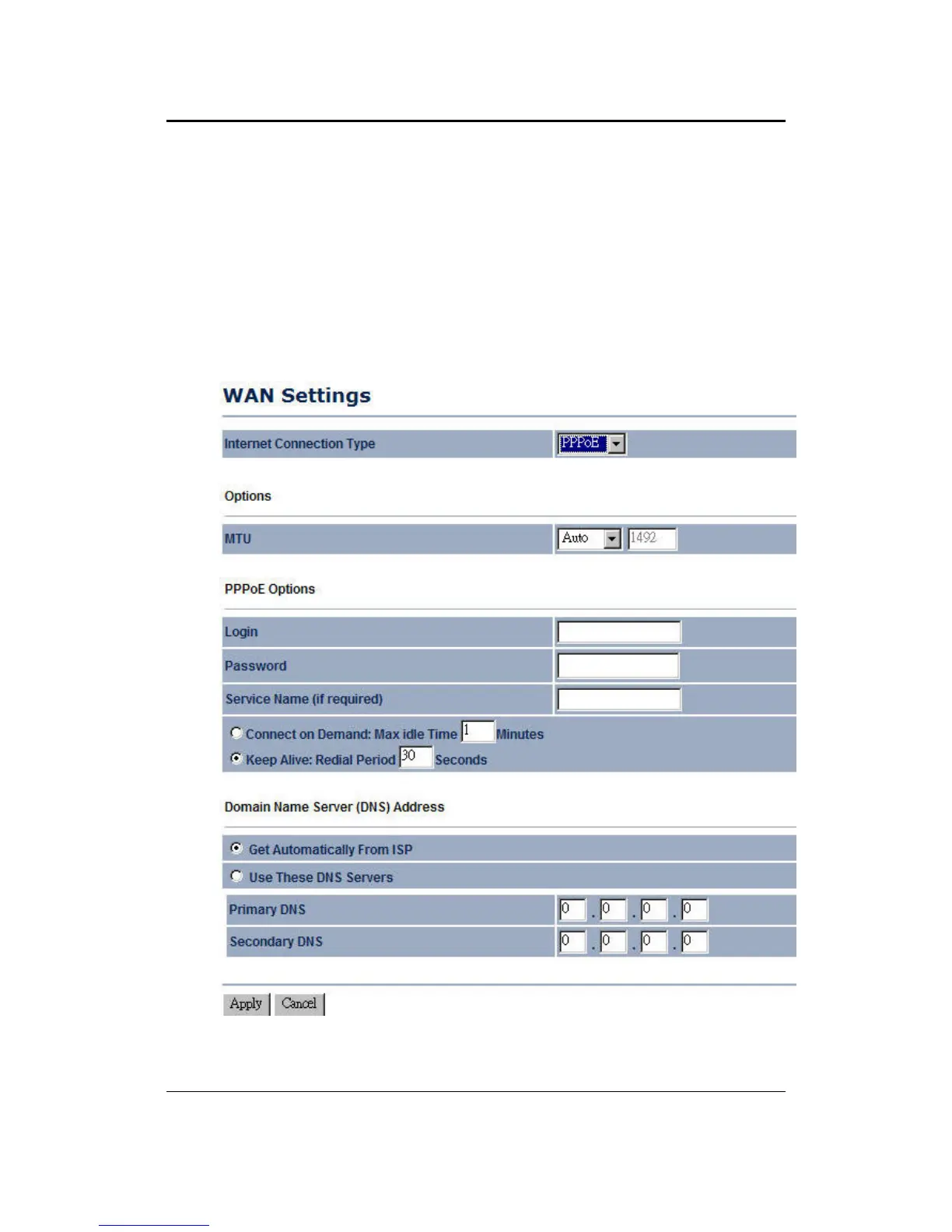
9.4.1.3 WAN – PPPoE
The WAN interface can be configured as PPPoE. This type of connection is usually
used for a DSL service and requires a username and password to connect.
Internet Connection Type: Select PPPoE from the drop-down list.



 To Next Page