11b/g Wireless Long Range Multi-function 7+1 AP Version 1.1
86
8.5.3 WDS Link Settings
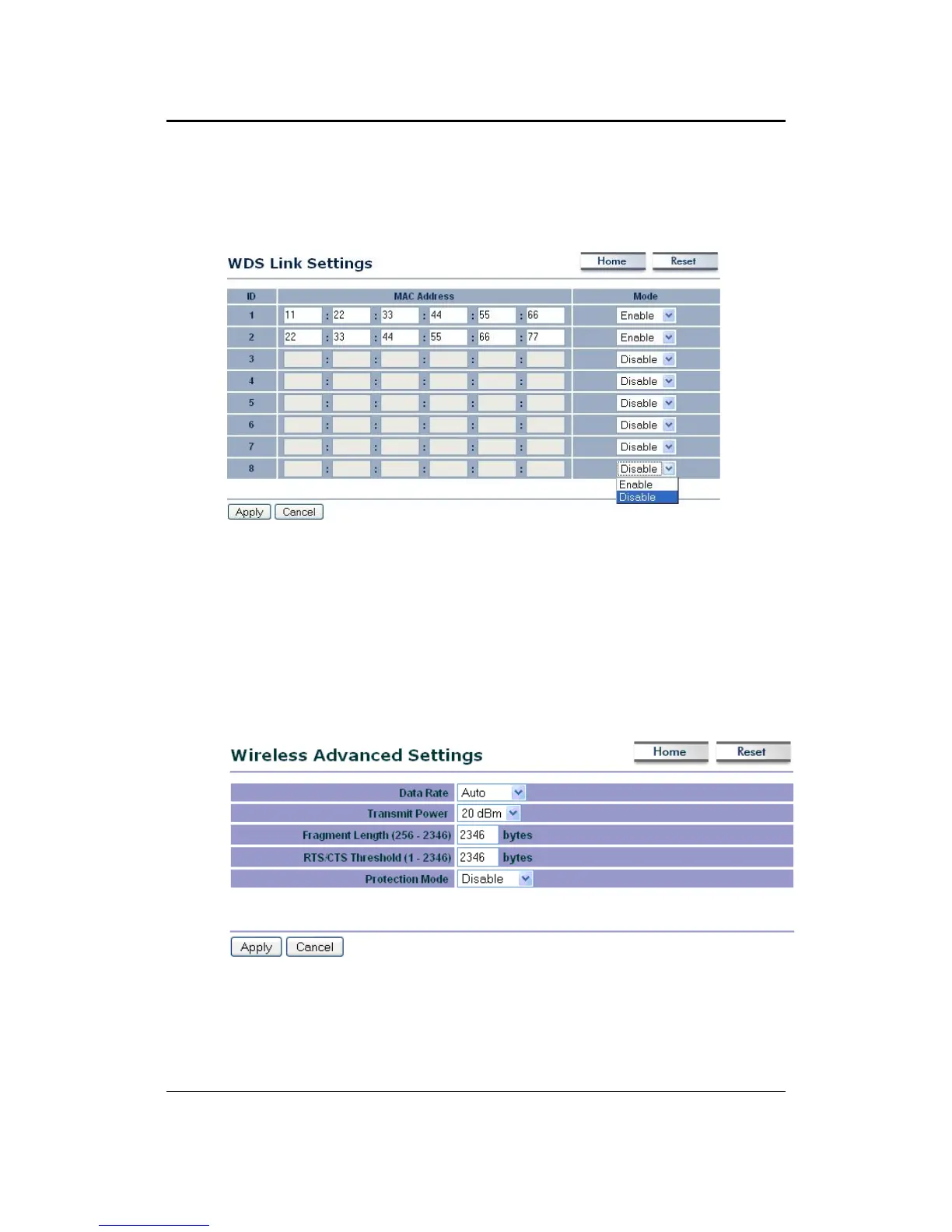
Click on the WDS Link Settings On this page you can configure the WDS (Wireless
Distribution System) which allows the Access Point to function as a repeater.
WDS MAC Address: Specify the MAC address of the Access Points that will join the
WDS network and then select Enable or Disable from the drop-down list.
Click on the Apply button to save the changes.
8.5.4 Wireless Advanced Settings
Click on the Wireless Advanced Settings link. On this page you can configure the
advanced settings to tweak the performance of your wireless network. Options
available are: data rate, transmit power, antenna diversity, fragmentation threshold,
RTS threshold, 802.11g protection and distance.
Data Rate: If you would like to force a data rate, you may select one from the drop-
down list. However, for best performance it is recommended to use the Auto setting.
Transmit Power: You may have the different application distance of the device by
selecting a value from the drop-down list. This feature can be helpful in restricting the
coverage area of the wireless network.



 To Next Page