28
GB
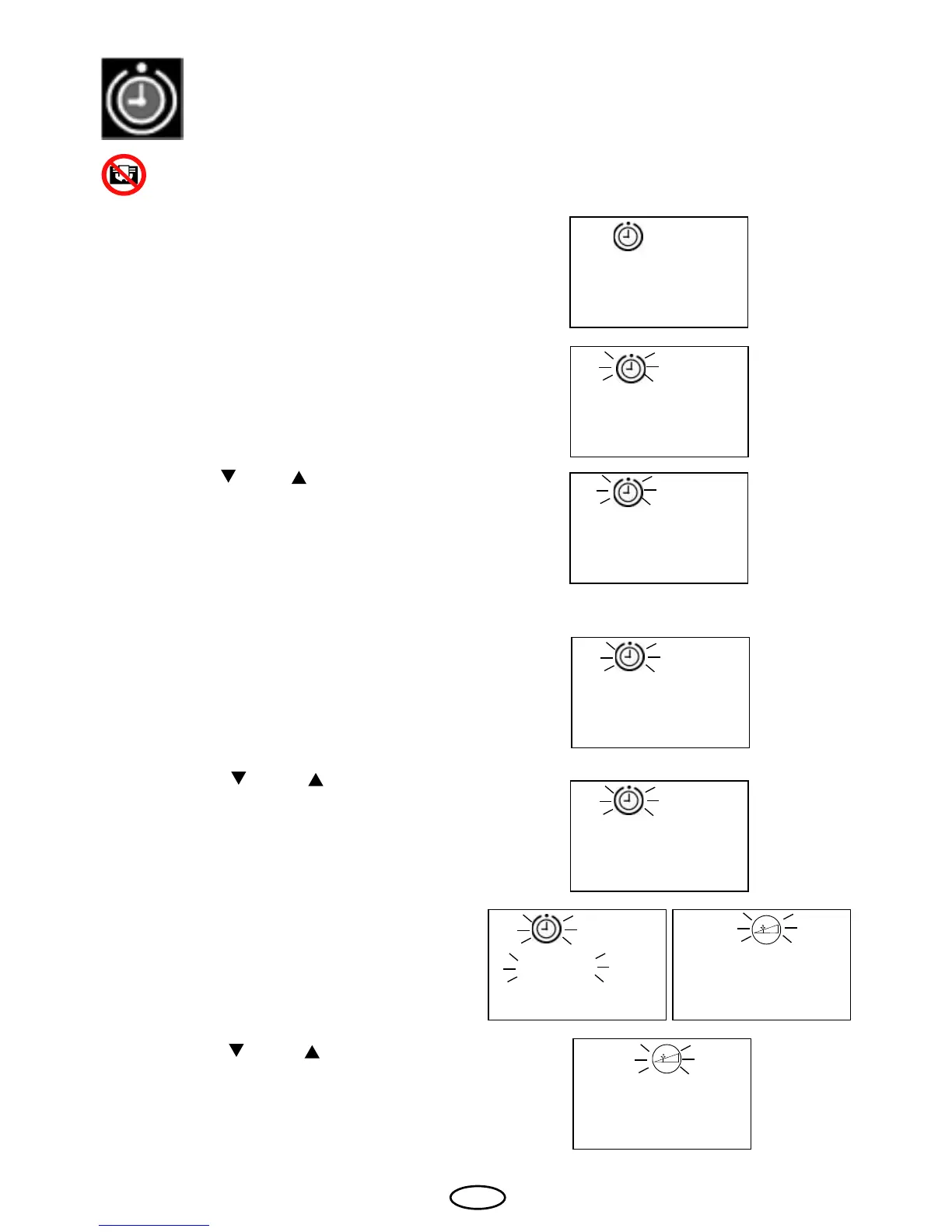
With the keys "
" and " " you can select the
required day and the program item.
Conrm the entry by pressing the "Mode"
key. The switch-on time last set will appear
on the display.
In order to set the time preselection, press
the "Mode" key. The preselection symbol
will appear on the display as well as "d 1:1“.
(d<Wochentag 1...7>:<Programm 1...4>)
Always make sure that there are no objects on the sauna unit before the heating
process begins. Risk of re!
2:1
07:00
05:40
P1 Heater switching with time preselection in week timer mode
P
1:1
P
With the keys " " and " ", please set the
required switch-on time.
Conrm the entry by pressing the "Mode"
key until the newly set value ashes on the
display. After this the heating time symbol will
start to ash on the display and the last set
heating time.
03:30
06:0007:00
In order to set the time preselection, please
press the "Mode" key. The preselection
symbol and "P1" will appear on the display.
P 1
With the keys " " and " " you can set the
required heating time.



 To Next Page