60
Installing the Product
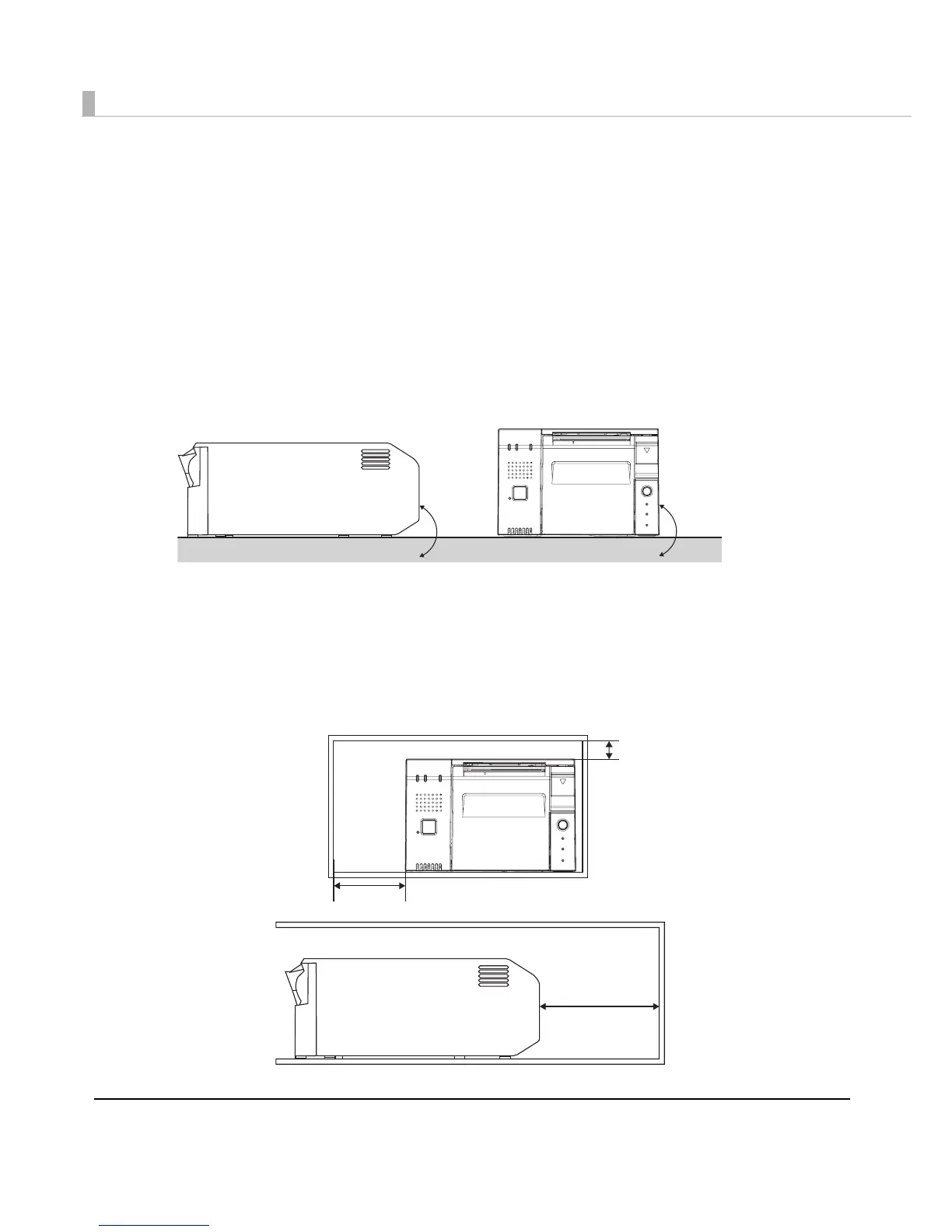
You can install this printer only horizontally.
Fix the printer so that it does not move around when you open the roll paper cover and cut roll
paper. A tape for fixing the printer is available as an option.
As shown in the figure below, install the printer with a maximum tilt of 3
Installing the printer with a tilt of more than 3may cause the following problems.
• Roll paper near end cannot be detected.
• The roll paper cover will not close after installing roll paper.
• Roll paper cannot be taken out.
When you install the printer in an enclosed area such as a shelf, secure the following space
between the printer and the shelf to avoid heat staying inside.
• Top: 15 mm or more
• Rear: 130 mm or more
•Sides: 50 mm or more (one side only)
•Front: open



 To Next Page
 Loading...