45
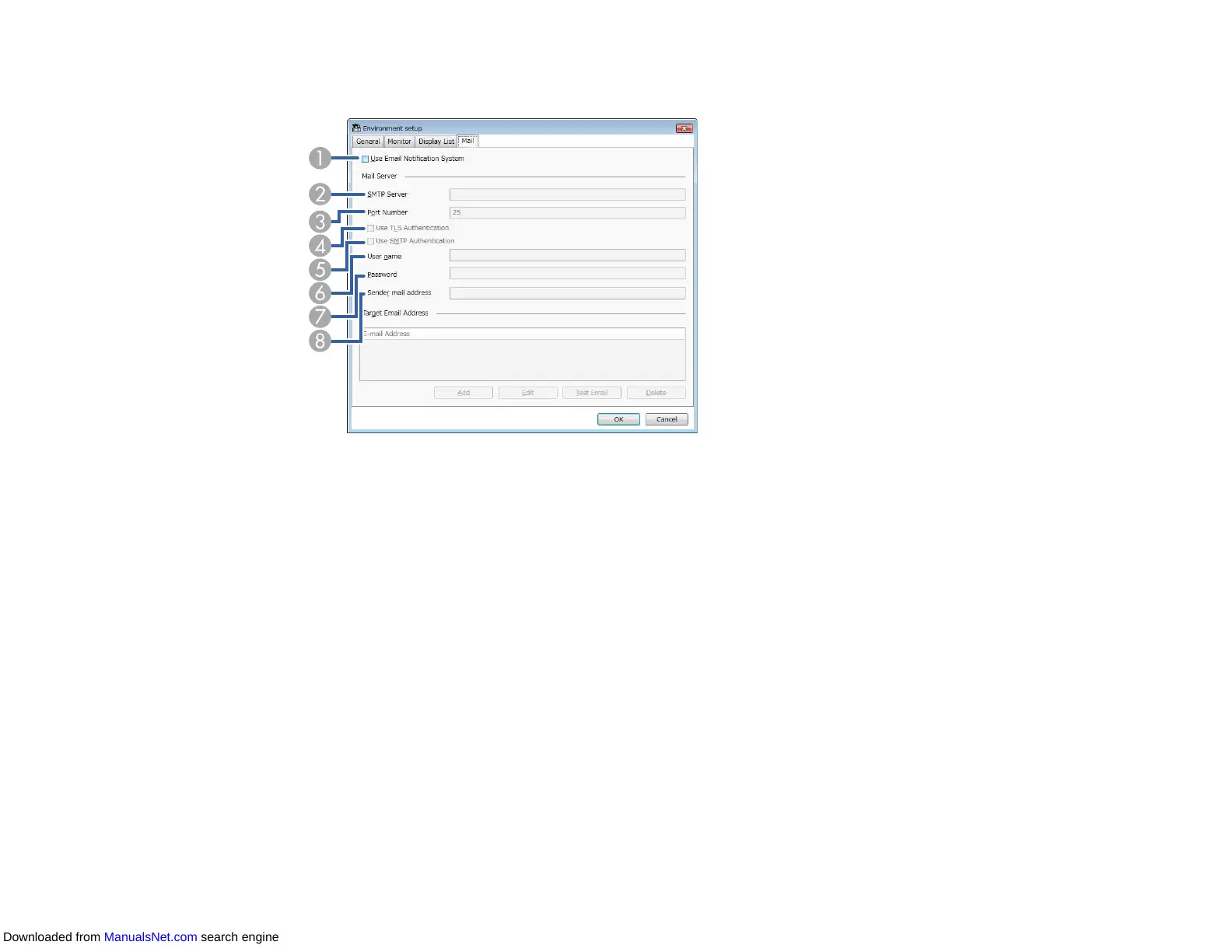
3. Select any necessary settings.
1 Select to enable email notifications and allow you to enter the necessary information.
2 Enter the SMTP server name or IP address for the projector's SMTP server.
3 Select a number for the SMTP server port number using 1 to 65535. Default is 25.
4 Select to enable TLS authentication.
5 Select to enable SMTP authentication.
6 Enter a user name for the SMTP authentication.
7 Enter a password for the SMTP authentication.
8 Enter the email address that you want to be identified as the sender. You can enter up to 512
alphanumeric characters.
4. Select Add, select the recipient's email addresses, and then select the type of email notifications you
want them to receive.
5. Select OK.
The Environment setup screen appears. Repeat steps 4 to 5 to add recipient's email addresses.
You can register up to 10 email addresses.
Downloaded from ManualsNet.com search engine



 To Next Page