77
Environment Setup - Display List
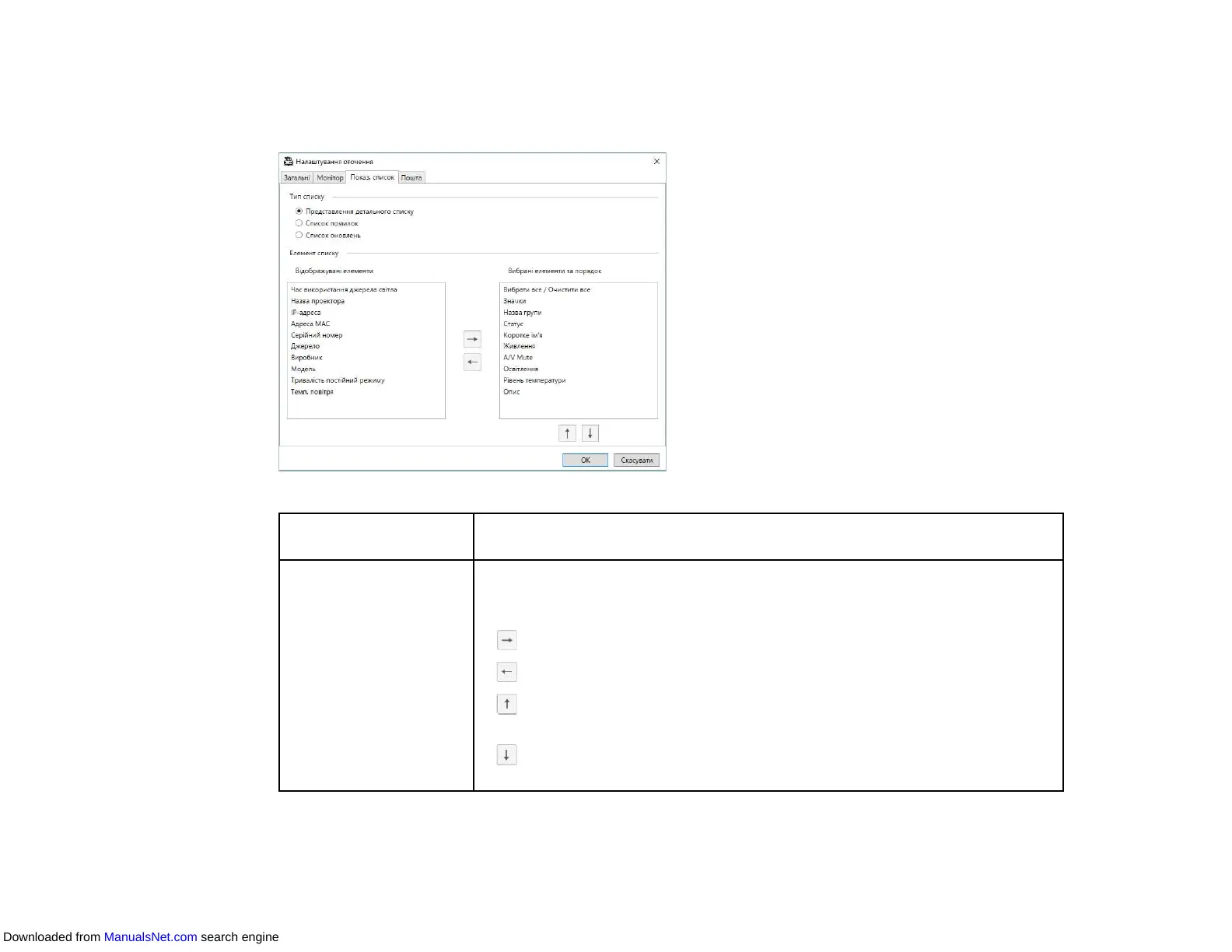
When you select the Display List tab on the Environment setup screen, the following screen appears.
List Type Select the type of list for which you want to change the displayed items and
order: Detail list view, Error list, or Update List.
List Item Select the items you want to display or remove from display, and arrange
their order. Displayable Items are available for adding to the Selected
Items and Order list.
• : Displays the item selected in Displayable Items.
• : Hides the item selected in Selected Items and Order.
• : Moves the item selected in Selected Items and Order to the previous
position.
• : Moves the item selected in Selected Items and Order to the next
position.
Parent topic: Environment Setup Screen
Downloaded from ManualsNet.com search engine



 To Next Page