65
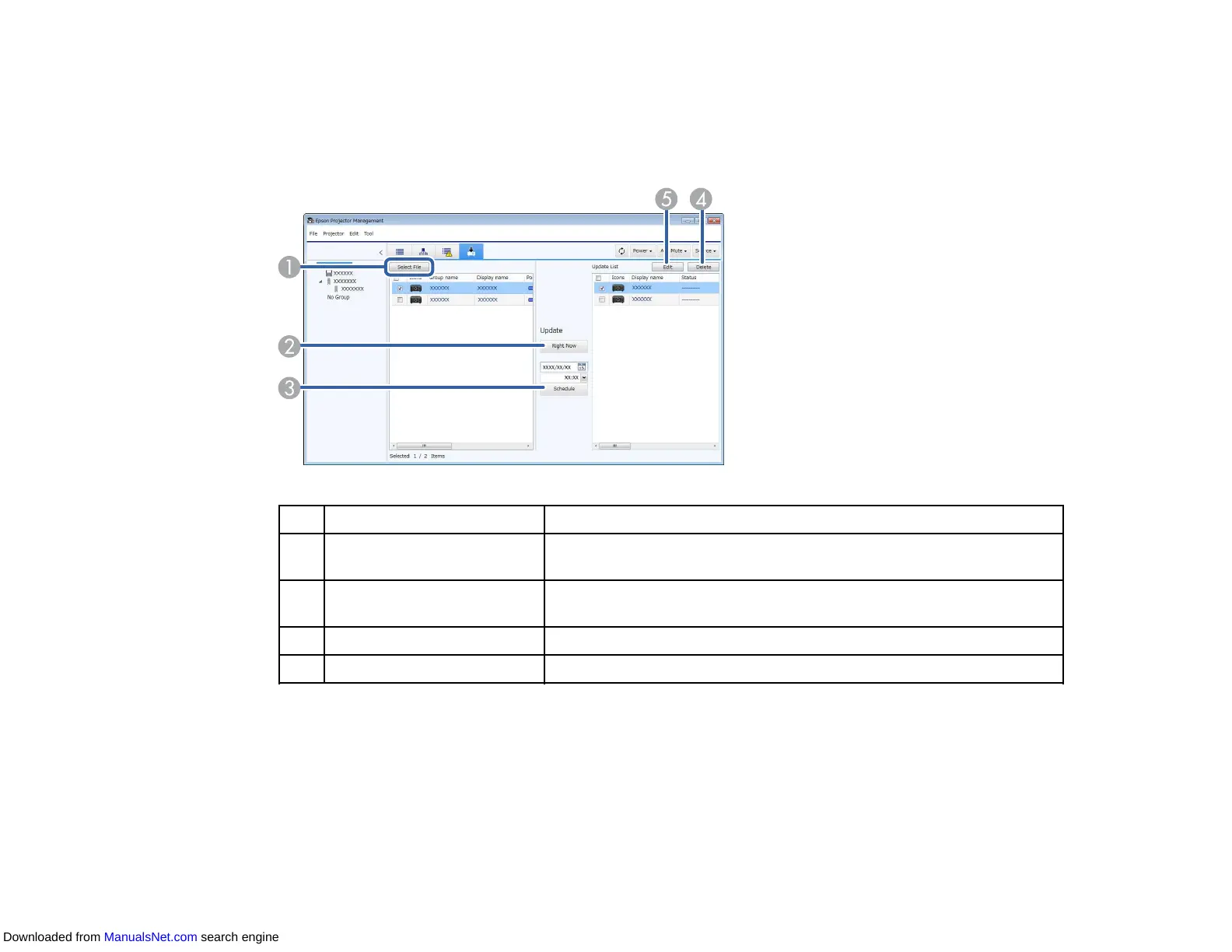
Update List View
When you click the Update List icon on the Epson Projector Management main screen, the Update List
view appears. You can update your projectors to use the latest firmware or copy the projector's menu
settings.
1 Select File Selects the firmware file or the menu setting configuration file.
2 Right Now Starts the firmware update or projector menu copying process
immediately.
3 Schedule Schedules the date and time to start the firmware update or
projector menu copying process.
4 Delete Deletes update schedules.
5 Edit Edits an update schedule.
Parent topic: Epson Projector Management Main Screen
Projector Properties Screen
When you select Property in the Edit menu, the Projector properties screen appears.
Projector Properties - Information
Projector Properties - Status History
Downloaded from ManualsNet.com search engine



 To Next Page