63
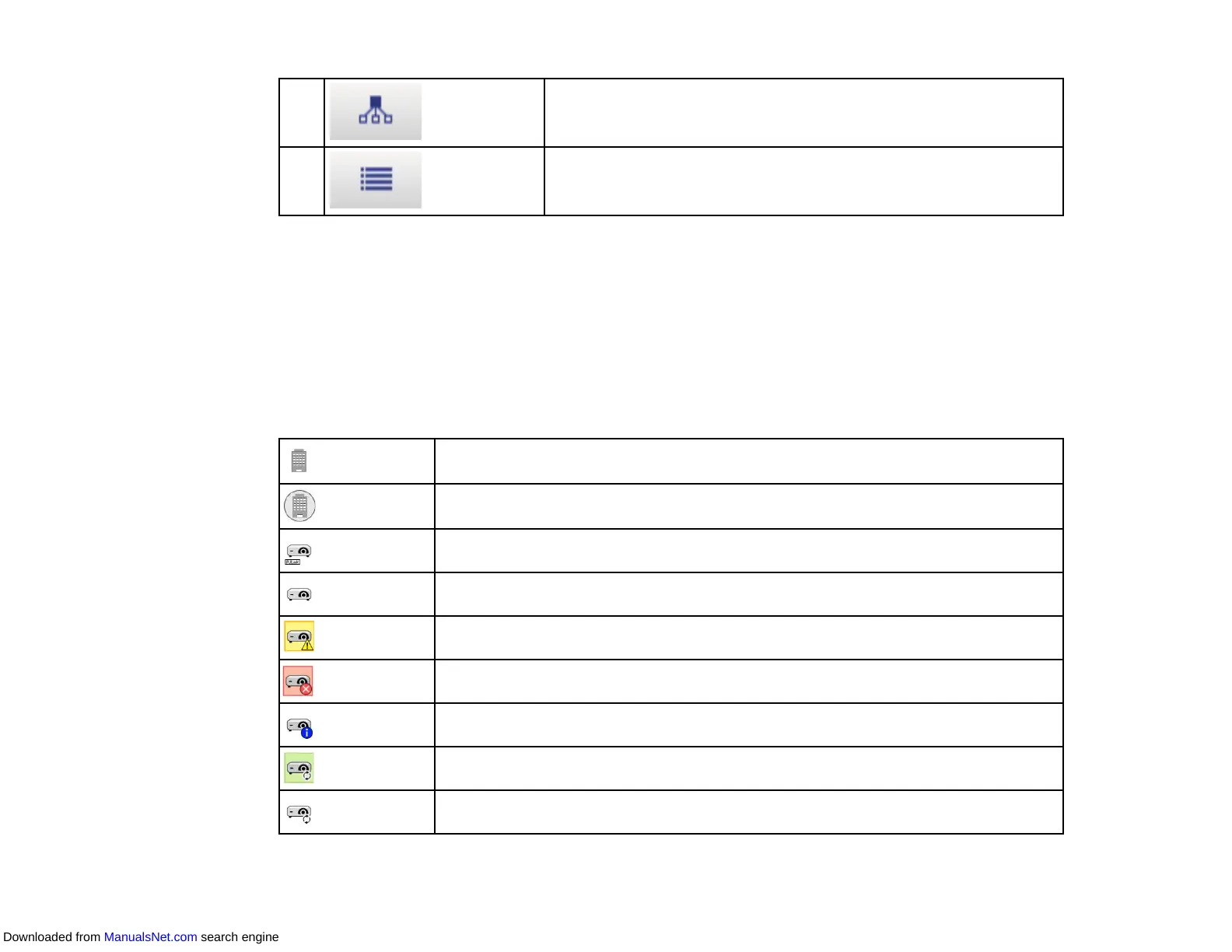
10 Displays the grouping view. You can check the projector group in a
hierarchical diagram.
11 Displays detail list view. You can check the projector status as a list.
Projector Status Icons
Update List View
Parent topic: Screen Summary
Related references
Environment Setup - Display List
Projector Status Icons
The icons in the Epson Projector Management main screen are described in the following table.
The group is expanded.
The group is collapsed.
The projector is monitored or controlled using the PJLink protocol.
The group or projector is in normal status.
The group or projector is in warning status.
The group or projector is in error status.
The group or projector requires immediate attention.
The group or projector performs operations.
Updating the group or projector information.
Downloaded from ManualsNet.com search engine



 To Next Page