1TEST PROGRAMS AND ADJUSTMENTS39 / 266
Art. No.: 80116-201
09 / 2004
Test program no. 10
Changing the maximum time limit
General description
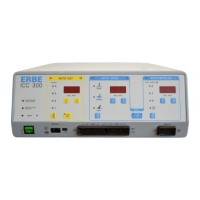
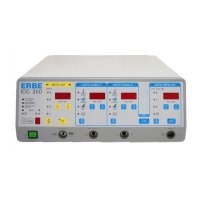
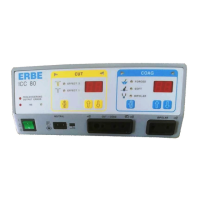
Using this program, you can change the time limit for the ICC 200, 300 and 350. The setting range varies
from 3 to 960 seconds.
Using the appropriate “Up” or “Down” keys, the time limit restriction for every current quality can be set
individually.
For the ICC 350, various time limit settings can be stored in the individual program memories for each user.
This occurs after selecting the program number with program memory key 2 and then changing the respective
current qualities using the appropriate “Up” or “Down” key.
After termination of Test program 10 using key 3, the settings made are stored.
In case of memory failure, as well as in the delivery condition, the max. time limit for all programs and
current qualities (CUT, COAG 1, COAG 2, BIPOLAR) is set at 90 seconds.
After starting Test program 10 with key 3, you will see the following display:
AUTO CUT AUTO COAG 1 AUTO COAG 2 AUTO BIPOLAR
t1 t2 t3 t4
• t1: Time limit restriction for AUTO CUT in seconds
• t2: Time limit restriction for AUTO COAG 1 in seconds
• t3: Time limit restriction for AUTO COAG 2 in seconds
• t4: Time limit restriction for AUTO BIPOPLAR in seconds.
Using the following keys, you can adjust the max. time limit (see page 1-4):
• AUTO CUT : Keys 4 and 5
• AUTO COAG 1 : Keys 8 and 9
• AUTO COAG 2 : Keys 11 and 12
• AUTO BIPOLAR: Keys 15 and 16



 To Next Page