– 18 –
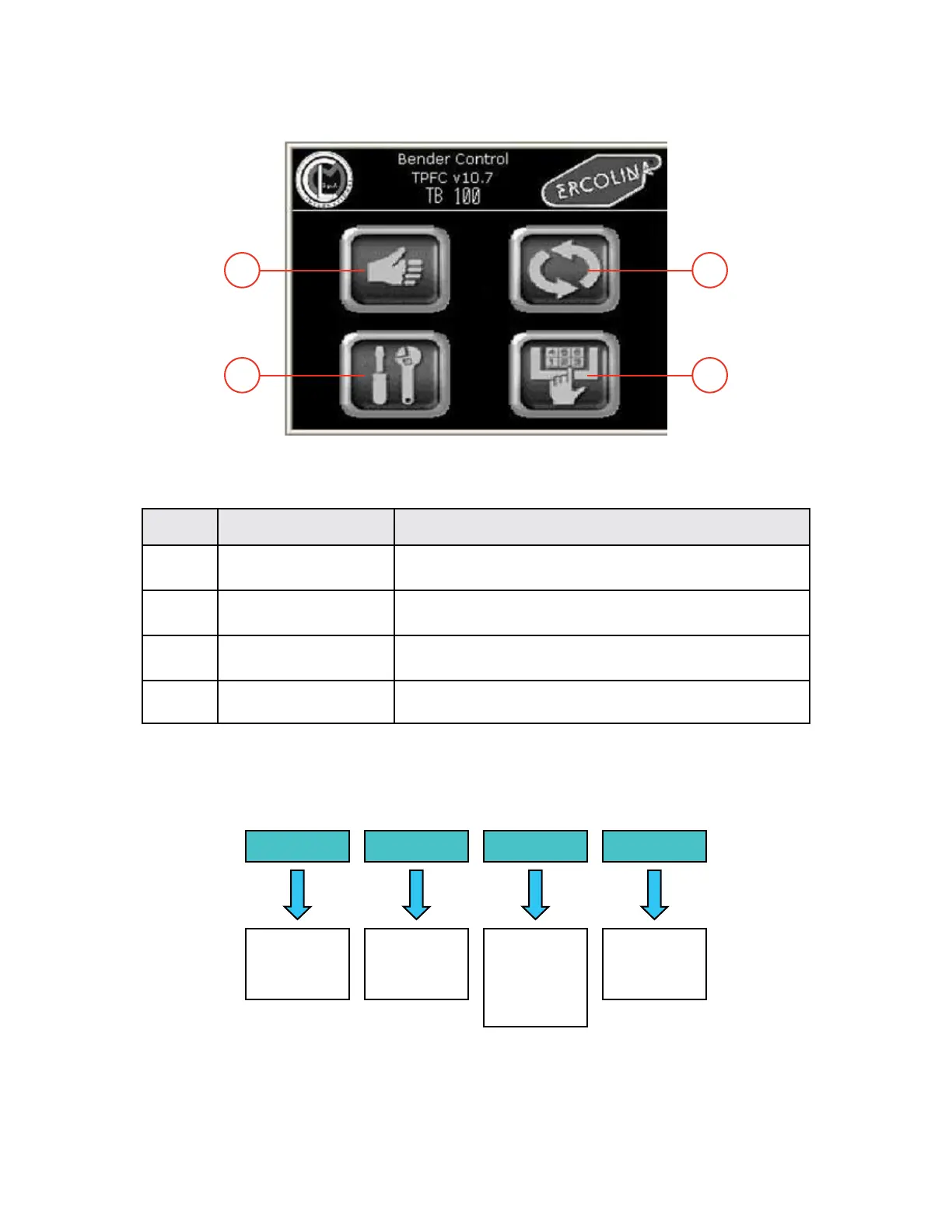
Main screen
Explanation of keys
- Operating areas -
The basic functions of the NC control are grouped into the following operating areas:
Operating areas
Rep KEY FUNCTION
1 MANUAL Go to manual mode for manual motions
2 AUTOMATIC Go to Automatic mode
3 SERVICES Go to Service area
4 PROGRAM Go to Programming area
Control Operating Areas
03/2015TB100/TB130
MANUAL AUTOMATIC SERVICE PROGRAM
- Jog mode
- Refpoint set
- Automatic mode
- MDA mode
- Set up
- Turning on
- Error messages
- Set language
- Set unit
- Reserved area
- Program edit
- Load program
- Save program
1 2
3 4


 To Next Page