– 54 –
- Manual selection of bend angle within a program -
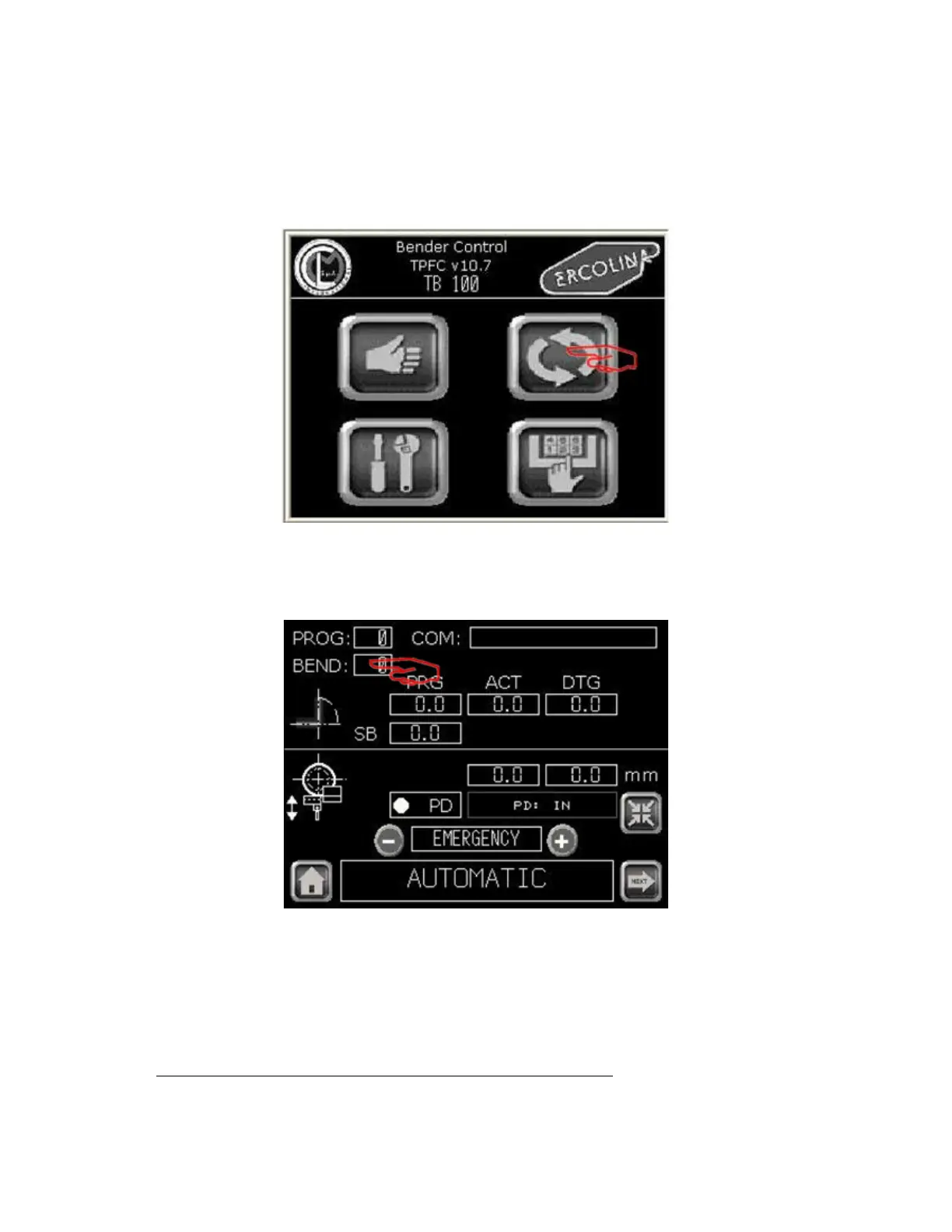
Operating sequence
From Main menu
Automatic menu
2 - On the eld BEND enter “0”.
3 - On the Cycle C program value enter desired value.
4 - On C springback value enter desired value.
Note: The programmed cycle will run using actual parameters displayed.
The parameters of the program are actually displayed on the Auto page.
MDA Mode
Main menu
1 - Select Automatic menu. The auto main screen appears.
03/2015TB100/TB130


 To Next Page