– 56 –
- Alarm list display -
From Main menu
Main menu
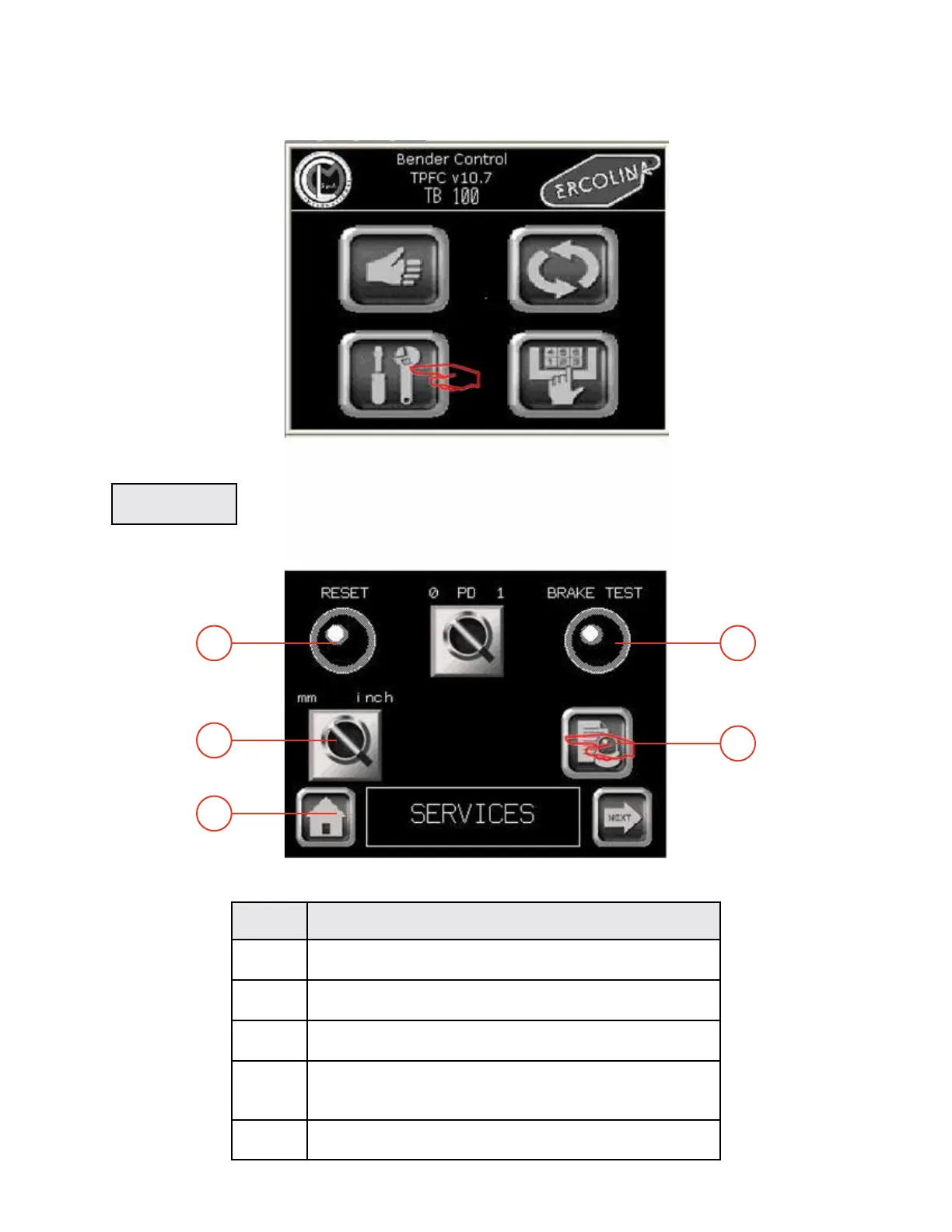
1 - Press the function key SERVICE in the Main menu to display the Services screen.
Services menu
SERVICES
03/2015TB100/TB130
Rep FUNCTION
1 Return to main menu
2 Press to switch unit of measure
3 Press one time to switch on; press again to switch off
4 Brake test - press to release motor break
(You should be able to hear break noise)
5 Press to display alarm list (current alarms displayed
3
2
1
5
4


 To Next Page