– 19 –
Manual Mode Without Pressure Die Control
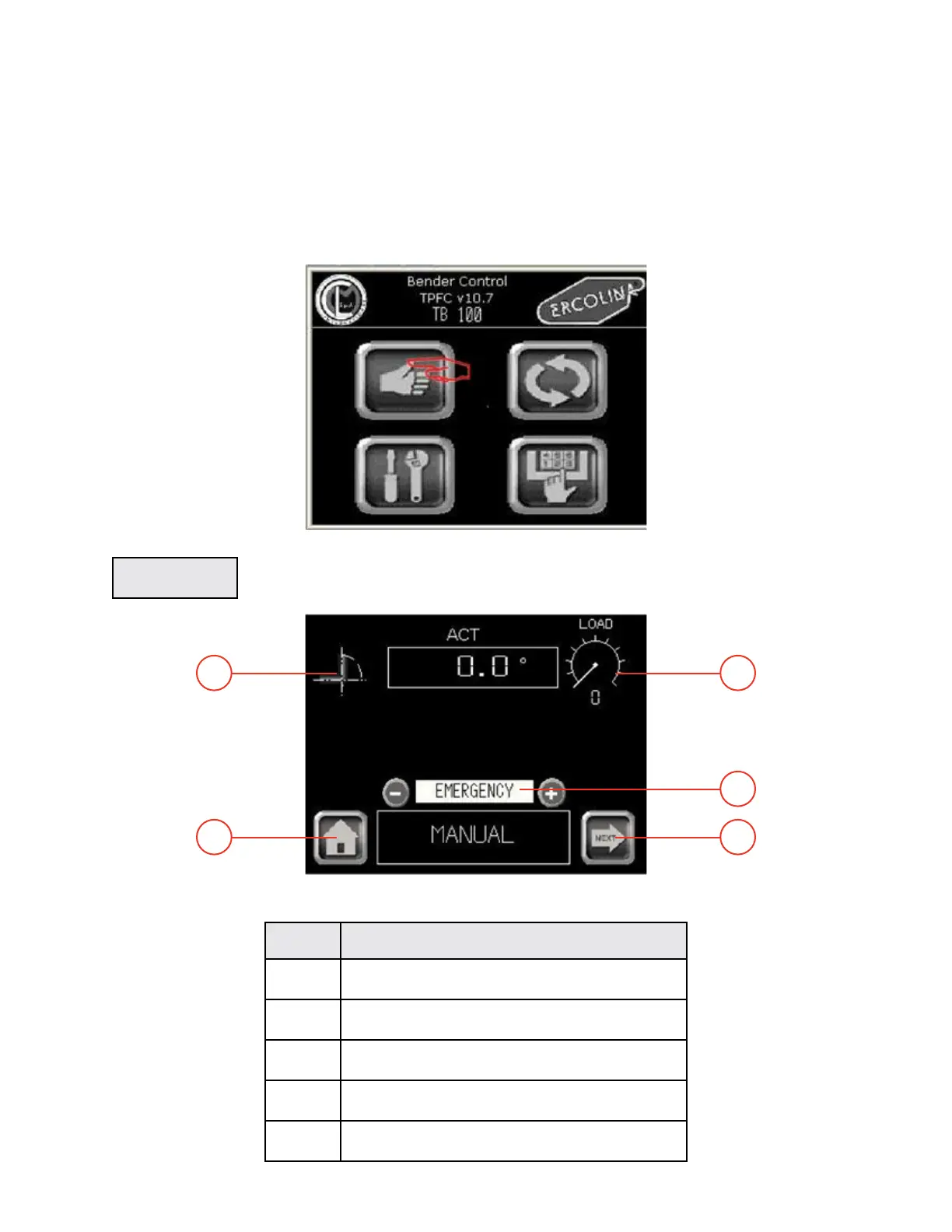
In Manual mode you can manually move every part of the machine individually. This mode is appropriate
for tool changing and operation setup.
- Operating sequences -
From Main menu
- Manual mode without pressure die control -
1 - Press the function key MANUAL in the Main menu to display the Manual screen.
Main menu
Manual menu
MANUAL
TB100/TB13003/2015
Rep FUNCTION
1 Return to previous menu
2 Go to Manual 1 screen
3 Hand-held control display
4 Axis C current position (degrees)
5 Actual machine load (in %) from 0 to 100%
4
5
1
3
2


 To Next Page