– 23 –
- Manual mode with pressure die control -
In Manual mode you can manually move every part of the machine individually. This mode is appropriate
for tool changing and operation setup.
- Operating sequences -
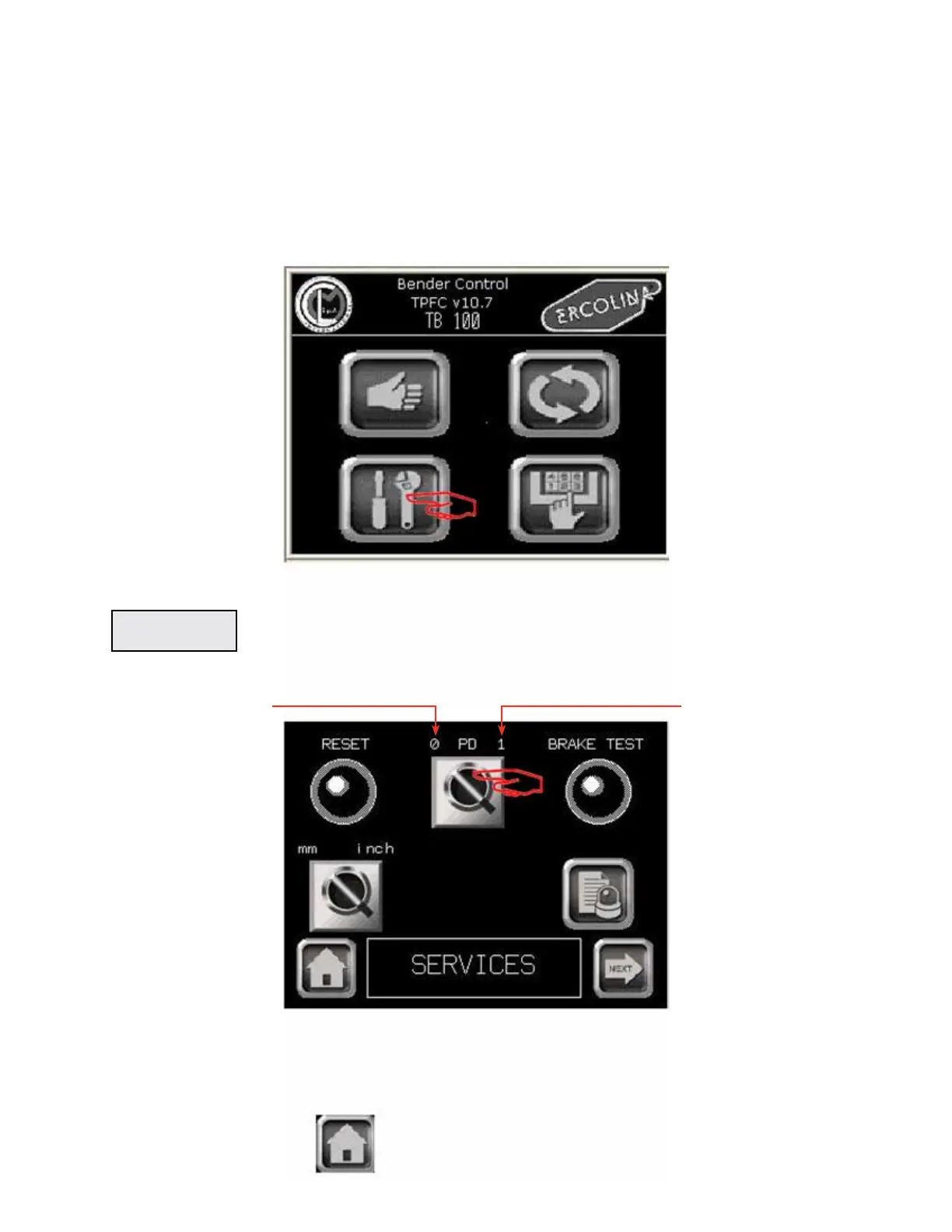
From Main menu
Main menu
1 - Press the function key SERVICE in the Main menu to display the Services screen
Services menu
SERVICES
2 - Press on PD (pressure die) to move selector to “1” (ON)
3 - Press HOME to return to main menu
OFF ON
Manual Mode With Pressure Die Control
TB100/TB13003/2015


 To Next Page