– 38 –
- Load a program from USB -
Functionality: This section describes how to load a program from the USB key.
Operating sequence
1 - Select the YBC softkey.
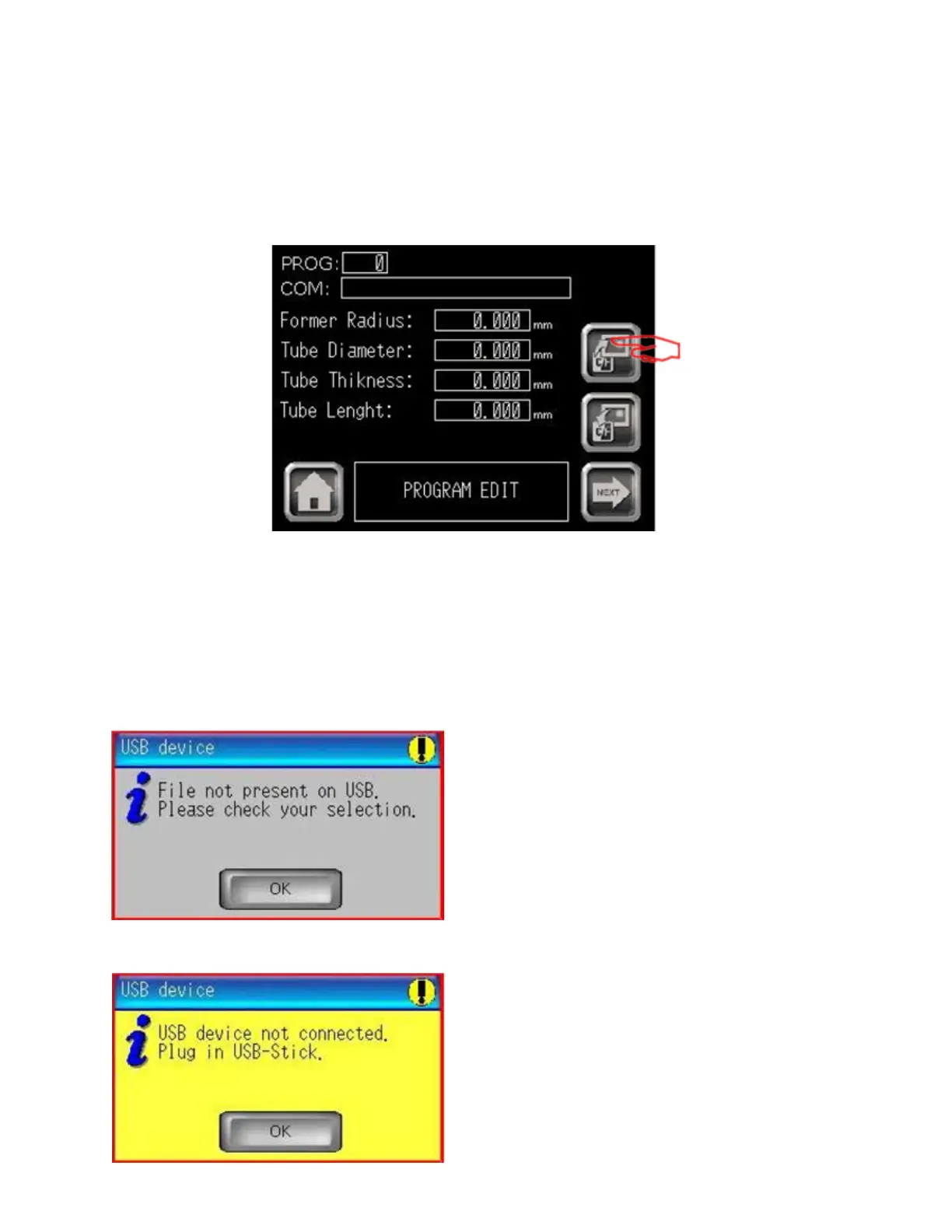
The following screen appears:
Program edit
2 - On Prog. Nº eld insert the program number (from 0 to 1999) to read.
3 - Press LOAD FROM USB to start loading operation.
Error messages:
a - If the selected Program Number is not present on USB key, the following error message will be
displayed:
Press OK button, check the selection,
and then try again.
b - If the USB key has not been connected, the system will display the following message:
Press OK button, connect the USB key,
and then try again.
03/2015TB100/TB130


 To Next Page