– 33 –
- Save a program on USB -
Functionality: This section describes how to store a program on USB key.
Operating sequence
1 - After you have edited a program, you can store it on the external USB key.
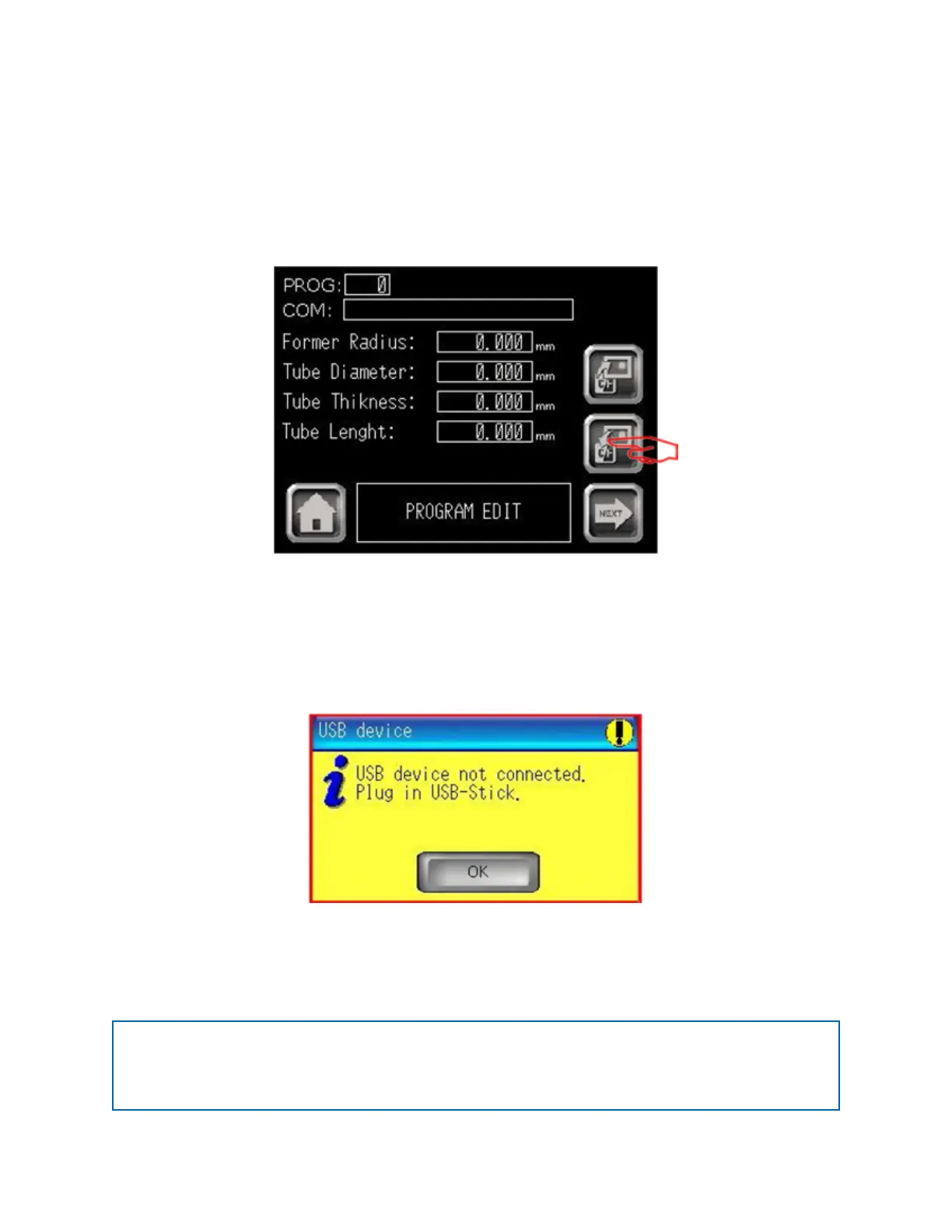
From the main Programming screen, press SAVE ON USB button.
Program edit
Error messages:
If the USB key has not been connected, the system will display the following error message:
Press OK button, connect the USB key and then try again.
On the USB the program will be saved with the same edited program number.
It is possible also, to change the comment.
To change a program comment of a le stored on the USB key, refer to Program List section.
TB100/TB13003/2015


 To Next Page