– 26 –
Programming
Notice
The system memory is the USB key.
A USB key must be present on the system to save or load a
part program
See the section about USB key for more details
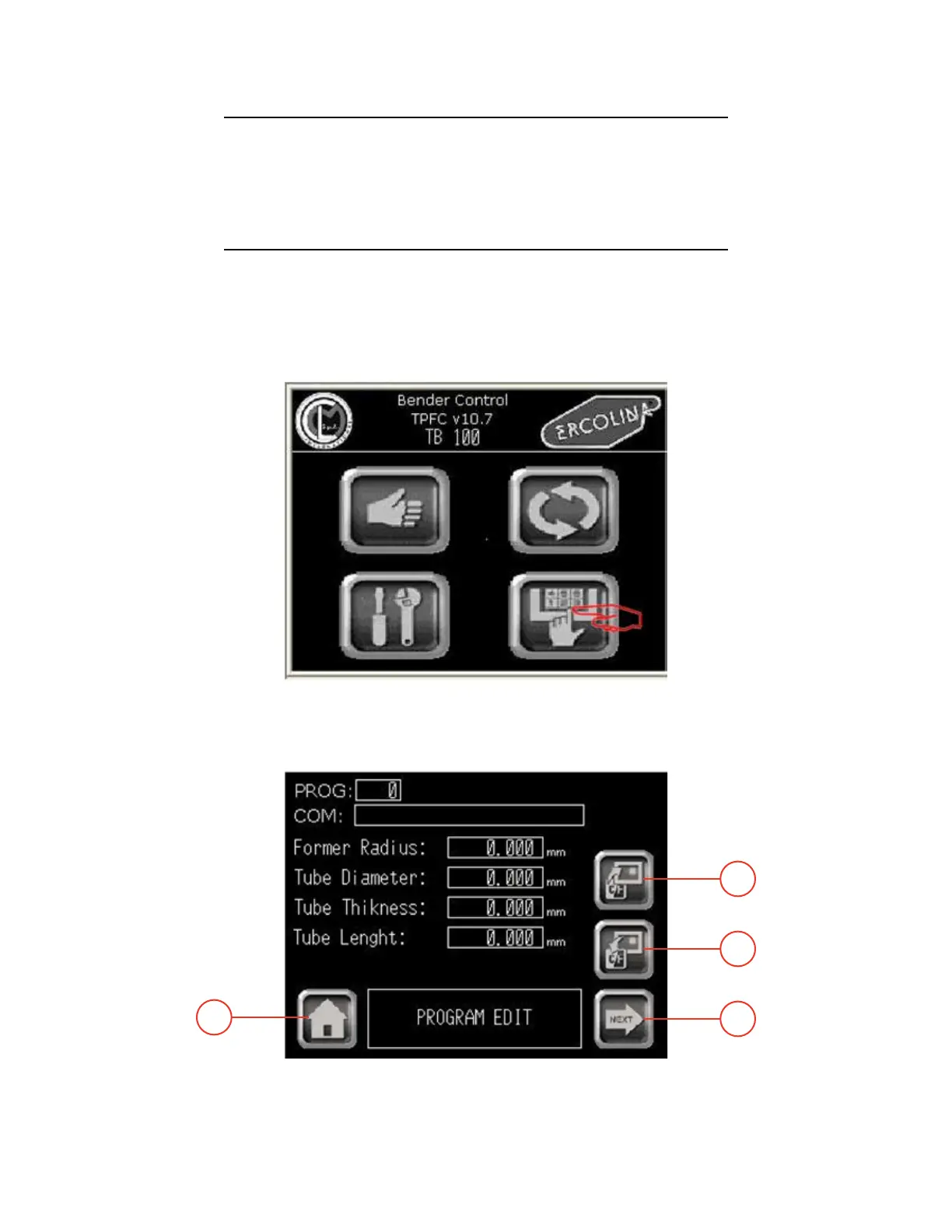
Functionality: This section describes how to create a new part program or how to modify
an existing part program.
- Operating sequence -
From Main menu
1 - Select Program menu. The Program main screen appears.
Main menu
Program menu
03/2015TB100/TB130
4
1
3
2


 To Next Page