– 35 –
2 - Press “NEXT”.
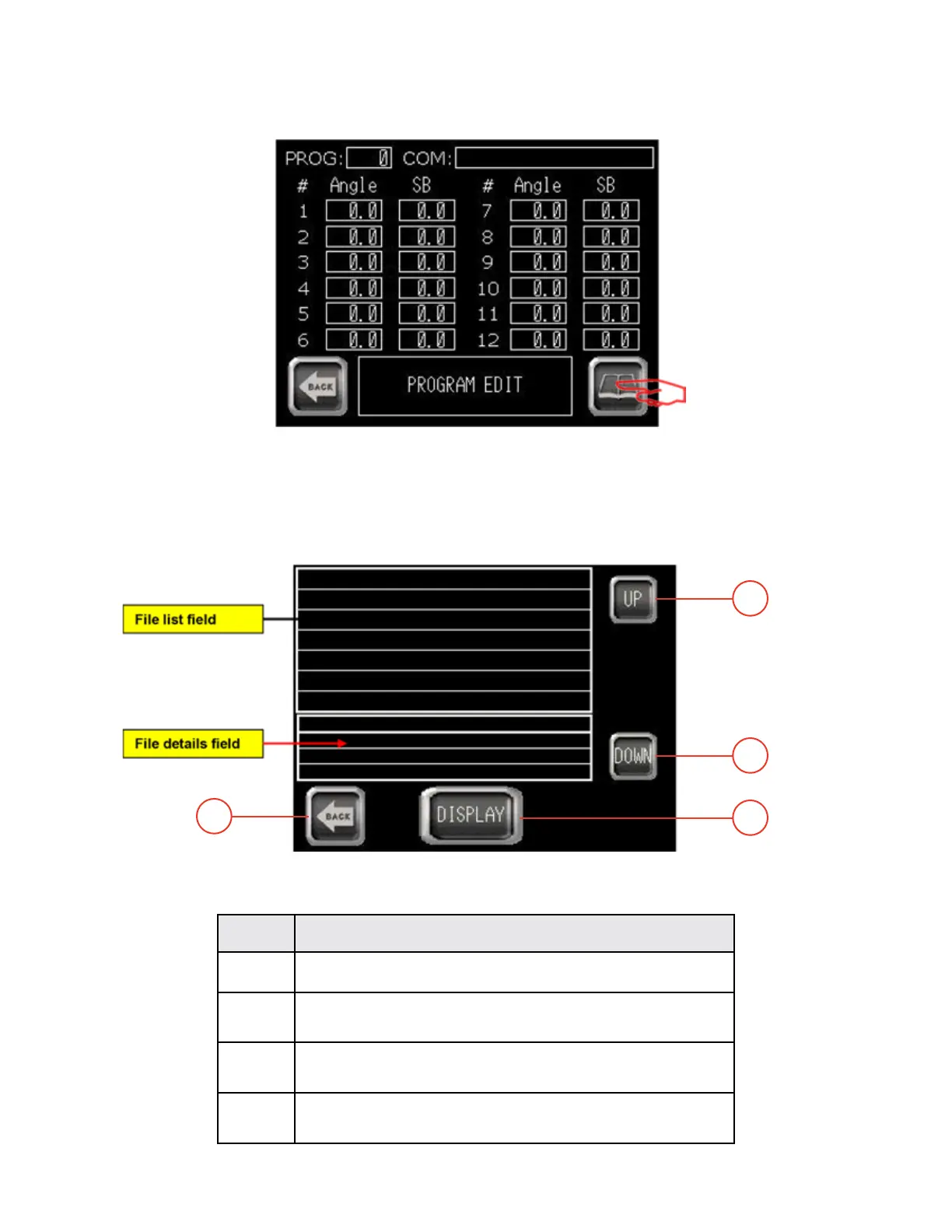
The following screen appears:
Program menu YBC
3 - Connect the USB key.
4 - Press “PROGRAM LIST” button. The following screen is displayed:
Program list
Rep FUNCTION
1 EXIT from actual screen and return to previous one.
2 Scroll up le list area.
Use this button to move up in the le list area.
3 Scroll down le list area.
Use this button to move down in the le list area.
4 Select le details.
Use this button to display details of selected le.
1
3
4
2
TB100/TB13003/2015


 To Next Page